<?xml version="1.0" encoding="UTF-8"?>
<feed xmlns="http://www.w3.org/2005/Atom">

  <title>Articles tagged media at null program</title>
  <link rel="alternate" type="text/html"
        href="https://nullprogram.com/tags/media/"/>
  <link rel="self" type="application/atom+xml"
        href="https://nullprogram.com/tags/media/feed/"/>
  <updated>2026-04-07T03:24:16Z</updated>
  <id>urn:uuid:2f2627c3-6116-413b-ba68-3a7a0cfeb8fb</id>

  <author>
    <name>Christopher Wellons</name>
    <uri>https://nullprogram.com</uri>
    <email>wellons@nullprogram.com</email>
  </author>


  <entry>
    <title>You might not need machine learning</title>
    <link rel="alternate" type="text/html" href="https://nullprogram.com/blog/2020/11/24/"/>
    <id>urn:uuid:91aa121d-c796-4c11-99d4-41c707637672</id>
    <updated>2020-11-24T04:04:36Z</updated>
    <category term="ai"/><category term="c"/><category term="media"/><category term="compsci"/><category term="video"/>
    <content type="html">
      <![CDATA[<p><em>This article was discussed <a href="https://news.ycombinator.com/item?id=25196574">on Hacker News</a>.</em></p>

<p>Machine learning is a trendy topic, so naturally it’s often used for
inappropriate purposes where a simpler, more efficient, and more reliable
solution suffices. The other day I saw an illustrative and fun example of
this: <a href="https://www.youtube.com/watch?v=-sg-GgoFCP0">Neural Network Cars and Genetic Algorithms</a>. The video
demonstrates 2D cars driven by a neural network with weights determined by
a generic algorithm. However, the entire scheme can be replaced by a
first-degree polynomial without any loss in capability. The machine
learning part is overkill.</p>

<p><a href="https://nullprogram.com/video/?v=racetrack"><img src="/img/screenshot/racetrack.jpg" alt="" /></a></p>

<!--more-->

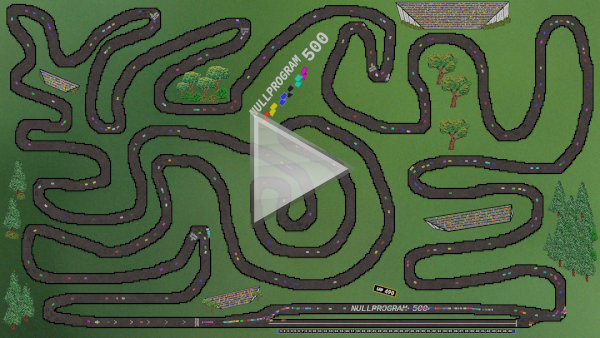
<p>Above demonstrates my implementation using a polynomial to drive the cars.
My wife drew the background. There’s no path-finding; these cars are just
feeling their way along the track, “following the rails” so to speak.</p>

<p>My intention is not to pick on this project in particular. The likely
motivation in the first place was a desire to apply a neural network to
<em>something</em>. Many of my own projects are little more than a vehicle to try
something new, so I can sympathize. Though a professional setting is
different, where machine learning should be viewed with a more skeptical
eye than it’s usually given. For instance, don’t use active learning to
select sample distribution when a <a href="http://extremelearning.com.au/unreasonable-effectiveness-of-quasirandom-sequences/">quasirandom sequence</a> will do.</p>

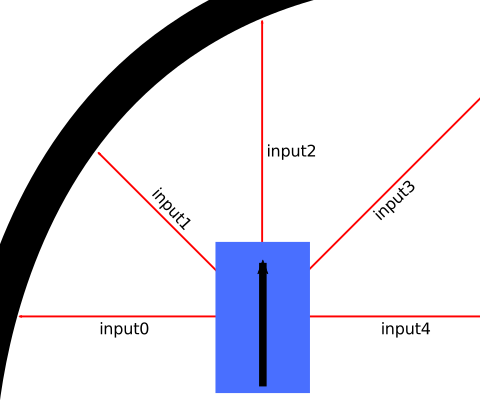
<p>In the video, the car has a limited turn radius, and minimum and maximum
speeds. (I’ve retained these contraints in my own simulation.) There are
five sensors — forward, forward-diagonals, and sides — each sensing the
distance to the nearest wall. These are fed into a 3-layer neural network,
and the outputs determine throttle and steering. Sounds pretty cool!</p>

<p><img src="/img/diagram/racecar.svg" alt="" /></p>

<p>A key feature of neural networks is that the outputs are a nonlinear
function of the inputs. However, steering a 2D car is simple enough that
<strong>a linear function is more than sufficient</strong>, and neural networks are
unnecessary. Here are my equations:</p>

<div class="language-plaintext highlighter-rouge"><div class="highlight"><pre class="highlight"><code>steering = C0*input1 - C0*input3
throttle = C1*input2
</code></pre></div></div>

<p>I only need three of the original inputs — forward for throttle, and
diagonals for steering — and the driver has just two parameters, <code class="language-plaintext highlighter-rouge">C0</code> and
<code class="language-plaintext highlighter-rouge">C1</code>, the polynomial coefficients. Optimal values depend on the track
layout and car configuration, but for my simulation, most values above 0
and below 1 are good enough in most cases. It’s less a matter of crashing
and more about navigating the course quickly.</p>

<p>The lengths of the red lines below are the driver’s three inputs:</p>

<video src="/vid/racecar.mp4" width="530" height="330" loop="" muted="" autoplay="" controls="">
</video>

<p>These polynomials are obviously much faster than a neural network, but
they’re also easy to understand and debug. I can confidently reason about
the entire range of possible inputs rather than worry about a trained
neural network <a href="https://arxiv.org/abs/1903.06638">responding strangely</a> to untested inputs.</p>

<p>Instead of doing anything fancy, my program generates the coefficients at
random to explore the space. If I wanted to generate a good driver for a
course, I’d run a few thousand of these and pick the coefficients that
complete the course in the shortest time. For instance, these coefficients
make for a fast, capable driver for the course featured at the top of the
article:</p>

<div class="language-plaintext highlighter-rouge"><div class="highlight"><pre class="highlight"><code>C0 = 0.896336973, C1 = 0.0354805067
</code></pre></div></div>

<p>Many constants can complete the track, but some will be faster than
others. If I was developing a racing game using this as the AI, I’d not
just pick constants that successfully complete the track, but the ones
that do it quickly. Here’s what the spread can look like:</p>

<video src="/vid/racecars.mp4" width="530" height="330" loop="" muted="" autoplay="" controls="">
</video>

<p>If you want to play around with this yourself, here’s my C source code
that implements this driving AI and <a href="/blog/2017/11/03/">generates the videos and images
above</a>:</p>

<p><strong><a href="https://github.com/skeeto/scratch/blob/master/aidrivers/aidrivers.c">aidrivers.c</a></strong></p>

<p>Racetracks are just images drawn in your favorite image editing program
using the colors documented in the source header.</p>

]]>
    </content>
  </entry>


  <entry>
    <title>Netpbm Animation Showcase</title>
    <link rel="alternate" type="text/html" href="https://nullprogram.com/blog/2020/06/29/"/>
    <id>urn:uuid:282d487d-5840-4c30-9aa8-3d0d0f07bef2</id>
    <updated>2020-06-29T21:03:02Z</updated>
    <category term="c"/><category term="media"/>
    <content type="html">
      <![CDATA[<p>Ever since I worked out <a href="/blog/2017/11/03/">how to render video from scratch</a> some
years ago, it’s been an indispensable tool in my software development
toolbelt. It’s the first place I reach when I need to display some
graphics, even if it means having to do the rendering myself. I’ve used
it often in throwaway projects in a disposable sort of way. More
recently, though, I’ve kept better track of these animations since some
of them <em>are</em> pretty cool, and I’d like to look a them again. This post
is a showcase of some of these projects.</p>

<p>Each project is in a ready-to-run state of compile, then run with the
output piped into a media player or video encoding. The header includes
the exactly commands you need. Since that’s probably inconvenient for
most readers, I’ve included a pre-recorded sample of each. Though in a
few cases, especially those displaying random data, video encoding
really takes something away from the final result, and it may be worth
running yourself.</p>

<p>The projects are not in any particular order.</p>

<h3 id="randu">RANDU</h3>

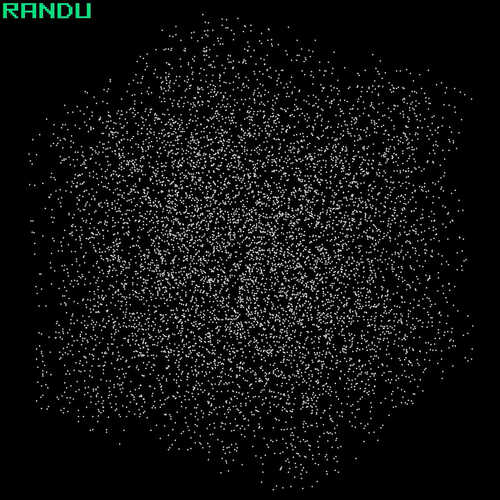
<p><a href="https://nullprogram.com/video/?v=randu"><img src="/img/showcase/randu.jpg" alt="" /></a><br />
<strong>Source</strong>:  <a href="https://github.com/skeeto/scratch/blob/master/animation/randu.c">randu.c</a></p>

<p>This is a little demonstration of the poor quality of the <a href="https://en.wikipedia.org/wiki/RANDU">RANDU
pseudorandom number generator</a>. Note how the source embeds a
monospace font so that it can render the text in the corner. For the 3D
effect, it includes an orthographic projection function. This function
will appear again later since I tend to cannibalize my own projects.</p>

<h3 id="color-sorting">Color sorting</h3>

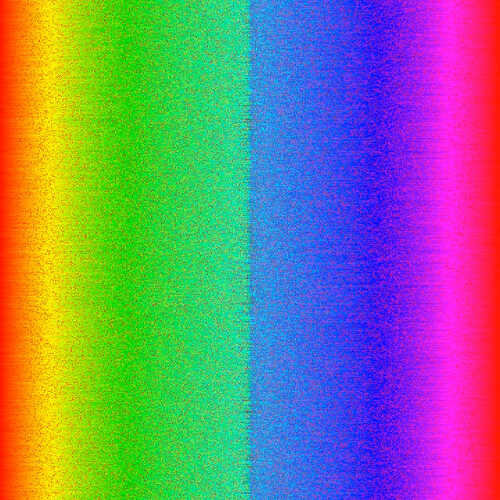
<p><a href="https://nullprogram.com/video/?v=colors-odd-even"><img src="/img/showcase/colorsort.jpg" alt="" /></a><br />
<strong>Source</strong>:  <a href="https://github.com/skeeto/scratch/blob/master/animation/colorsort.c">colorsort.c</a></p>

<p>The original idea came from <a href="https://old.reddit.com/r/woahdude/comments/73oz1x/from_chaos_to_order/">an old reddit post</a>.</p>

<h3 id="kruskal-maze-generator">Kruskal maze generator</h3>

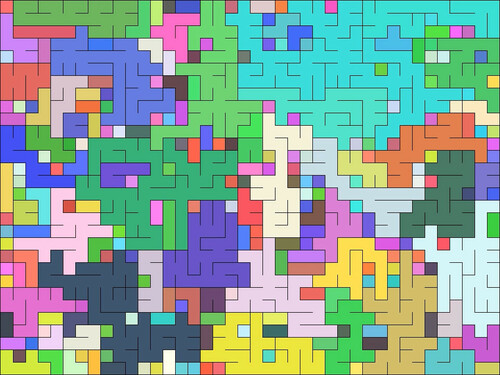
<p><a href="https://nullprogram.com/video/?v=kruskal"><img src="/img/showcase/animaze.jpg" alt="" /></a><br />
<strong>Source</strong>:  <a href="https://github.com/skeeto/scratch/blob/master/animaze/animaze.c">animaze.c</a></p>

<p>This effect was invented by my current <a href="/blog/2016/09/02/">mentee student</a> while
working on maze / dungeon generation late last year. This particular
animation is my own implementation. It outputs Netpbm by default, but,
for both fun and practice, also includes an entire implementation <a href="/blog/2015/06/06/">in
OpenGL</a>. It’s enabled at compile time with <code class="language-plaintext highlighter-rouge">-DENABLE_GL</code> so long
as you have GLFW and GLEW (even on Windows!).</p>

<h3 id="sliding-rooks-puzzle">Sliding rooks puzzle</h3>

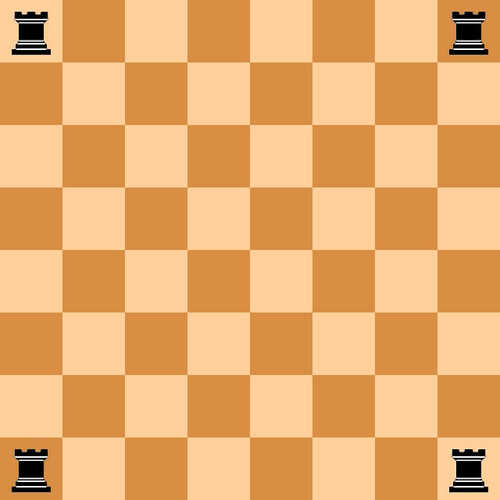
<p><a href="https://nullprogram.com/video/?v=rooks"><img src="/img/showcase/rooks.jpg" alt="" /></a><br />
<strong>Source</strong>:  <a href="https://github.com/skeeto/scratch/blob/master/animation/rooks.c">rooks.c</a></p>

<p>I wanted to watch an animated solution to <a href="https://possiblywrong.wordpress.com/2020/05/20/sliding-rooks-and-queens/">the sliding rooks
puzzle</a>. This program solves the puzzle using a bitboard, then
animates the solution. The rook images are embedded in the program,
compressed using a custom run-length encoding (RLE) scheme with a tiny
palette.</p>

<h3 id="glaubers-dynamics">Glauber’s dynamics</h3>

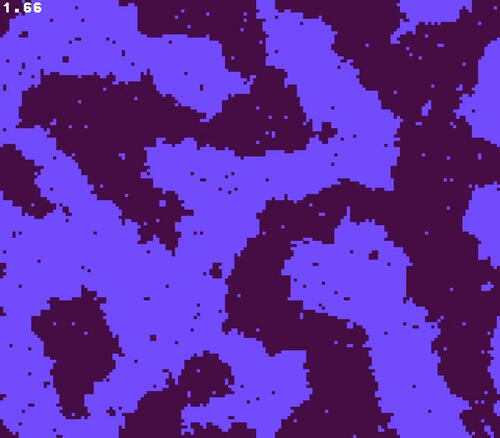
<p><a href="https://nullprogram.com/video/?v=magnet"><img src="/img/showcase/magnet.jpg" alt="" /></a><br />
<strong>Source</strong>:  <a href="https://github.com/skeeto/scratch/blob/master/animation/magnet.c">magnet.c</a></p>

<p>My own animation of <a href="http://bit-player.org/2019/glaubers-dynamics">Glauber’s dynamics</a> using a totally
unoriginal color palette.</p>

<h3 id="fire">Fire</h3>

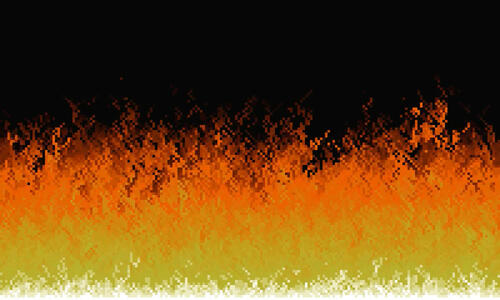
<p><a href="https://nullprogram.com/video/?v=fire"><img src="/img/showcase/fire.jpg" alt="" /></a><br />
<strong>Source</strong>:  <a href="https://github.com/skeeto/scratch/blob/master/animation/fire.c">fire.c</a></p>

<p>This is the <a href="https://fabiensanglard.net/doom_fire_psx/">classic Doom fire animation</a>. I later <a href="/blog/2020/04/30/">implemented it
in WebGL</a> with a modified algorithm.</p>

<h3 id="mersenne-twister">Mersenne Twister</h3>

<p><a href="https://nullprogram.com/video/?v=mt19937-shuffle"><img src="/img/showcase/mt.jpg" alt="" /></a><br />
<strong>Source</strong>:  <a href="https://github.com/skeeto/scratch/blob/master/animation/mtvisualize.c">mtvisualize.c</a></p>

<p>A visualization of the Mersenne Twister pseudorandom number generator.
Not terribly interesting, so I almost didn’t include it.</p>

<h3 id="pixel-sorting">Pixel sorting</h3>

<p><a href="https://nullprogram.com/video/?v=pixelsort"><img src="/img/showcase/pixelsort.jpg" alt="" /></a><br />
<strong>Source</strong>:  <a href="https://github.com/skeeto/scratch/blob/master/animation/pixelsort.c">pixelsort.c</a></p>

<p>Another animation <a href="https://old.reddit.com/r/generative/comments/9o1plu/generative_pixel_sorting_variant/">inspired by a reddit post</a>. Starting from
the top-left corner, swap the current pixel to the one most like its
neighbors.</p>

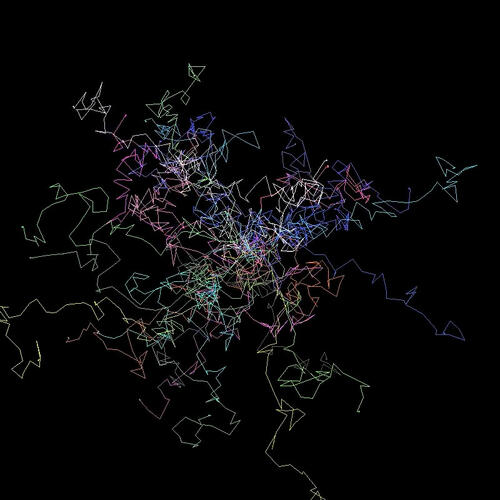
<h3 id="random-walk-2d">Random walk (2D)</h3>

<p><a href="https://nullprogram.com/video/?v=walk2d"><img src="/img/showcase/walkers.jpg" alt="" /></a><br />
<strong>Source</strong>:  <a href="https://github.com/skeeto/scratch/blob/master/animation/walkers.c">walkers.c</a></p>

<p>Another reproduction of <a href="https://old.reddit.com/r/proceduralgeneration/comments/g49qwk/random_walkers_abstract_art/">a reddit post</a>. This is recent enough
that I’m using a <a href="/blog/2019/11/19/">disposable LCG</a>.</p>

<h3 id="manhattan-distance-voronoi-diagram">Manhattan distance Voronoi diagram</h3>

<p><a href="https://nullprogram.com/video/?v=voronoi"><img src="/img/showcase/voronoi.jpg" alt="" /></a><br />
<strong>Source</strong>:  <a href="https://github.com/skeeto/scratch/blob/master/animation/voronoi.c">voronoi.c</a></p>

<p>Another <a href="https://old.reddit.com/r/proceduralgeneration/comments/fuy6tk/voronoi_with_manhattan_distance_in_c/">reddit post</a>, though I think my version looks a lot
nicer. I like to play this one over and over on repeat with different
seeds.</p>

<h3 id="random-walk-3d">Random walk (3D)</h3>

<p><a href="https://nullprogram.com/video/?v=walk3d"><img src="/img/showcase/walk3d.jpg" alt="" /></a><br />
<strong>Source</strong>:  <a href="https://github.com/skeeto/scratch/blob/master/animation/walk3d.c">walk3d.c</a></p>

<p>Another <del>stolen idea</del> personal take <a href="https://old.reddit.com/r/proceduralgeneration/comments/geka1q/random_walking_in_3d/">on a reddit post</a>. This
features the orthographic projection function from the RANDU animation.
Video encoding makes a real mess of this one, and I couldn’t work out
encoding options to make it look nice, so this one looks a lot better
“in person.”</p>

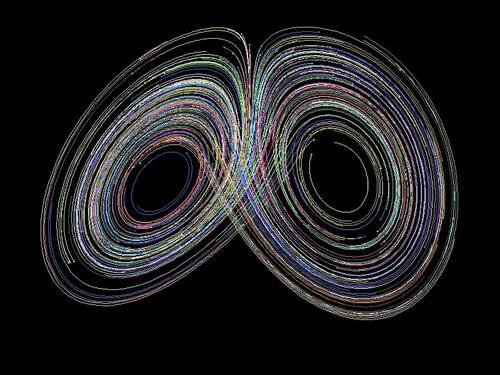
<h3 id="lorenz-system">Lorenz system</h3>

<p><a href="https://nullprogram.com/video/?v=lorenz"><img src="/img/showcase/lorenz.jpg" alt="" /></a><br />
<strong>Source</strong>:  <a href="https://github.com/skeeto/scratch/blob/master/animation/lorenz.c">lorenz.c</a></p>

<p>A 3D animation I adapted from the 3D random walk above, meaning it uses
the same orthographic projection. I have <a href="/blog/2018/02/15/">a WebGL version of this
one</a>, but I like that I could do this in such a small
amount of code and without an existing rendering engine. Like before,
this is really damaged by video encoding and is best seen live.</p>

<p>Bonus: I made <a href="https://gist.github.com/skeeto/45d825c01b00c10452634933d03e766d">an obfuscated version</a> just to show how
small this can get!</p>

]]>
    </content>
  </entry>


  <entry>
    <title>When Parallel: Pull, Don't Push</title>
    <link rel="alternate" type="text/html" href="https://nullprogram.com/blog/2020/04/30/"/>
    <id>urn:uuid:ac12ef1d-299f-4edb-9eb1-5ed4dac1219c</id>
    <updated>2020-04-30T22:35:51Z</updated>
    <category term="optimization"/><category term="interactive"/><category term="javascript"/><category term="opengl"/><category term="media"/><category term="webgl"/><category term="c"/>
    <content type="html">
      <![CDATA[<p><em>This article was discussed <a href="https://news.ycombinator.com/item?id=23089729">on Hacker News</a>.</em></p>

<p>I’ve noticed a small pattern across a few of my projects where I had
vectorized and parallelized some code. The original algorithm had a
“push” approach, the optimized version instead took a “pull” approach.
In this article I’ll describe what I mean, though it’s mostly just so I
can show off some pretty videos, pictures, and demos.</p>

<!--more-->

<h3 id="sandpiles">Sandpiles</h3>

<p>A good place to start is the <a href="https://en.wikipedia.org/wiki/Abelian_sandpile_model">Abelian sandpile model</a>, which, like
many before me, completely <a href="https://xkcd.com/356/">captured</a> my attention for awhile.
It’s a cellular automaton where each cell is a pile of grains of sand —
a sandpile. At each step, any sandpile with more than four grains of
sand spill one grain into its four 4-connected neighbors, regardless of
the number of grains in those neighboring cell. Cells at the edge spill
their grains into oblivion, and those grains no longer exist.</p>

<p>With excess sand falling over the edge, the model eventually hits a
stable state where all piles have three or fewer grains. However, until
it reaches stability, all sorts of interesting patterns ripple though
the cellular automaton. In certain cases, the final pattern itself is
beautiful and interesting.</p>

<p>Numberphile has a great video describing how to <a href="https://www.youtube.com/watch?v=1MtEUErz7Gg">form a group over
recurrent configurations</a> (<a href="https://www.youtube.com/watch?v=hBdJB-BzudU">also</a>). In short, for any given grid
size, there’s a stable <em>identity</em> configuration that, when “added” to
any other element in the group will stabilize back to that element. The
identity configuration is a fractal itself, and has been a focus of
study on its own.</p>

<p>Computing the identity configuration is really just about running the
simulation to completion a couple times from certain starting
configurations. Here’s an animation of the process for computing the
64x64 identity configuration:</p>

<p><a href="https://nullprogram.com/video/?v=sandpiles-64"><img src="/img/identity-64-thumb.png" alt="" /></a></p>

<p>As a fractal, the larger the grid, the more self-similar patterns there
are to observe. There are lots of samples online, and the biggest I
could find was <a href="https://commons.wikimedia.org/wiki/File:Sandpile_group_identity_on_3000x3000_grid.png">this 3000x3000 on Wikimedia Commons</a>. But I wanted
to see one <em>that’s even bigger, damnit</em>! So, skipping to the end, I
eventually computed this 10000x10000 identity configuration:</p>

<p><a href="/img/identity-10000.png"><img src="/img/identity-10000-thumb.png" alt="" /></a></p>

<p>This took 10 days to compute using my optimized implementation:</p>

<p><a href="https://github.com/skeeto/scratch/blob/master/animation/sandpiles.c">https://github.com/skeeto/scratch/blob/master/animation/sandpiles.c</a></p>

<p>I picked an algorithm described <a href="https://codegolf.stackexchange.com/a/106990">in a code golf challenge</a>:</p>

<div class="language-plaintext highlighter-rouge"><div class="highlight"><pre class="highlight"><code>f(ones(n)*6 - f(ones(n)*6))
</code></pre></div></div>

<p>Where <code class="language-plaintext highlighter-rouge">f()</code> is the function that runs the simulation to a stable state.</p>

<p>I used <a href="/blog/2015/07/10/">OpenMP to parallelize across cores, and SIMD to parallelize
within a thread</a>. Each thread operates on 32 sandpiles at a time.
To compute the identity sandpile, each sandpile only needs 3 bits of
state, so this could potentially be increased to 85 sandpiles at a time
on the same hardware. The output format is my old mainstay, Netpbm,
<a href="/blog/2017/11/03/">including the video output</a>.</p>

<h4 id="sandpile-push-and-pull">Sandpile push and pull</h4>

<p>So, what do I mean about pushing and pulling? The naive approach to
simulating sandpiles looks like this:</p>

<div class="language-plaintext highlighter-rouge"><div class="highlight"><pre class="highlight"><code>for each i in sandpiles {
    if input[i] &lt; 4 {
        output[i] = input[i]
    } else {
        output[i] = input[i] - 4
        for each j in neighbors {
            output[j] = output[j] + 1
        }
    }
}
</code></pre></div></div>

<p>As the algorithm examines each cell, it <em>pushes</em> results into
neighboring cells. If we’re using concurrency, that means multiple
threads of execution may be mutating the same cell, which requires
synchronization — locks, <a href="/blog/2014/09/02/">atomics</a>, etc. That much
synchronization is the death knell of performance. The threads will
spend all their time contending for the same resources, even if it’s
just false sharing.</p>

<p>The solution is to <em>pull</em> grains from neighbors:</p>

<div class="language-plaintext highlighter-rouge"><div class="highlight"><pre class="highlight"><code>for each i in sandpiles {
    if input[i] &lt; 4 {
        output[i] = input[i]
    } else {
        output[i] = input[i] - 4
    }
    for each j in neighbors {
        if input[j] &gt;= 4 {
            output[i] = output[i] + 1
        }
    }
}
</code></pre></div></div>

<p>Each thread only modifies one cell — the cell it’s in charge of updating
— so no synchronization is necessary. It’s shader-friendly and should
sound familiar if you’ve seen <a href="/blog/2014/06/10/">my WebGL implementation of Conway’s Game
of Life</a>. It’s essentially the same algorithm. If you chase down
the various Abelian sandpile references online, you’ll eventually come
across a 2017 paper by Cameron Fish about <a href="http://people.reed.edu/~davidp/homepage/students/fish.pdf">running sandpile simulations
on GPUs</a>. He cites my WebGL Game of Life article, bringing
everything full circle. We had spoken by email at the time, and he
<a href="https://people.reed.edu/~davidp/web_sandpiles/">shared his <strong>interactive simulation</strong> with me</a>.</p>

<p>Vectorizing this algorithm is straightforward: Load multiple piles at
once, one per SIMD channel, and use masks to implement the branches. In
my code I’ve also unrolled the loop. To avoid bounds checking in the
SIMD code, I pad the state data structure with zeros so that the edge
cells have static neighbors and are no longer special.</p>

<h3 id="webgl-fire">WebGL Fire</h3>

<p>Back in the old days, one of the <a href="http://fabiensanglard.net/doom_fire_psx/">cool graphics tricks was fire
animations</a>. It was so easy to implement on limited hardware. In
fact, the most obvious way to compute it was directly in the
framebuffer, such as in <a href="/blog/2014/12/09/">the VGA buffer</a>, with no outside state.</p>

<p>There’s a heat source at the bottom of the screen, and the algorithm
runs from bottom up, propagating that heat upwards randomly. Here’s the
algorithm using traditional screen coordinates (top-left corner origin):</p>

<div class="language-plaintext highlighter-rouge"><div class="highlight"><pre class="highlight"><code>func rand(min, max) // random integer in [min, max]

for each x, y from bottom {
    buf[y-1][x+rand(-1, 1)] = buf[y][x] - rand(0, 1)
}
</code></pre></div></div>

<p>As a <em>push</em> algorithm it works fine with a single-thread, but
it doesn’t translate well to modern video hardware. So convert it to a
<em>pull</em> algorithm!</p>

<div class="language-plaintext highlighter-rouge"><div class="highlight"><pre class="highlight"><code>for each x, y {
    sx = x + rand(-1, 1)
    sy = y + rand(1, 2)
    output[y][x] = input[sy][sx] - rand(0, 1)
}
</code></pre></div></div>

<p>Cells pull the fire upward from the bottom. Though this time there’s a
catch: <em>This algorithm will have subtly different results.</em></p>

<ul>
  <li>
    <p>In the original, there’s a single state buffer and so a flame could
propagate upwards multiple times in a single pass. I’ve compensated
here by allowing a flames to propagate further at once.</p>
  </li>
  <li>
    <p>In the original, a flame only propagates to one other cell. In this
version, two cells might pull from the same flame, cloning it.</p>
  </li>
</ul>

<p>In the end it’s hard to tell the difference, so this works out.</p>

<p><a href="https://nullprogram.com/webgl-fire/"><img src="/img/fire-thumb.png" alt="" /></a></p>

<p><a href="https://github.com/skeeto/webgl-fire/">source code and instructions</a></p>

<p>There’s still potentially contention in that <code class="language-plaintext highlighter-rouge">rand()</code> function, but this
can be resolved <a href="https://www.shadertoy.com/view/WttXWX">with a hash function</a> that takes <code class="language-plaintext highlighter-rouge">x</code> and <code class="language-plaintext highlighter-rouge">y</code> as
inputs.</p>

]]>
    </content>
  </entry>


  <entry>
    <title>Render Multimedia in Pure C</title>
    <link rel="alternate" type="text/html" href="https://nullprogram.com/blog/2017/11/03/"/>
    <id>urn:uuid:4b36dd78-e85d-3637-8cd5-e44a2d3e683a</id>
    <updated>2017-11-03T22:31:15Z</updated>
    <category term="c"/><category term="media"/><category term="trick"/><category term="tutorial"/>
    <content type="html">
      <![CDATA[<p><em>Update 2020</em>: I’ve produced <a href="/blog/2020/06/29/">many more examples</a> over the years
(<a href="https://github.com/skeeto/scratch/tree/master/animation">even more</a>).</p>

<p>In a previous article <a href="/blog/2017/07/02/">I demonstrated video filtering with C and a
unix pipeline</a>. Thanks to the ubiquitous support for the
ridiculously simple <a href="https://en.wikipedia.org/wiki/Netpbm_format">Netpbm formats</a> — specifically the “Portable
PixMap” (<code class="language-plaintext highlighter-rouge">.ppm</code>, <code class="language-plaintext highlighter-rouge">P6</code>) binary format — it’s trivial to parse and
produce image data in any language without image libraries. Video
decoders and encoders at the ends of the pipeline do the heavy lifting
of processing the complicated video formats actually used to store and
transmit video.</p>

<p>Naturally this same technique can be used to <em>produce</em> new video in a
simple program. All that’s needed are a few functions to render
artifacts — lines, shapes, etc. — to an RGB buffer. With a bit of
basic sound synthesis, the same concept can be applied to create audio
in a separate audio stream — in this case using the simple (but not as
simple as Netpbm) WAV format. Put them together and a small,
standalone program can create multimedia.</p>

<p>Here’s the demonstration video I’ll be going through in this article.
It animates and visualizes various in-place sorting algorithms (<a href="/blog/2016/09/05/">see
also</a>). The elements are rendered as colored dots, ordered by
hue, with red at 12 o’clock. A dot’s distance from the center is
proportional to its corresponding element’s distance from its correct
position. Each dot emits a sinusoidal tone with a unique frequency
when it swaps places in a particular frame.</p>

<p><a href="/video/?v=sort-circle"><img src="/img/sort-circle/video.png" alt="" /></a></p>

<p>Original credit for this visualization concept goes to <a href="https://www.youtube.com/watch?v=sYd_-pAfbBw">w0rthy</a>.</p>

<p>All of the source code (less than 600 lines of C), ready to run, can be
found here:</p>

<ul>
  <li><strong><a href="https://github.com/skeeto/sort-circle">https://github.com/skeeto/sort-circle</a></strong></li>
</ul>

<p>On any modern computer, rendering is real-time, even at 60 FPS, so you
may be able to pipe the program’s output directly into your media player
of choice. (If not, consider getting a better media player!)</p>

<div class="language-plaintext highlighter-rouge"><div class="highlight"><pre class="highlight"><code>$ ./sort | mpv --no-correct-pts --fps=60 -
</code></pre></div></div>

<p>VLC requires some help from <a href="http://mjpeg.sourceforge.net/">ppmtoy4m</a>:</p>

<div class="language-plaintext highlighter-rouge"><div class="highlight"><pre class="highlight"><code>$ ./sort | ppmtoy4m -F60:1 | vlc -
</code></pre></div></div>

<p>Or you can just encode it to another format. Recent versions of
libavformat can input PPM images directly, which means <code class="language-plaintext highlighter-rouge">x264</code> can read
the program’s output directly:</p>

<div class="language-plaintext highlighter-rouge"><div class="highlight"><pre class="highlight"><code>$ ./sort | x264 --fps 60 -o video.mp4 /dev/stdin
</code></pre></div></div>

<p>By default there is no audio output. I wish there was a nice way to
embed audio with the video stream, but this requires a container and
that would destroy all the simplicity of this project. So instead, the
<code class="language-plaintext highlighter-rouge">-a</code> option captures the audio in a separate file. Use <code class="language-plaintext highlighter-rouge">ffmpeg</code> to
combine the audio and video into a single media file:</p>

<div class="language-plaintext highlighter-rouge"><div class="highlight"><pre class="highlight"><code>$ ./sort -a audio.wav | x264 --fps 60 -o video.mp4 /dev/stdin
$ ffmpeg -i video.mp4 -i audio.wav -vcodec copy -acodec mp3 \
         combined.mp4
</code></pre></div></div>

<p>You might think you’ll be clever by using <code class="language-plaintext highlighter-rouge">mkfifo</code> (i.e. a named pipe)
to pipe both audio and video into ffmpeg at the same time. This will
only result in a deadlock since neither program is prepared for this.
One will be blocked writing one stream while the other is blocked
reading on the other stream.</p>

<p>Several years ago <a href="/blog/2016/09/02/">my intern and I</a> used the exact same pure C
rendering technique to produce these raytracer videos:</p>

<p>
<video width="600" controls="controls">
  <source type="video/webm" src="https://skeeto.s3.amazonaws.com/netray/bigdemo_full.webm" />
</video>
</p>

<p>
<video width="600" controls="controls">
  <source type="video/webm" src="https://skeeto.s3.amazonaws.com/netray/bounce720.webm" />
</video>
</p>

<p>I also used this technique to <a href="/blog/2017/09/07/">illustrate gap buffers</a>.</p>

<h3 id="pixel-format-and-rendering">Pixel format and rendering</h3>

<p>This program really only has one purpose: rendering a sorting video
with a fixed, square resolution. So rather than write generic image
rendering functions, some assumptions will be hard coded. For example,
the video size will just be hard coded and assumed square, making it
simpler and faster. I chose 800x800 as the default:</p>

<div class="language-c highlighter-rouge"><div class="highlight"><pre class="highlight"><code><span class="cp">#define S     800
</span></code></pre></div></div>

<p>Rather than define some sort of color struct with red, green, and blue
fields, color will be represented by a 24-bit integer (<code class="language-plaintext highlighter-rouge">long</code>). I
arbitrarily chose red to be the most significant 8 bits. This has
nothing to do with the order of the individual channels in Netpbm
since these integers are never dumped out. (This would have stupid
byte-order issues anyway.) “Color literals” are particularly
convenient and familiar in this format. For example, the constant for
pink: <code class="language-plaintext highlighter-rouge">0xff7f7fUL</code>.</p>

<p>In practice the color channels will be operated upon separately, so
here are a couple of helper functions to convert the channels between
this format and normalized floats (0.0–1.0).</p>

<div class="language-c highlighter-rouge"><div class="highlight"><pre class="highlight"><code><span class="k">static</span> <span class="kt">void</span>
<span class="nf">rgb_split</span><span class="p">(</span><span class="kt">unsigned</span> <span class="kt">long</span> <span class="n">c</span><span class="p">,</span> <span class="kt">float</span> <span class="o">*</span><span class="n">r</span><span class="p">,</span> <span class="kt">float</span> <span class="o">*</span><span class="n">g</span><span class="p">,</span> <span class="kt">float</span> <span class="o">*</span><span class="n">b</span><span class="p">)</span>
<span class="p">{</span>
    <span class="o">*</span><span class="n">r</span> <span class="o">=</span> <span class="p">((</span><span class="n">c</span> <span class="o">&gt;&gt;</span> <span class="mi">16</span><span class="p">)</span> <span class="o">/</span> <span class="mi">255</span><span class="p">.</span><span class="mi">0</span><span class="n">f</span><span class="p">);</span>
    <span class="o">*</span><span class="n">g</span> <span class="o">=</span> <span class="p">(((</span><span class="n">c</span> <span class="o">&gt;&gt;</span> <span class="mi">8</span><span class="p">)</span> <span class="o">&amp;</span> <span class="mh">0xff</span><span class="p">)</span> <span class="o">/</span> <span class="mi">255</span><span class="p">.</span><span class="mi">0</span><span class="n">f</span><span class="p">);</span>
    <span class="o">*</span><span class="n">b</span> <span class="o">=</span> <span class="p">((</span><span class="n">c</span> <span class="o">&amp;</span> <span class="mh">0xff</span><span class="p">)</span> <span class="o">/</span> <span class="mi">255</span><span class="p">.</span><span class="mi">0</span><span class="n">f</span><span class="p">);</span>
<span class="p">}</span>

<span class="k">static</span> <span class="kt">unsigned</span> <span class="kt">long</span>
<span class="nf">rgb_join</span><span class="p">(</span><span class="kt">float</span> <span class="n">r</span><span class="p">,</span> <span class="kt">float</span> <span class="n">g</span><span class="p">,</span> <span class="kt">float</span> <span class="n">b</span><span class="p">)</span>
<span class="p">{</span>
    <span class="kt">unsigned</span> <span class="kt">long</span> <span class="n">ir</span> <span class="o">=</span> <span class="n">roundf</span><span class="p">(</span><span class="n">r</span> <span class="o">*</span> <span class="mi">255</span><span class="p">.</span><span class="mi">0</span><span class="n">f</span><span class="p">);</span>
    <span class="kt">unsigned</span> <span class="kt">long</span> <span class="n">ig</span> <span class="o">=</span> <span class="n">roundf</span><span class="p">(</span><span class="n">g</span> <span class="o">*</span> <span class="mi">255</span><span class="p">.</span><span class="mi">0</span><span class="n">f</span><span class="p">);</span>
    <span class="kt">unsigned</span> <span class="kt">long</span> <span class="n">ib</span> <span class="o">=</span> <span class="n">roundf</span><span class="p">(</span><span class="n">b</span> <span class="o">*</span> <span class="mi">255</span><span class="p">.</span><span class="mi">0</span><span class="n">f</span><span class="p">);</span>
    <span class="k">return</span> <span class="p">(</span><span class="n">ir</span> <span class="o">&lt;&lt;</span> <span class="mi">16</span><span class="p">)</span> <span class="o">|</span> <span class="p">(</span><span class="n">ig</span> <span class="o">&lt;&lt;</span> <span class="mi">8</span><span class="p">)</span> <span class="o">|</span> <span class="n">ib</span><span class="p">;</span>
<span class="p">}</span>
</code></pre></div></div>

<p>Originally I decided the integer form would be sRGB, and these
functions handled the conversion to and from sRGB. Since it had no
noticeable effect on the output video, I discarded it. In more
sophisticated rendering you may want to take this into account.</p>

<p>The RGB buffer where images are rendered is just a plain old byte
buffer with the same pixel format as PPM. The <code class="language-plaintext highlighter-rouge">ppm_set()</code> function
writes a color to a particular pixel in the buffer, assumed to be <code class="language-plaintext highlighter-rouge">S</code>
by <code class="language-plaintext highlighter-rouge">S</code> pixels. The complement to this function is <code class="language-plaintext highlighter-rouge">ppm_get()</code>, which
will be needed for blending.</p>

<div class="language-c highlighter-rouge"><div class="highlight"><pre class="highlight"><code><span class="k">static</span> <span class="kt">void</span>
<span class="nf">ppm_set</span><span class="p">(</span><span class="kt">unsigned</span> <span class="kt">char</span> <span class="o">*</span><span class="n">buf</span><span class="p">,</span> <span class="kt">int</span> <span class="n">x</span><span class="p">,</span> <span class="kt">int</span> <span class="n">y</span><span class="p">,</span> <span class="kt">unsigned</span> <span class="kt">long</span> <span class="n">color</span><span class="p">)</span>
<span class="p">{</span>
    <span class="n">buf</span><span class="p">[</span><span class="n">y</span> <span class="o">*</span> <span class="n">S</span> <span class="o">*</span> <span class="mi">3</span> <span class="o">+</span> <span class="n">x</span> <span class="o">*</span> <span class="mi">3</span> <span class="o">+</span> <span class="mi">0</span><span class="p">]</span> <span class="o">=</span> <span class="n">color</span> <span class="o">&gt;&gt;</span> <span class="mi">16</span><span class="p">;</span>
    <span class="n">buf</span><span class="p">[</span><span class="n">y</span> <span class="o">*</span> <span class="n">S</span> <span class="o">*</span> <span class="mi">3</span> <span class="o">+</span> <span class="n">x</span> <span class="o">*</span> <span class="mi">3</span> <span class="o">+</span> <span class="mi">1</span><span class="p">]</span> <span class="o">=</span> <span class="n">color</span> <span class="o">&gt;&gt;</span>  <span class="mi">8</span><span class="p">;</span>
    <span class="n">buf</span><span class="p">[</span><span class="n">y</span> <span class="o">*</span> <span class="n">S</span> <span class="o">*</span> <span class="mi">3</span> <span class="o">+</span> <span class="n">x</span> <span class="o">*</span> <span class="mi">3</span> <span class="o">+</span> <span class="mi">2</span><span class="p">]</span> <span class="o">=</span> <span class="n">color</span> <span class="o">&gt;&gt;</span>  <span class="mi">0</span><span class="p">;</span>
<span class="p">}</span>

<span class="k">static</span> <span class="kt">unsigned</span> <span class="kt">long</span>
<span class="nf">ppm_get</span><span class="p">(</span><span class="kt">unsigned</span> <span class="kt">char</span> <span class="o">*</span><span class="n">buf</span><span class="p">,</span> <span class="kt">int</span> <span class="n">x</span><span class="p">,</span> <span class="kt">int</span> <span class="n">y</span><span class="p">)</span>
<span class="p">{</span>
    <span class="kt">unsigned</span> <span class="kt">long</span> <span class="n">r</span> <span class="o">=</span> <span class="n">buf</span><span class="p">[</span><span class="n">y</span> <span class="o">*</span> <span class="n">S</span> <span class="o">*</span> <span class="mi">3</span> <span class="o">+</span> <span class="n">x</span> <span class="o">*</span> <span class="mi">3</span> <span class="o">+</span> <span class="mi">0</span><span class="p">];</span>
    <span class="kt">unsigned</span> <span class="kt">long</span> <span class="n">g</span> <span class="o">=</span> <span class="n">buf</span><span class="p">[</span><span class="n">y</span> <span class="o">*</span> <span class="n">S</span> <span class="o">*</span> <span class="mi">3</span> <span class="o">+</span> <span class="n">x</span> <span class="o">*</span> <span class="mi">3</span> <span class="o">+</span> <span class="mi">1</span><span class="p">];</span>
    <span class="kt">unsigned</span> <span class="kt">long</span> <span class="n">b</span> <span class="o">=</span> <span class="n">buf</span><span class="p">[</span><span class="n">y</span> <span class="o">*</span> <span class="n">S</span> <span class="o">*</span> <span class="mi">3</span> <span class="o">+</span> <span class="n">x</span> <span class="o">*</span> <span class="mi">3</span> <span class="o">+</span> <span class="mi">2</span><span class="p">];</span>
    <span class="k">return</span> <span class="p">(</span><span class="n">r</span> <span class="o">&lt;&lt;</span> <span class="mi">16</span><span class="p">)</span> <span class="o">|</span> <span class="p">(</span><span class="n">g</span> <span class="o">&lt;&lt;</span> <span class="mi">8</span><span class="p">)</span> <span class="o">|</span> <span class="n">b</span><span class="p">;</span>
<span class="p">}</span>
</code></pre></div></div>

<p>Since the buffer is already in the right format, writing an image is
dead simple. I like to flush after each frame so that observers
generally see clean, complete frames. It helps in debugging.</p>

<div class="language-c highlighter-rouge"><div class="highlight"><pre class="highlight"><code><span class="k">static</span> <span class="kt">void</span>
<span class="nf">ppm_write</span><span class="p">(</span><span class="k">const</span> <span class="kt">unsigned</span> <span class="kt">char</span> <span class="o">*</span><span class="n">buf</span><span class="p">,</span> <span class="kt">FILE</span> <span class="o">*</span><span class="n">f</span><span class="p">)</span>
<span class="p">{</span>
    <span class="n">fprintf</span><span class="p">(</span><span class="n">f</span><span class="p">,</span> <span class="s">"P6</span><span class="se">\n</span><span class="s">%d %d</span><span class="se">\n</span><span class="s">255</span><span class="se">\n</span><span class="s">"</span><span class="p">,</span> <span class="n">S</span><span class="p">,</span> <span class="n">S</span><span class="p">);</span>
    <span class="n">fwrite</span><span class="p">(</span><span class="n">buf</span><span class="p">,</span> <span class="n">S</span> <span class="o">*</span> <span class="mi">3</span><span class="p">,</span> <span class="n">S</span><span class="p">,</span> <span class="n">f</span><span class="p">);</span>
    <span class="n">fflush</span><span class="p">(</span><span class="n">f</span><span class="p">);</span>
<span class="p">}</span>
</code></pre></div></div>

<h3 id="dot-rendering">Dot rendering</h3>

<p>If you zoom into one of those dots, you may notice it has a nice
smooth edge. Here’s one rendered at 30x the normal resolution. I did
not render, then scale this image in another piece of software. This
is straight out of the C program.</p>

<p><img src="/img/sort-circle/dot.png" alt="" /></p>

<p>In an early version of this program I used a dumb dot rendering
routine. It took a color and a hard, integer pixel coordinate. All the
pixels within a certain distance of this coordinate were set to the
color, everything else was left alone. This had two bad effects:</p>

<ul>
  <li>
    <p>Dots <em>jittered</em> as they moved around since their positions were
rounded to the nearest pixel for rendering. A dot would be centered on
one pixel, then suddenly centered on another pixel. This looked bad
even when those pixels were adjacent.</p>
  </li>
  <li>
    <p>There’s no blending between dots when they overlap, making the lack of
anti-aliasing even more pronounced.</p>
  </li>
</ul>

<video src="/img/sort-circle/flyby.mp4" loop="loop" autoplay="autoplay" width="600">
</video>

<p>Instead the dot’s position is computed in floating point and is
actually rendered as if it were between pixels. This is done with a
shader-like routine that uses <a href="https://en.wikipedia.org/wiki/Smoothstep">smoothstep</a> — just as <a href="/tags/opengl/">found in
shader languages</a> — to give the dot a smooth edge. That edge
is blended into the image, whether that’s the background or a
previously-rendered dot. The input to the smoothstep is the distance
from the floating point coordinate to the center (or corner?) of the
pixel being rendered, maintaining that between-pixel smoothness.</p>

<p>Rather than dump the whole function here, let’s look at it piece by
piece. I have two new constants to define the inner dot radius and the
outer dot radius. It’s smooth between these radii.</p>

<div class="language-c highlighter-rouge"><div class="highlight"><pre class="highlight"><code><span class="cp">#define R0    (S / 400.0f)  // dot inner radius
#define R1    (S / 200.0f)  // dot outer radius
</span></code></pre></div></div>

<p>The dot-drawing function takes the image buffer, the dot’s coordinates,
and its foreground color.</p>

<div class="language-c highlighter-rouge"><div class="highlight"><pre class="highlight"><code><span class="k">static</span> <span class="kt">void</span>
<span class="nf">ppm_dot</span><span class="p">(</span><span class="kt">unsigned</span> <span class="kt">char</span> <span class="o">*</span><span class="n">buf</span><span class="p">,</span> <span class="kt">float</span> <span class="n">x</span><span class="p">,</span> <span class="kt">float</span> <span class="n">y</span><span class="p">,</span> <span class="kt">unsigned</span> <span class="kt">long</span> <span class="n">fgc</span><span class="p">);</span>
</code></pre></div></div>

<p>The first thing to do is extract the color components.</p>

<div class="language-c highlighter-rouge"><div class="highlight"><pre class="highlight"><code>    <span class="kt">float</span> <span class="n">fr</span><span class="p">,</span> <span class="n">fg</span><span class="p">,</span> <span class="n">fb</span><span class="p">;</span>
    <span class="n">rgb_split</span><span class="p">(</span><span class="n">fgc</span><span class="p">,</span> <span class="o">&amp;</span><span class="n">fr</span><span class="p">,</span> <span class="o">&amp;</span><span class="n">fg</span><span class="p">,</span> <span class="o">&amp;</span><span class="n">fb</span><span class="p">);</span>
</code></pre></div></div>

<p>Next determine the range of pixels over which the dot will be draw.
These are based on the two radii and will be used for looping.</p>

<div class="language-c highlighter-rouge"><div class="highlight"><pre class="highlight"><code>    <span class="kt">int</span> <span class="n">miny</span> <span class="o">=</span> <span class="n">floorf</span><span class="p">(</span><span class="n">y</span> <span class="o">-</span> <span class="n">R1</span> <span class="o">-</span> <span class="mi">1</span><span class="p">);</span>
    <span class="kt">int</span> <span class="n">maxy</span> <span class="o">=</span> <span class="n">ceilf</span><span class="p">(</span><span class="n">y</span> <span class="o">+</span> <span class="n">R1</span> <span class="o">+</span> <span class="mi">1</span><span class="p">);</span>
    <span class="kt">int</span> <span class="n">minx</span> <span class="o">=</span> <span class="n">floorf</span><span class="p">(</span><span class="n">x</span> <span class="o">-</span> <span class="n">R1</span> <span class="o">-</span> <span class="mi">1</span><span class="p">);</span>
    <span class="kt">int</span> <span class="n">maxx</span> <span class="o">=</span> <span class="n">ceilf</span><span class="p">(</span><span class="n">x</span> <span class="o">+</span> <span class="n">R1</span> <span class="o">+</span> <span class="mi">1</span><span class="p">);</span>
</code></pre></div></div>

<p>Here’s the loop structure. Everything else will be inside the innermost
loop. The <code class="language-plaintext highlighter-rouge">dx</code> and <code class="language-plaintext highlighter-rouge">dy</code> are the floating point distances from the center
of the dot.</p>

<div class="language-c highlighter-rouge"><div class="highlight"><pre class="highlight"><code>    <span class="k">for</span> <span class="p">(</span><span class="kt">int</span> <span class="n">py</span> <span class="o">=</span> <span class="n">miny</span><span class="p">;</span> <span class="n">py</span> <span class="o">&lt;=</span> <span class="n">maxy</span><span class="p">;</span> <span class="n">py</span><span class="o">++</span><span class="p">)</span> <span class="p">{</span>
        <span class="kt">float</span> <span class="n">dy</span> <span class="o">=</span> <span class="n">py</span> <span class="o">-</span> <span class="n">y</span><span class="p">;</span>
        <span class="k">for</span> <span class="p">(</span><span class="kt">int</span> <span class="n">px</span> <span class="o">=</span> <span class="n">minx</span><span class="p">;</span> <span class="n">px</span> <span class="o">&lt;=</span> <span class="n">maxx</span><span class="p">;</span> <span class="n">px</span><span class="o">++</span><span class="p">)</span> <span class="p">{</span>
            <span class="kt">float</span> <span class="n">dx</span> <span class="o">=</span> <span class="n">px</span> <span class="o">-</span> <span class="n">x</span><span class="p">;</span>
            <span class="cm">/* ... */</span>
        <span class="p">}</span>
    <span class="p">}</span>
</code></pre></div></div>

<p>Use the x and y distances to compute the distance and smoothstep
value, which will be the alpha. Within the inner radius the color is
on 100%. Outside the outer radius it’s 0%. Elsewhere it’s something in
between.</p>

<div class="language-c highlighter-rouge"><div class="highlight"><pre class="highlight"><code>            <span class="kt">float</span> <span class="n">d</span> <span class="o">=</span> <span class="n">sqrtf</span><span class="p">(</span><span class="n">dy</span> <span class="o">*</span> <span class="n">dy</span> <span class="o">+</span> <span class="n">dx</span> <span class="o">*</span> <span class="n">dx</span><span class="p">);</span>
            <span class="kt">float</span> <span class="n">a</span> <span class="o">=</span> <span class="n">smoothstep</span><span class="p">(</span><span class="n">R1</span><span class="p">,</span> <span class="n">R0</span><span class="p">,</span> <span class="n">d</span><span class="p">);</span>
</code></pre></div></div>

<p>Get the background color, extract its components, and blend the
foreground and background according to the computed alpha value. Finally
write the pixel back into the buffer.</p>

<div class="language-c highlighter-rouge"><div class="highlight"><pre class="highlight"><code>            <span class="kt">unsigned</span> <span class="kt">long</span> <span class="n">bgc</span> <span class="o">=</span> <span class="n">ppm_get</span><span class="p">(</span><span class="n">buf</span><span class="p">,</span> <span class="n">px</span><span class="p">,</span> <span class="n">py</span><span class="p">);</span>
            <span class="kt">float</span> <span class="n">br</span><span class="p">,</span> <span class="n">bg</span><span class="p">,</span> <span class="n">bb</span><span class="p">;</span>
            <span class="n">rgb_split</span><span class="p">(</span><span class="n">bgc</span><span class="p">,</span> <span class="o">&amp;</span><span class="n">br</span><span class="p">,</span> <span class="o">&amp;</span><span class="n">bg</span><span class="p">,</span> <span class="o">&amp;</span><span class="n">bb</span><span class="p">);</span>

            <span class="kt">float</span> <span class="n">r</span> <span class="o">=</span> <span class="n">a</span> <span class="o">*</span> <span class="n">fr</span> <span class="o">+</span> <span class="p">(</span><span class="mi">1</span> <span class="o">-</span> <span class="n">a</span><span class="p">)</span> <span class="o">*</span> <span class="n">br</span><span class="p">;</span>
            <span class="kt">float</span> <span class="n">g</span> <span class="o">=</span> <span class="n">a</span> <span class="o">*</span> <span class="n">fg</span> <span class="o">+</span> <span class="p">(</span><span class="mi">1</span> <span class="o">-</span> <span class="n">a</span><span class="p">)</span> <span class="o">*</span> <span class="n">bg</span><span class="p">;</span>
            <span class="kt">float</span> <span class="n">b</span> <span class="o">=</span> <span class="n">a</span> <span class="o">*</span> <span class="n">fb</span> <span class="o">+</span> <span class="p">(</span><span class="mi">1</span> <span class="o">-</span> <span class="n">a</span><span class="p">)</span> <span class="o">*</span> <span class="n">bb</span><span class="p">;</span>
            <span class="n">ppm_set</span><span class="p">(</span><span class="n">buf</span><span class="p">,</span> <span class="n">px</span><span class="p">,</span> <span class="n">py</span><span class="p">,</span> <span class="n">rgb_join</span><span class="p">(</span><span class="n">r</span><span class="p">,</span> <span class="n">g</span><span class="p">,</span> <span class="n">b</span><span class="p">));</span>
</code></pre></div></div>

<p>That’s all it takes to render a smooth dot anywhere in the image.</p>

<h3 id="rendering-the-array">Rendering the array</h3>

<p>The array being sorted is just a global variable. This simplifies some
of the sorting functions since a few are implemented recursively. They
can call for a frame to be rendered without needing to pass the full
array. With the dot-drawing routine done, rendering a frame is easy:</p>

<div class="language-c highlighter-rouge"><div class="highlight"><pre class="highlight"><code><span class="cp">#define N     360           // number of dots
</span>
<span class="k">static</span> <span class="kt">int</span> <span class="n">array</span><span class="p">[</span><span class="n">N</span><span class="p">];</span>

<span class="k">static</span> <span class="kt">void</span>
<span class="nf">frame</span><span class="p">(</span><span class="kt">void</span><span class="p">)</span>
<span class="p">{</span>
    <span class="k">static</span> <span class="kt">unsigned</span> <span class="kt">char</span> <span class="n">buf</span><span class="p">[</span><span class="n">S</span> <span class="o">*</span> <span class="n">S</span> <span class="o">*</span> <span class="mi">3</span><span class="p">];</span>
    <span class="n">memset</span><span class="p">(</span><span class="n">buf</span><span class="p">,</span> <span class="mi">0</span><span class="p">,</span> <span class="k">sizeof</span><span class="p">(</span><span class="n">buf</span><span class="p">));</span>
    <span class="k">for</span> <span class="p">(</span><span class="kt">int</span> <span class="n">i</span> <span class="o">=</span> <span class="mi">0</span><span class="p">;</span> <span class="n">i</span> <span class="o">&lt;</span> <span class="n">N</span><span class="p">;</span> <span class="n">i</span><span class="o">++</span><span class="p">)</span> <span class="p">{</span>
        <span class="kt">float</span> <span class="n">delta</span> <span class="o">=</span> <span class="n">abs</span><span class="p">(</span><span class="n">i</span> <span class="o">-</span> <span class="n">array</span><span class="p">[</span><span class="n">i</span><span class="p">])</span> <span class="o">/</span> <span class="p">(</span><span class="n">N</span> <span class="o">/</span> <span class="mi">2</span><span class="p">.</span><span class="mi">0</span><span class="n">f</span><span class="p">);</span>
        <span class="kt">float</span> <span class="n">x</span> <span class="o">=</span> <span class="o">-</span><span class="n">sinf</span><span class="p">(</span><span class="n">i</span> <span class="o">*</span> <span class="mi">2</span><span class="p">.</span><span class="mi">0</span><span class="n">f</span> <span class="o">*</span> <span class="n">PI</span> <span class="o">/</span> <span class="n">N</span><span class="p">);</span>
        <span class="kt">float</span> <span class="n">y</span> <span class="o">=</span> <span class="o">-</span><span class="n">cosf</span><span class="p">(</span><span class="n">i</span> <span class="o">*</span> <span class="mi">2</span><span class="p">.</span><span class="mi">0</span><span class="n">f</span> <span class="o">*</span> <span class="n">PI</span> <span class="o">/</span> <span class="n">N</span><span class="p">);</span>
        <span class="kt">float</span> <span class="n">r</span> <span class="o">=</span> <span class="n">S</span> <span class="o">*</span> <span class="mi">15</span><span class="p">.</span><span class="mi">0</span><span class="n">f</span> <span class="o">/</span> <span class="mi">32</span><span class="p">.</span><span class="mi">0</span><span class="n">f</span> <span class="o">*</span> <span class="p">(</span><span class="mi">1</span><span class="p">.</span><span class="mi">0</span><span class="n">f</span> <span class="o">-</span> <span class="n">delta</span><span class="p">);</span>
        <span class="kt">float</span> <span class="n">px</span> <span class="o">=</span> <span class="n">r</span> <span class="o">*</span> <span class="n">x</span> <span class="o">+</span> <span class="n">S</span> <span class="o">/</span> <span class="mi">2</span><span class="p">.</span><span class="mi">0</span><span class="n">f</span><span class="p">;</span>
        <span class="kt">float</span> <span class="n">py</span> <span class="o">=</span> <span class="n">r</span> <span class="o">*</span> <span class="n">y</span> <span class="o">+</span> <span class="n">S</span> <span class="o">/</span> <span class="mi">2</span><span class="p">.</span><span class="mi">0</span><span class="n">f</span><span class="p">;</span>
        <span class="n">ppm_dot</span><span class="p">(</span><span class="n">buf</span><span class="p">,</span> <span class="n">px</span><span class="p">,</span> <span class="n">py</span><span class="p">,</span> <span class="n">hue</span><span class="p">(</span><span class="n">array</span><span class="p">[</span><span class="n">i</span><span class="p">]));</span>
    <span class="p">}</span>
    <span class="n">ppm_write</span><span class="p">(</span><span class="n">buf</span><span class="p">,</span> <span class="n">stdout</span><span class="p">);</span>
<span class="p">}</span>
</code></pre></div></div>

<p>The buffer is <code class="language-plaintext highlighter-rouge">static</code> since it will be rather large, especially if <code class="language-plaintext highlighter-rouge">S</code>
is cranked up. Otherwise it’s likely to overflow the stack. The
<code class="language-plaintext highlighter-rouge">memset()</code> fills it with black. If you wanted a different background
color, here’s where you change it.</p>

<p>For each element, compute its delta from the proper array position,
which becomes its distance from the center of the image. The angle is
based on its actual position. The <code class="language-plaintext highlighter-rouge">hue()</code> function (not shown in this
article) returns the color for the given element.</p>

<p>With the <code class="language-plaintext highlighter-rouge">frame()</code> function complete, all I need is a sorting function
that calls <code class="language-plaintext highlighter-rouge">frame()</code> at appropriate times. Here are a couple of
examples:</p>

<div class="language-c highlighter-rouge"><div class="highlight"><pre class="highlight"><code><span class="k">static</span> <span class="kt">void</span>
<span class="nf">shuffle</span><span class="p">(</span><span class="kt">int</span> <span class="n">array</span><span class="p">[</span><span class="n">N</span><span class="p">],</span> <span class="kt">uint64_t</span> <span class="o">*</span><span class="n">rng</span><span class="p">)</span>
<span class="p">{</span>
    <span class="k">for</span> <span class="p">(</span><span class="kt">int</span> <span class="n">i</span> <span class="o">=</span> <span class="n">N</span> <span class="o">-</span> <span class="mi">1</span><span class="p">;</span> <span class="n">i</span> <span class="o">&gt;</span> <span class="mi">0</span><span class="p">;</span> <span class="n">i</span><span class="o">--</span><span class="p">)</span> <span class="p">{</span>
        <span class="kt">uint32_t</span> <span class="n">r</span> <span class="o">=</span> <span class="n">pcg32</span><span class="p">(</span><span class="n">rng</span><span class="p">)</span> <span class="o">%</span> <span class="p">(</span><span class="n">i</span> <span class="o">+</span> <span class="mi">1</span><span class="p">);</span>
        <span class="n">swap</span><span class="p">(</span><span class="n">array</span><span class="p">,</span> <span class="n">i</span><span class="p">,</span> <span class="n">r</span><span class="p">);</span>
        <span class="n">frame</span><span class="p">();</span>
    <span class="p">}</span>
<span class="p">}</span>

<span class="k">static</span> <span class="kt">void</span>
<span class="nf">sort_bubble</span><span class="p">(</span><span class="kt">int</span> <span class="n">array</span><span class="p">[</span><span class="n">N</span><span class="p">])</span>
<span class="p">{</span>
    <span class="kt">int</span> <span class="n">c</span><span class="p">;</span>
    <span class="k">do</span> <span class="p">{</span>
        <span class="n">c</span> <span class="o">=</span> <span class="mi">0</span><span class="p">;</span>
        <span class="k">for</span> <span class="p">(</span><span class="kt">int</span> <span class="n">i</span> <span class="o">=</span> <span class="mi">1</span><span class="p">;</span> <span class="n">i</span> <span class="o">&lt;</span> <span class="n">N</span><span class="p">;</span> <span class="n">i</span><span class="o">++</span><span class="p">)</span> <span class="p">{</span>
            <span class="k">if</span> <span class="p">(</span><span class="n">array</span><span class="p">[</span><span class="n">i</span> <span class="o">-</span> <span class="mi">1</span><span class="p">]</span> <span class="o">&gt;</span> <span class="n">array</span><span class="p">[</span><span class="n">i</span><span class="p">])</span> <span class="p">{</span>
                <span class="n">swap</span><span class="p">(</span><span class="n">array</span><span class="p">,</span> <span class="n">i</span> <span class="o">-</span> <span class="mi">1</span><span class="p">,</span> <span class="n">i</span><span class="p">);</span>
                <span class="n">c</span> <span class="o">=</span> <span class="mi">1</span><span class="p">;</span>
            <span class="p">}</span>
        <span class="p">}</span>
        <span class="n">frame</span><span class="p">();</span>
    <span class="p">}</span> <span class="k">while</span> <span class="p">(</span><span class="n">c</span><span class="p">);</span>
<span class="p">}</span>
</code></pre></div></div>

<h3 id="synthesizing-audio">Synthesizing audio</h3>

<p>To add audio I need to keep track of which elements were swapped in
this frame. When producing a frame I need to generate and mix tones
for each element that was swapped.</p>

<p>Notice the <code class="language-plaintext highlighter-rouge">swap()</code> function above? That’s not just for convenience.
That’s also how things are tracked for the audio.</p>

<div class="language-c highlighter-rouge"><div class="highlight"><pre class="highlight"><code><span class="k">static</span> <span class="kt">int</span> <span class="n">swaps</span><span class="p">[</span><span class="n">N</span><span class="p">];</span>

<span class="k">static</span> <span class="kt">void</span>
<span class="nf">swap</span><span class="p">(</span><span class="kt">int</span> <span class="n">a</span><span class="p">[</span><span class="n">N</span><span class="p">],</span> <span class="kt">int</span> <span class="n">i</span><span class="p">,</span> <span class="kt">int</span> <span class="n">j</span><span class="p">)</span>
<span class="p">{</span>
    <span class="kt">int</span> <span class="n">tmp</span> <span class="o">=</span> <span class="n">a</span><span class="p">[</span><span class="n">i</span><span class="p">];</span>
    <span class="n">a</span><span class="p">[</span><span class="n">i</span><span class="p">]</span> <span class="o">=</span> <span class="n">a</span><span class="p">[</span><span class="n">j</span><span class="p">];</span>
    <span class="n">a</span><span class="p">[</span><span class="n">j</span><span class="p">]</span> <span class="o">=</span> <span class="n">tmp</span><span class="p">;</span>
    <span class="n">swaps</span><span class="p">[(</span><span class="n">a</span> <span class="o">-</span> <span class="n">array</span><span class="p">)</span> <span class="o">+</span> <span class="n">i</span><span class="p">]</span><span class="o">++</span><span class="p">;</span>
    <span class="n">swaps</span><span class="p">[(</span><span class="n">a</span> <span class="o">-</span> <span class="n">array</span><span class="p">)</span> <span class="o">+</span> <span class="n">j</span><span class="p">]</span><span class="o">++</span><span class="p">;</span>
<span class="p">}</span>
</code></pre></div></div>

<p>Before we get ahead of ourselves I need to write a <a href="http://soundfile.sapp.org/doc/WaveFormat/">WAV header</a>.
Without getting into the purpose of each field, just note that the
header has 13 fields, followed immediately by 16-bit little endian PCM
samples. There will be only one channel (monotone).</p>

<div class="language-c highlighter-rouge"><div class="highlight"><pre class="highlight"><code><span class="cp">#define HZ    44100         // audio sample rate
</span>
<span class="k">static</span> <span class="kt">void</span>
<span class="nf">wav_init</span><span class="p">(</span><span class="kt">FILE</span> <span class="o">*</span><span class="n">f</span><span class="p">)</span>
<span class="p">{</span>
    <span class="n">emit_u32be</span><span class="p">(</span><span class="mh">0x52494646UL</span><span class="p">,</span> <span class="n">f</span><span class="p">);</span> <span class="c1">// "RIFF"</span>
    <span class="n">emit_u32le</span><span class="p">(</span><span class="mh">0xffffffffUL</span><span class="p">,</span> <span class="n">f</span><span class="p">);</span> <span class="c1">// file length</span>
    <span class="n">emit_u32be</span><span class="p">(</span><span class="mh">0x57415645UL</span><span class="p">,</span> <span class="n">f</span><span class="p">);</span> <span class="c1">// "WAVE"</span>
    <span class="n">emit_u32be</span><span class="p">(</span><span class="mh">0x666d7420UL</span><span class="p">,</span> <span class="n">f</span><span class="p">);</span> <span class="c1">// "fmt "</span>
    <span class="n">emit_u32le</span><span class="p">(</span><span class="mi">16</span><span class="p">,</span>           <span class="n">f</span><span class="p">);</span> <span class="c1">// struct size</span>
    <span class="n">emit_u16le</span><span class="p">(</span><span class="mi">1</span><span class="p">,</span>            <span class="n">f</span><span class="p">);</span> <span class="c1">// PCM</span>
    <span class="n">emit_u16le</span><span class="p">(</span><span class="mi">1</span><span class="p">,</span>            <span class="n">f</span><span class="p">);</span> <span class="c1">// mono</span>
    <span class="n">emit_u32le</span><span class="p">(</span><span class="n">HZ</span><span class="p">,</span>           <span class="n">f</span><span class="p">);</span> <span class="c1">// sample rate (i.e. 44.1 kHz)</span>
    <span class="n">emit_u32le</span><span class="p">(</span><span class="n">HZ</span> <span class="o">*</span> <span class="mi">2</span><span class="p">,</span>       <span class="n">f</span><span class="p">);</span> <span class="c1">// byte rate</span>
    <span class="n">emit_u16le</span><span class="p">(</span><span class="mi">2</span><span class="p">,</span>            <span class="n">f</span><span class="p">);</span> <span class="c1">// block size</span>
    <span class="n">emit_u16le</span><span class="p">(</span><span class="mi">16</span><span class="p">,</span>           <span class="n">f</span><span class="p">);</span> <span class="c1">// bits per sample</span>
    <span class="n">emit_u32be</span><span class="p">(</span><span class="mh">0x64617461UL</span><span class="p">,</span> <span class="n">f</span><span class="p">);</span> <span class="c1">// "data"</span>
    <span class="n">emit_u32le</span><span class="p">(</span><span class="mh">0xffffffffUL</span><span class="p">,</span> <span class="n">f</span><span class="p">);</span> <span class="c1">// byte length</span>
<span class="p">}</span>
</code></pre></div></div>

<p>Rather than tackle the annoying problem of figuring out the total
length of the audio ahead of time, I just wave my hands and write the
maximum possible number of bytes (<code class="language-plaintext highlighter-rouge">0xffffffff</code>). Most software that
can read WAV files will understand this to mean the entire rest of the
file contains samples.</p>

<p>With the header out of the way all I have to do is write 1/60th of a
second worth of samples to this file each time a frame is produced.
That’s 735 samples (1,470 bytes) at 44.1kHz.</p>

<p>The simplest place to do audio synthesis is in <code class="language-plaintext highlighter-rouge">frame()</code> right after
rendering the image.</p>

<div class="language-c highlighter-rouge"><div class="highlight"><pre class="highlight"><code><span class="cp">#define FPS   60            // output framerate
#define MINHZ 20            // lowest tone
#define MAXHZ 1000          // highest tone
</span>
<span class="k">static</span> <span class="kt">void</span>
<span class="nf">frame</span><span class="p">(</span><span class="kt">void</span><span class="p">)</span>
<span class="p">{</span>
    <span class="cm">/* ... rendering ... */</span>

    <span class="cm">/* ... synthesis ... */</span>
<span class="p">}</span>
</code></pre></div></div>

<p>With the largest tone frequency at 1kHz, <a href="https://en.wikipedia.org/wiki/Nyquist_frequency">Nyquist</a> says we only
need to sample at 2kHz. 8kHz is a very common sample rate and gives
some overhead space, making it a good choice. However, I found that
audio encoding software was a lot happier to accept the standard CD
sample rate of 44.1kHz, so I stuck with that.</p>

<p>The first thing to do is to allocate and zero a buffer for this
frame’s samples.</p>

<div class="language-c highlighter-rouge"><div class="highlight"><pre class="highlight"><code>    <span class="kt">int</span> <span class="n">nsamples</span> <span class="o">=</span> <span class="n">HZ</span> <span class="o">/</span> <span class="n">FPS</span><span class="p">;</span>
    <span class="k">static</span> <span class="kt">float</span> <span class="n">samples</span><span class="p">[</span><span class="n">HZ</span> <span class="o">/</span> <span class="n">FPS</span><span class="p">];</span>
    <span class="n">memset</span><span class="p">(</span><span class="n">samples</span><span class="p">,</span> <span class="mi">0</span><span class="p">,</span> <span class="k">sizeof</span><span class="p">(</span><span class="n">samples</span><span class="p">));</span>
</code></pre></div></div>

<p>Next determine how many “voices” there are in this frame. This is used
to mix the samples by averaging them. If an element was swapped more
than once this frame, it’s a little louder than the others — i.e. it’s
played twice at the same time, in phase.</p>

<div class="language-c highlighter-rouge"><div class="highlight"><pre class="highlight"><code>    <span class="kt">int</span> <span class="n">voices</span> <span class="o">=</span> <span class="mi">0</span><span class="p">;</span>
    <span class="k">for</span> <span class="p">(</span><span class="kt">int</span> <span class="n">i</span> <span class="o">=</span> <span class="mi">0</span><span class="p">;</span> <span class="n">i</span> <span class="o">&lt;</span> <span class="n">N</span><span class="p">;</span> <span class="n">i</span><span class="o">++</span><span class="p">)</span>
        <span class="n">voices</span> <span class="o">+=</span> <span class="n">swaps</span><span class="p">[</span><span class="n">i</span><span class="p">];</span>
</code></pre></div></div>

<p>Here’s the most complicated part. I use <code class="language-plaintext highlighter-rouge">sinf()</code> to produce the
sinusoidal wave based on the element’s frequency. I also use a parabola
as an <em>envelope</em> to shape the beginning and ending of this tone so that
it fades in and fades out. Otherwise you get the nasty, high-frequency
“pop” sound as the wave is given a hard cut off.</p>

<p><img src="/img/sort-circle/envelope.svg" alt="" /></p>

<div class="language-c highlighter-rouge"><div class="highlight"><pre class="highlight"><code>    <span class="k">for</span> <span class="p">(</span><span class="kt">int</span> <span class="n">i</span> <span class="o">=</span> <span class="mi">0</span><span class="p">;</span> <span class="n">i</span> <span class="o">&lt;</span> <span class="n">N</span><span class="p">;</span> <span class="n">i</span><span class="o">++</span><span class="p">)</span> <span class="p">{</span>
        <span class="k">if</span> <span class="p">(</span><span class="n">swaps</span><span class="p">[</span><span class="n">i</span><span class="p">])</span> <span class="p">{</span>
            <span class="kt">float</span> <span class="n">hz</span> <span class="o">=</span> <span class="n">i</span> <span class="o">*</span> <span class="p">(</span><span class="n">MAXHZ</span> <span class="o">-</span> <span class="n">MINHZ</span><span class="p">)</span> <span class="o">/</span> <span class="p">(</span><span class="kt">float</span><span class="p">)</span><span class="n">N</span> <span class="o">+</span> <span class="n">MINHZ</span><span class="p">;</span>
            <span class="k">for</span> <span class="p">(</span><span class="kt">int</span> <span class="n">j</span> <span class="o">=</span> <span class="mi">0</span><span class="p">;</span> <span class="n">j</span> <span class="o">&lt;</span> <span class="n">nsamples</span><span class="p">;</span> <span class="n">j</span><span class="o">++</span><span class="p">)</span> <span class="p">{</span>
                <span class="kt">float</span> <span class="n">u</span> <span class="o">=</span> <span class="mi">1</span><span class="p">.</span><span class="mi">0</span><span class="n">f</span> <span class="o">-</span> <span class="n">j</span> <span class="o">/</span> <span class="p">(</span><span class="kt">float</span><span class="p">)(</span><span class="n">nsamples</span> <span class="o">-</span> <span class="mi">1</span><span class="p">);</span>
                <span class="kt">float</span> <span class="n">parabola</span> <span class="o">=</span> <span class="mi">1</span><span class="p">.</span><span class="mi">0</span><span class="n">f</span> <span class="o">-</span> <span class="p">(</span><span class="n">u</span> <span class="o">*</span> <span class="mi">2</span> <span class="o">-</span> <span class="mi">1</span><span class="p">)</span> <span class="o">*</span> <span class="p">(</span><span class="n">u</span> <span class="o">*</span> <span class="mi">2</span> <span class="o">-</span> <span class="mi">1</span><span class="p">);</span>
                <span class="kt">float</span> <span class="n">envelope</span> <span class="o">=</span> <span class="n">parabola</span> <span class="o">*</span> <span class="n">parabola</span> <span class="o">*</span> <span class="n">parabola</span><span class="p">;</span>
                <span class="kt">float</span> <span class="n">v</span> <span class="o">=</span> <span class="n">sinf</span><span class="p">(</span><span class="n">j</span> <span class="o">*</span> <span class="mi">2</span><span class="p">.</span><span class="mi">0</span><span class="n">f</span> <span class="o">*</span> <span class="n">PI</span> <span class="o">/</span> <span class="n">HZ</span> <span class="o">*</span> <span class="n">hz</span><span class="p">)</span> <span class="o">*</span> <span class="n">envelope</span><span class="p">;</span>
                <span class="n">samples</span><span class="p">[</span><span class="n">j</span><span class="p">]</span> <span class="o">+=</span> <span class="n">swaps</span><span class="p">[</span><span class="n">i</span><span class="p">]</span> <span class="o">*</span> <span class="n">v</span> <span class="o">/</span> <span class="n">voices</span><span class="p">;</span>
            <span class="p">}</span>
        <span class="p">}</span>
    <span class="p">}</span>
</code></pre></div></div>

<p>Finally I write out each sample as a signed 16-bit value. I flush the
frame audio just like I flushed the frame image, keeping them somewhat
in sync from an outsider’s perspective.</p>

<div class="language-c highlighter-rouge"><div class="highlight"><pre class="highlight"><code>    <span class="k">for</span> <span class="p">(</span><span class="kt">int</span> <span class="n">i</span> <span class="o">=</span> <span class="mi">0</span><span class="p">;</span> <span class="n">i</span> <span class="o">&lt;</span> <span class="n">nsamples</span><span class="p">;</span> <span class="n">i</span><span class="o">++</span><span class="p">)</span> <span class="p">{</span>
        <span class="kt">int</span> <span class="n">s</span> <span class="o">=</span> <span class="n">samples</span><span class="p">[</span><span class="n">i</span><span class="p">]</span> <span class="o">*</span> <span class="mh">0x7fff</span><span class="p">;</span>
        <span class="n">emit_u16le</span><span class="p">(</span><span class="n">s</span><span class="p">,</span> <span class="n">wav</span><span class="p">);</span>
    <span class="p">}</span>
    <span class="n">fflush</span><span class="p">(</span><span class="n">wav</span><span class="p">);</span>
</code></pre></div></div>

<p>Before returning, reset the swap counter for the next frame.</p>

<div class="language-c highlighter-rouge"><div class="highlight"><pre class="highlight"><code>    <span class="n">memset</span><span class="p">(</span><span class="n">swaps</span><span class="p">,</span> <span class="mi">0</span><span class="p">,</span> <span class="k">sizeof</span><span class="p">(</span><span class="n">swaps</span><span class="p">));</span>
</code></pre></div></div>

<h3 id="font-rendering">Font rendering</h3>

<p>You may have noticed there was text rendered in the corner of the video
announcing the sort function. There’s font bitmap data in <code class="language-plaintext highlighter-rouge">font.h</code> which
gets sampled to render that text. It’s not terribly complicated, but
you’ll have to study the code on your own to see how that works.</p>

<h3 id="learning-more">Learning more</h3>

<p>This simple video rendering technique has served me well for some
years now. All it takes is a bit of knowledge about rendering. I
learned quite a bit just from watching <a href="https://www.youtube.com/user/handmadeheroarchive">Handmade Hero</a>, where
Casey writes a software renderer from scratch, then implements a
nearly identical renderer with OpenGL. The more I learn about
rendering, the better this technique works.</p>

<p>Before writing this post I spent some time experimenting with using a
media player as a interface to a game. For example, rather than render
the game using OpenGL or similar, render it as PPM frames and send it
to the media player to be displayed, just as game consoles drive
television sets. Unfortunately the latency is <em>horrible</em> — multiple
seconds — so that idea just doesn’t work. So while this technique is
fast enough for real time rendering, it’s no good for interaction.</p>

]]>
    </content>
  </entry>


  <entry>
    <title>Rolling Shutter Simulation in C</title>
    <link rel="alternate" type="text/html" href="https://nullprogram.com/blog/2017/07/02/"/>
    <id>urn:uuid:</id>
    <updated>2017-07-02T18:35:16Z</updated>
    <category term="c"/><category term="media"/><category term="tutorial"/><category term="trick"/>
    <content type="html">
      <![CDATA[<p>The most recent <a href="https://www.youtube.com/watch?v=dNVtMmLlnoE">Smarter Every Day (#172)</a> explains a phenomenon
that results from <em>rolling shutter</em>. You’ve likely seen this effect in
some of your own digital photographs. When a CMOS digital camera
captures a picture, it reads one row of the sensor at a time. If the
subject of the picture is a fast-moving object (relative to the
camera), then the subject will change significantly while the image is
being captured, giving strange, unreal results:</p>

<p><a href="/img/rolling-shutter/rolling-shutter.jpg"><img src="/img/rolling-shutter/rolling-shutter-thumb.jpg" alt="" /></a></p>

<p>In the <em>Smarter Every Day</em> video, Destin illustrates the effect by
simulating rolling shutter using a short video clip. In each frame of
the video, a few additional rows are locked in place, showing the
effect in slow motion, making it easier to understand.</p>

<video src="https://nullprogram.s3.amazonaws.com/rolling-shutter/rolling-shutter-5.mp4" width="500" height="500" loop="loop" controls="controls" autoplay="autoplay">
</video>

<p>At the end of the video he thanks a friend for figuring out how to get
After Effects to simulate rolling shutter. After thinking about this
for a moment, I figured I could easily accomplish this myself with
just a bit of C, without any libraries. The video above this paragraph
is the result.</p>

<p>I <a href="/blog/2011/11/28/">previously described a technique</a> to edit and manipulate
video without any formal video editing tools. A unix pipeline is
sufficient for doing minor video editing, especially without sound.
The program at the front of the pipe decodes the video into a raw,
uncompressed format, such as YUV4MPEG or <a href="https://en.wikipedia.org/wiki/Netpbm_format">PPM</a>. The tools in
the middle losslessly manipulate this data to achieve the desired
effect (watermark, scaling, etc.). Finally, the tool at the end
encodes the video into a standard format.</p>

<div class="language-plaintext highlighter-rouge"><div class="highlight"><pre class="highlight"><code>$ decode video.mp4 | xform-a | xform-b | encode out.mp4
</code></pre></div></div>

<p>For the “decode” program I’ll be using ffmpeg now that it’s <a href="https://lwn.net/Articles/650816/">back in
the Debian repositories</a>. You can throw a video in virtually any
format at it and it will write PPM frames to standard output. For the
encoder I’ll be using the <code class="language-plaintext highlighter-rouge">x264</code> command line program, though ffmpeg
could handle this part as well. Without any filters in the middle,
this example will just re-encode a video:</p>

<div class="language-plaintext highlighter-rouge"><div class="highlight"><pre class="highlight"><code>$ ffmpeg -i input.mp4 -f image2pipe -vcodec ppm pipe:1 | \
    x264 -o output.mp4 /dev/stdin
</code></pre></div></div>

<p>The filter tools in the middle only need to read and write in the raw
image format. They’re a little bit like shaders, and they’re easy to
write. In this case, I’ll write C program that simulates rolling
shutter. The filter could be written in any language that can read and
write binary data from standard input to standard output.</p>

<p><em>Update</em>: It appears that input PPM streams are a rather recent
feature of libavformat (a.k.a lavf, used by <code class="language-plaintext highlighter-rouge">x264</code>). Support for PPM
input first appeared in libavformat 3.1 (released June 26th, 2016). If
you’re using an older version of libavformat, you’ll need to stick
<code class="language-plaintext highlighter-rouge">ppmtoy4m</code> in front of <code class="language-plaintext highlighter-rouge">x264</code> in the processing pipeline.</p>

<div class="language-plaintext highlighter-rouge"><div class="highlight"><pre class="highlight"><code>$ ffmpeg -i input.mp4 -f image2pipe -vcodec ppm pipe:1 | \
    ppmtoy4m | \
    x264 -o output.mp4 /dev/stdin
</code></pre></div></div>

<h3 id="video-filtering-in-c">Video filtering in C</h3>

<p>In the past, my go to for raw video data has been loose PPM frames and
YUV4MPEG streams (via <code class="language-plaintext highlighter-rouge">ppmtoy4m</code>). Fortunately, over the years a lot
of tools have gained the ability to manipulate streams of PPM images,
which is a much more convenient format. Despite being raw video data,
YUV4MPEG is still a fairly complex format with lots of options and
annoying colorspace concerns. <a href="http://netpbm.sourceforge.net/doc/ppm.html">PPM is simple RGB</a> without
complications. The header is just text:</p>

<div class="language-plaintext highlighter-rouge"><div class="highlight"><pre class="highlight"><code>P6
&lt;width&gt; &lt;height&gt;
&lt;maxdepth&gt;
&lt;width * height * 3 binary RGB data&gt;
</code></pre></div></div>

<p>The maximum depth is virtually always 255. A smaller value reduces the
image’s dynamic range without reducing the size. A larger value involves
byte-order issues (endian). For video frame data, the file will
typically look like:</p>

<div class="language-plaintext highlighter-rouge"><div class="highlight"><pre class="highlight"><code>P6
1920 1080
255
&lt;frame RGB&gt;
</code></pre></div></div>

<p>Unfortunately the format is actually a little more flexible than this.
Except for the new line (LF, 0x0A) after the maximum depth, the
whitespace is arbitrary and comments starting with <code class="language-plaintext highlighter-rouge">#</code> are permitted.
Since the tools I’m using won’t produce comments, I’m going to ignore
that detail. I’ll also assume the maximum depth is always 255.</p>

<p>Here’s the structure I used to represent a PPM image, just one frame
of video. I’m using a <em>flexible array member</em> to pack the data at the
end of the structure.</p>

<div class="language-c highlighter-rouge"><div class="highlight"><pre class="highlight"><code><span class="k">struct</span> <span class="n">frame</span> <span class="p">{</span>
    <span class="kt">size_t</span> <span class="n">width</span><span class="p">;</span>
    <span class="kt">size_t</span> <span class="n">height</span><span class="p">;</span>
    <span class="kt">unsigned</span> <span class="kt">char</span> <span class="n">data</span><span class="p">[];</span>
<span class="p">};</span>
</code></pre></div></div>

<p>Next a function to allocate a frame:</p>

<div class="language-c highlighter-rouge"><div class="highlight"><pre class="highlight"><code><span class="k">static</span> <span class="k">struct</span> <span class="n">frame</span> <span class="o">*</span>
<span class="nf">frame_create</span><span class="p">(</span><span class="kt">size_t</span> <span class="n">width</span><span class="p">,</span> <span class="kt">size_t</span> <span class="n">height</span><span class="p">)</span>
<span class="p">{</span>
    <span class="k">struct</span> <span class="n">frame</span> <span class="o">*</span><span class="n">f</span> <span class="o">=</span> <span class="n">malloc</span><span class="p">(</span><span class="k">sizeof</span><span class="p">(</span><span class="o">*</span><span class="n">f</span><span class="p">)</span> <span class="o">+</span> <span class="n">width</span> <span class="o">*</span> <span class="n">height</span> <span class="o">*</span> <span class="mi">3</span><span class="p">);</span>
    <span class="n">f</span><span class="o">-&gt;</span><span class="n">width</span> <span class="o">=</span> <span class="n">width</span><span class="p">;</span>
    <span class="n">f</span><span class="o">-&gt;</span><span class="n">height</span> <span class="o">=</span> <span class="n">height</span><span class="p">;</span>
    <span class="k">return</span> <span class="n">f</span><span class="p">;</span>
<span class="p">}</span>
</code></pre></div></div>

<p>We’ll need a way to write the frames we’ve created.</p>

<div class="language-c highlighter-rouge"><div class="highlight"><pre class="highlight"><code><span class="k">static</span> <span class="kt">void</span>
<span class="nf">frame_write</span><span class="p">(</span><span class="k">struct</span> <span class="n">frame</span> <span class="o">*</span><span class="n">f</span><span class="p">)</span>
<span class="p">{</span>
    <span class="n">printf</span><span class="p">(</span><span class="s">"P6</span><span class="se">\n</span><span class="s">%zu %zu</span><span class="se">\n</span><span class="s">255</span><span class="se">\n</span><span class="s">"</span><span class="p">,</span> <span class="n">f</span><span class="o">-&gt;</span><span class="n">width</span><span class="p">,</span> <span class="n">f</span><span class="o">-&gt;</span><span class="n">height</span><span class="p">);</span>
    <span class="n">fwrite</span><span class="p">(</span><span class="n">f</span><span class="o">-&gt;</span><span class="n">data</span><span class="p">,</span> <span class="n">f</span><span class="o">-&gt;</span><span class="n">width</span> <span class="o">*</span> <span class="n">f</span><span class="o">-&gt;</span><span class="n">height</span><span class="p">,</span> <span class="mi">3</span><span class="p">,</span> <span class="n">stdout</span><span class="p">);</span>
<span class="p">}</span>
</code></pre></div></div>

<p>Finally, a function to read a frame, reusing an existing buffer if
possible. The most complex part of the whole program is just parsing
the PPM header. The <code class="language-plaintext highlighter-rouge">%*c</code> in the <code class="language-plaintext highlighter-rouge">scanf()</code> specifically consumes the
line feed immediately following the maximum depth.</p>

<div class="language-c highlighter-rouge"><div class="highlight"><pre class="highlight"><code><span class="k">static</span> <span class="k">struct</span> <span class="n">frame</span> <span class="o">*</span>
<span class="nf">frame_read</span><span class="p">(</span><span class="k">struct</span> <span class="n">frame</span> <span class="o">*</span><span class="n">f</span><span class="p">)</span>
<span class="p">{</span>
    <span class="kt">size_t</span> <span class="n">width</span><span class="p">,</span> <span class="n">height</span><span class="p">;</span>
    <span class="k">if</span> <span class="p">(</span><span class="n">scanf</span><span class="p">(</span><span class="s">"P6 %zu%zu%*d%*c"</span><span class="p">,</span> <span class="o">&amp;</span><span class="n">width</span><span class="p">,</span> <span class="o">&amp;</span><span class="n">height</span><span class="p">)</span> <span class="o">&lt;</span> <span class="mi">2</span><span class="p">)</span> <span class="p">{</span>
        <span class="n">free</span><span class="p">(</span><span class="n">f</span><span class="p">);</span>
        <span class="k">return</span> <span class="mi">0</span><span class="p">;</span>
    <span class="p">}</span>
    <span class="k">if</span> <span class="p">(</span><span class="o">!</span><span class="n">f</span> <span class="o">||</span> <span class="n">f</span><span class="o">-&gt;</span><span class="n">width</span> <span class="o">!=</span> <span class="n">width</span> <span class="o">||</span> <span class="n">f</span><span class="o">-&gt;</span><span class="n">height</span> <span class="o">!=</span> <span class="n">height</span><span class="p">)</span> <span class="p">{</span>
        <span class="n">free</span><span class="p">(</span><span class="n">f</span><span class="p">);</span>
        <span class="n">f</span> <span class="o">=</span> <span class="n">frame_create</span><span class="p">(</span><span class="n">width</span><span class="p">,</span> <span class="n">height</span><span class="p">);</span>
    <span class="p">}</span>
    <span class="n">fread</span><span class="p">(</span><span class="n">f</span><span class="o">-&gt;</span><span class="n">data</span><span class="p">,</span> <span class="n">width</span> <span class="o">*</span> <span class="n">height</span><span class="p">,</span> <span class="mi">3</span><span class="p">,</span> <span class="n">stdin</span><span class="p">);</span>
    <span class="k">return</span> <span class="n">f</span><span class="p">;</span>
<span class="p">}</span>
</code></pre></div></div>

<p>Since this program will only be part of a pipeline, I’m not worried
about checking the results of <code class="language-plaintext highlighter-rouge">fwrite()</code> and <code class="language-plaintext highlighter-rouge">fread()</code>. The process
will be killed by the shell if something goes wrong with the pipes.
However, if we’re out of video data and get an EOF, <code class="language-plaintext highlighter-rouge">scanf()</code> will
fail, indicating the EOF, which is normal and can be handled cleanly.</p>

<h4 id="an-identity-filter">An identity filter</h4>

<p>That’s all the infrastructure we need to built an identity filter that
passes frames through unchanged:</p>

<div class="language-c highlighter-rouge"><div class="highlight"><pre class="highlight"><code><span class="kt">int</span> <span class="nf">main</span><span class="p">(</span><span class="kt">void</span><span class="p">)</span>
<span class="p">{</span>
    <span class="k">struct</span> <span class="n">frame</span> <span class="o">*</span><span class="n">frame</span> <span class="o">=</span> <span class="mi">0</span><span class="p">;</span>
    <span class="k">while</span> <span class="p">((</span><span class="n">frame</span> <span class="o">=</span> <span class="n">frame_read</span><span class="p">(</span><span class="n">frame</span><span class="p">)))</span>
        <span class="n">frame_write</span><span class="p">(</span><span class="n">frame</span><span class="p">);</span>
<span class="p">}</span>
</code></pre></div></div>

<p>Processing a frame is just matter of adding some stuff to the body of
the <code class="language-plaintext highlighter-rouge">while</code> loop.</p>

<h4 id="a-rolling-shutter-filter">A rolling shutter filter</h4>

<p>For the rolling shutter filter, in addition to the input frame we need
an image to hold the result of the rolling shutter. Each input frame
will be copied into the rolling shutter frame, but a little less will be
copied from each frame, locking a little bit more of the image in place.</p>

<div class="language-c highlighter-rouge"><div class="highlight"><pre class="highlight"><code><span class="kt">int</span>
<span class="nf">main</span><span class="p">(</span><span class="kt">void</span><span class="p">)</span>
<span class="p">{</span>
    <span class="kt">int</span> <span class="n">shutter_step</span> <span class="o">=</span> <span class="mi">3</span><span class="p">;</span>
    <span class="kt">size_t</span> <span class="n">shutter</span> <span class="o">=</span> <span class="mi">0</span><span class="p">;</span>
    <span class="k">struct</span> <span class="n">frame</span> <span class="o">*</span><span class="n">f</span> <span class="o">=</span> <span class="n">frame_read</span><span class="p">(</span><span class="mi">0</span><span class="p">);</span>
    <span class="k">struct</span> <span class="n">frame</span> <span class="o">*</span><span class="n">out</span> <span class="o">=</span> <span class="n">frame_create</span><span class="p">(</span><span class="n">f</span><span class="o">-&gt;</span><span class="n">width</span><span class="p">,</span> <span class="n">f</span><span class="o">-&gt;</span><span class="n">height</span><span class="p">);</span>
    <span class="k">while</span> <span class="p">(</span><span class="n">shutter</span> <span class="o">&lt;</span> <span class="n">f</span><span class="o">-&gt;</span><span class="n">height</span> <span class="o">&amp;&amp;</span> <span class="p">(</span><span class="n">f</span> <span class="o">=</span> <span class="n">frame_read</span><span class="p">(</span><span class="n">f</span><span class="p">)))</span> <span class="p">{</span>
        <span class="kt">size_t</span> <span class="n">offset</span> <span class="o">=</span> <span class="n">shutter</span> <span class="o">*</span> <span class="n">f</span><span class="o">-&gt;</span><span class="n">width</span> <span class="o">*</span> <span class="mi">3</span><span class="p">;</span>
        <span class="kt">size_t</span> <span class="n">length</span> <span class="o">=</span> <span class="n">f</span><span class="o">-&gt;</span><span class="n">height</span> <span class="o">*</span> <span class="n">f</span><span class="o">-&gt;</span><span class="n">width</span> <span class="o">*</span> <span class="mi">3</span> <span class="o">-</span> <span class="n">offset</span><span class="p">;</span>
        <span class="n">memcpy</span><span class="p">(</span><span class="n">out</span><span class="o">-&gt;</span><span class="n">data</span> <span class="o">+</span> <span class="n">offset</span><span class="p">,</span> <span class="n">f</span><span class="o">-&gt;</span><span class="n">data</span> <span class="o">+</span> <span class="n">offset</span><span class="p">,</span> <span class="n">length</span><span class="p">);</span>
        <span class="n">frame_write</span><span class="p">(</span><span class="n">out</span><span class="p">);</span>
        <span class="n">shutter</span> <span class="o">+=</span> <span class="n">shutter_step</span><span class="p">;</span>
    <span class="p">}</span>
    <span class="n">free</span><span class="p">(</span><span class="n">out</span><span class="p">);</span>
    <span class="n">free</span><span class="p">(</span><span class="n">f</span><span class="p">);</span>
<span class="p">}</span>
</code></pre></div></div>

<p>The <code class="language-plaintext highlighter-rouge">shutter_step</code> controls how many rows are capture per frame of
video. Generally capturing one row per frame is too slow for the
simulation. For a 1080p video, that’s 1,080 frames for the entire
simulation: 18 seconds at 60 FPS or 36 seconds at 30 FPS. If this
program were to accept command line arguments, controlling the shutter
rate would be one of the options.</p>

<p>Putting it all together:</p>

<div class="language-plaintext highlighter-rouge"><div class="highlight"><pre class="highlight"><code>$ ffmpeg -i input.mp4 -f image2pipe -vcodec ppm pipe:1 | \
    ./rolling-shutter | \
    x264 -o output.mp4 /dev/stdin
</code></pre></div></div>

<p>Here are some of the results for different shutter rates: 1, 3, 5, 8,
10, and 15 rows per frame. Feel free to right-click and “View Video”
to see the full resolution video.</p>

<div class="grid">
<video src="https://nullprogram.s3.amazonaws.com/rolling-shutter/rolling-shutter-1.mp4" width="300" height="300" controls="controls">
</video>
<video src="https://nullprogram.s3.amazonaws.com/rolling-shutter/rolling-shutter-3.mp4" width="300" height="300" controls="controls">
</video>
<video src="https://nullprogram.s3.amazonaws.com/rolling-shutter/rolling-shutter-5.mp4" width="300" height="300" controls="controls">
</video>
<video src="https://nullprogram.s3.amazonaws.com/rolling-shutter/rolling-shutter-8.mp4" width="300" height="300" controls="controls">
</video>
<video src="https://nullprogram.s3.amazonaws.com/rolling-shutter/rolling-shutter-10.mp4" width="300" height="300" controls="controls">
</video>
<video src="https://nullprogram.s3.amazonaws.com/rolling-shutter/rolling-shutter-15.mp4" width="300" height="300" controls="controls">
</video>
</div>

<h3 id="source-and-original-input">Source and original input</h3>

<p>This post contains the full source in parts, but here it is all together:</p>

<ul>
  <li><a href="/download/rshutter.c" class="download">rshutter.c</a></li>
</ul>

<p>Here’s the original video, filmed by my wife using her Nikon D5500, in
case you want to try it for yourself:</p>

<video src="https://nullprogram.s3.amazonaws.com/rolling-shutter/original.mp4" width="300" height="300" controls="controls">
</video>

<p>It took much longer to figure out the string-pulling contraption to
slowly spin the fan at a constant rate than it took to write the C
filter program.</p>

<h3 id="followup-links">Followup Links</h3>

<p>On Hacker News, <a href="https://news.ycombinator.com/item?id=14684793">morecoffee shared a video of the second order
effect</a> (<a href="http://antidom.com/fan.webm">direct link</a>), where the rolling shutter
speed changes over time.</p>

<p>A deeper analysis of rolling shutter: <a href="http://danielwalsh.tumblr.com/post/54400376441/playing-detective-with-rolling-shutter-photos"><em>Playing detective with rolling
shutter photos</em></a>.</p>

]]>
    </content>
  </entry>


  <entry>
    <title>Render the Mandelbrot Set with jq</title>
    <link rel="alternate" type="text/html" href="https://nullprogram.com/blog/2016/09/15/"/>
    <id>urn:uuid:605d8165-6c42-324c-e901-aba8d23e60c5</id>
    <updated>2016-09-15T02:39:13Z</updated>
    <category term="media"/><category term="trick"/>
    <content type="html">
      <![CDATA[<p>One of my favorite data processing tools is <a href="https://stedolan.github.io/jq/">jq</a>, a command line
JSON processor. It’s essentially awk for JSON. You supply a small
script composed of <a href="https://github.com/stedolan/jq/wiki/Cookbook">transformations and filters</a>, and jq evaluates
the filters on each input JSON object, producing zero or more outputs
per input. My most common use case is converting JSON data into CSV
with jq’s <code class="language-plaintext highlighter-rouge">@csv</code> filter, which is then fed into SQLite (<a href="/blog/2016/08/12/">another
favorite</a>) for analysis.</p>

<p>On a recent pass over the manual, the <a href="https://stedolan.github.io/jq/manual/#while(cond;update)"><code class="language-plaintext highlighter-rouge">while</code> and <code class="language-plaintext highlighter-rouge">until</code>
filters</a> caught my attention, lighting up <a href="/blog/2016/04/30/">my
Turing-completeness senses</a>. These filters allow jq to compute
an arbitrary recurrence, such as the Mandelbrot set.</p>

<p>Setting that aside for a moment, I said before that an input could
produce zero or more outputs. The zero is when it gets filtered out,
and one output is the obvious case. Some filters produce multiple
outputs from a single input. There are a number of situations when
this happens, but the important one is the <code class="language-plaintext highlighter-rouge">range</code> filter. For
example,</p>

<div class="language-plaintext highlighter-rouge"><div class="highlight"><pre class="highlight"><code>$ echo 6 | jq 'range(1; .)'
1
2
3
4
5
</code></pre></div></div>

<p>The <code class="language-plaintext highlighter-rouge">.</code> is the input object, and <code class="language-plaintext highlighter-rouge">range</code> is producing one output for
every number between 1 and <code class="language-plaintext highlighter-rouge">.</code> (exclusive). If an expression has
multiple filters producing multiple outputs, under some circumstances
jq will produce a Cartesian product: every combination is generated.</p>

<div class="language-plaintext highlighter-rouge"><div class="highlight"><pre class="highlight"><code>$ echo 4 | jq -c '{x: range(1; .), y: range(1; .)}'
{"x":1,"y":1}
{"x":1,"y":2}
{"x":1,"y":3}
{"x":2,"y":1}
{"x":2,"y":2}
{"x":2,"y":3}
{"x":3,"y":1}
{"x":3,"y":2}
{"x":3,"y":3}
</code></pre></div></div>

<p>So if my goal is the Mandelbrot set, I can use this to generate the
complex plane, over which I will run the recurrence. For input, I’ll
use a single object with the keys <code class="language-plaintext highlighter-rouge">x</code>, <code class="language-plaintext highlighter-rouge">dx</code>, <code class="language-plaintext highlighter-rouge">y</code>, and <code class="language-plaintext highlighter-rouge">dy</code>, defining
the domain and range of the image. A reasonable input might be:</p>
<div class="language-json highlighter-rouge"><div class="highlight"><pre class="highlight"><code><span class="p">{</span><span class="nl">"x"</span><span class="p">:</span><span class="w"> </span><span class="p">[</span><span class="mf">-2.5</span><span class="p">,</span><span class="w"> </span><span class="mf">1.5</span><span class="p">],</span><span class="w"> </span><span class="nl">"dx"</span><span class="p">:</span><span class="w"> </span><span class="mf">0.05</span><span class="p">,</span><span class="w"> </span><span class="nl">"y"</span><span class="p">:</span><span class="w"> </span><span class="p">[</span><span class="mf">-1.5</span><span class="p">,</span><span class="w"> </span><span class="mf">1.5</span><span class="p">],</span><span class="w"> </span><span class="nl">"dy"</span><span class="p">:</span><span class="w"> </span><span class="mf">0.1</span><span class="p">}</span><span class="w">
</span></code></pre></div></div>

<p>The “body” of the <code class="language-plaintext highlighter-rouge">until</code> will be the <a href="http://mathworld.wolfram.com/MandelbrotSet.html">Mandelbrot set
recurrence</a>.</p>

<div class="language-plaintext highlighter-rouge"><div class="highlight"><pre class="highlight"><code>z(n+1) = z(n)^2 + c
</code></pre></div></div>

<p>As you might expect, jq doesn’t have support for complex numbers, so
the components will be computed explicitly. <a href="/blog/2012/09/14/">I’ve worked it out
before</a>, so borrowing that I finally had my script:</p>

<div class="language-sh highlighter-rouge"><div class="highlight"><pre class="highlight"><code><span class="c">#!/bin/sh</span>
<span class="nb">echo</span> <span class="s1">'{"x": [-2.5, 1.5], "dx": 0.05, "y": [-1.5, 1.5], "dy": 0.1}'</span> | <span class="se">\</span>
  jq <span class="nt">-jr</span> <span class="s2">"{ </span><span class="se">\</span><span class="s2">
     ci: range(.y[0]; .y[1] + .dy; .dy), </span><span class="se">\</span><span class="s2">
     cr: range(.x[0]; .x[1]; .dx), </span><span class="se">\</span><span class="s2">
     k: 0, </span><span class="se">\</span><span class="s2">
     r: 0, </span><span class="se">\</span><span class="s2">
     i: 0, </span><span class="se">\</span><span class="s2">
   } | until(.r * .r + .i * .i &gt; 4 or .k == 94; { </span><span class="se">\</span><span class="s2">
         cr,
         ci,
         k: (.k + 1),
         r: (.r * .r - .i * .i + .cr),
         i: (.r * .i * 2 + .ci) </span><span class="se">\</span><span class="s2">
       }) </span><span class="se">\</span><span class="s2">
   | [.k + 32] | implode"</span>
</code></pre></div></div>

<p>It iterates to a maximum depth of 94: the number of printable ASCII
characters, except space. The final two filters convert the output
ASCII characters, and the <code class="language-plaintext highlighter-rouge">-j</code> and <code class="language-plaintext highlighter-rouge">-r</code> options tell jq to produce
joined, raw output. So, if you have jq installed and an <strong><em>exactly</em>
80-character wide terminal</strong>, go ahead and run that script. You should
see something like this:</p>

<div class="language-plaintext highlighter-rouge"><div class="highlight"><pre class="highlight"><code>!!!!!!!!!!!!!!!!!!!"""""""""""""""""""""""""""""""""""""""""""""""""""
!!!!!!!!!!!!!!!!!"""""""""""""""""""""""""""""""""""""""""""""""""""""
!!!!!!!!!!!!!!!"""""""""""""""###########"""""""""""""""""""""""""""""
!!!!!!!!!!!!!!"""""""""#########################""""""""""""""""""""""
!!!!!!!!!!!!"""""""################$$$$$%3(%%$$$####""""""""""""""""""
!!!!!!!!!!!"""""################$$$$$$%%&amp;'+)+J%$$$$####"""""""""""""""
!!!!!!!!!!"""################$$$$$$$%%%&amp;()D8+(&amp;%%$$$$#####""""""""""""
!!!!!!!!!""################$$$$$$$%%&amp;&amp;'(.~~~~2(&amp;%%%%$$######""""""""""
!!!!!!!!""##############$$$$$$%%&amp;'(((()*.~~~~-*)(&amp;&amp;&amp;2%$$#####"""""""""
!!!!!!!""#############$$$$%%%%&amp;&amp;',J~0:~~~~~~~~~~4,./0/%$######""""""""
!!!!!!!"###########$$%%%%%%%&amp;&amp;&amp;(.,^~~~~~~~~~~~~~~~~~4'&amp;%$######"""""""
!!!!!!"#######$$$%%','''''''''(+4~~~~~~~~~~~~~~~~~~~1)3%$$######""""""
!!!!!!###$$$$$$%%%&amp;'*04,-C-+))+8~~~~~~~~~~~~~~~~~~~~~/(&amp;$$#######"""""
!!!!!!#$$$$$$%%%%&amp;'(+2~~~~~~~/0~~~~~~~~~~~~~~~~~~~~~~?'%$$$######"""""
!!!!!!$$$$$&amp;&amp;&amp;&amp;'(,-.6~~~~~~~~~A~~~~~~~~~~~~~~~~~~~~~~(&amp;%$$$######"""""
!!!!!!`ce~~ku{~~~~~~~~~~~~~~~~~~~~~~~~~~~~~~~~~~~~~,('&amp;%$$$#######""""
!!!!!!$$$$$&amp;&amp;&amp;&amp;'(,-.6~~~~~~~~~A~~~~~~~~~~~~~~~~~~~~~~(&amp;%$$$######"""""
!!!!!!#$$$$$$%%%%&amp;'(+2~~~~~~~/0~~~~~~~~~~~~~~~~~~~~~~?'%$$$######"""""
!!!!!!###$$$$$$%%%&amp;'*04,-C-+))+8~~~~~~~~~~~~~~~~~~~~~/(&amp;$$#######"""""
!!!!!!"#######$$$%%','''''''''(+4~~~~~~~~~~~~~~~~~~~1)3%$$######""""""
!!!!!!!"###########$$%%%%%%%&amp;&amp;&amp;(.,^~~~~~~~~~~~~~~~~~4'&amp;%$######"""""""
!!!!!!!""#############$$$$%%%%&amp;&amp;',J~0:~~~~~~~~~~4,./0/%$######""""""""
!!!!!!!!""##############$$$$$$%%&amp;'(((()*.~~~~-*)(&amp;&amp;&amp;2%$$#####"""""""""
!!!!!!!!!""################$$$$$$$%%&amp;&amp;'(.~~~~2(&amp;%%%%$$######""""""""""
!!!!!!!!!!"""################$$$$$$$%%%&amp;()D8+(&amp;%%$$$$#####""""""""""""
!!!!!!!!!!!"""""################$$$$$$%%&amp;'+)+L%$$$$####"""""""""""""""
!!!!!!!!!!!!"""""""################$$$$$%3(%%$$$####""""""""""""""""""
!!!!!!!!!!!!!!"""""""""#########################""""""""""""""""""""""
!!!!!!!!!!!!!!!"""""""""""""""###########"""""""""""""""""""""""""""""
!!!!!!!!!!!!!!!!!"""""""""""""""""""""""""""""""""""""""""""""""""""""
!!!!!!!!!!!!!!!!!!!"""""""""""""""""""""""""""""""""""""""""""""""""""
</code></pre></div></div>

<p>Tweaking the input parameters, it scales up nicely:</p>

<p><a href="/img/jq/mandel.gif" class="no-print"><img src="/img/jq/mandel-thumb.gif" alt="" /></a></p>

<p><a href="/img/jq/mandel.png"><img src="/img/jq/mandel-thumb.png" alt="" /></a></p>

<p>As demonstrated by the GIF, it’s <em>very</em> slow <a href="/blog/2015/07/10/">compared to more
reasonable implementations</a>, but I wouldn’t expect otherwise. It
could be turned into <a href="/blog/2007/10/01/">a zoom animation</a> just by feeding it more
input objects with different parameters. It will produce one full
“image” per input. Capturing an animation is left as an exercise for
the reader.</p>

]]>
    </content>
  </entry>


  <entry>
    <title>Inspecting C's qsort Through Animation</title>
    <link rel="alternate" type="text/html" href="https://nullprogram.com/blog/2016/09/05/"/>
    <id>urn:uuid:7d86c669-ff40-3210-7e28-78b801e35e50</id>
    <updated>2016-09-05T21:17:11Z</updated>
    <category term="c"/><category term="linux"/><category term="media"/><category term="video"/>
    <content type="html">
      <![CDATA[<p>The C standard library includes a qsort() function for sorting
arbitrary buffers given a comparator function. The name comes from its
<a href="https://gallium.inria.fr/~maranget/X/421/09/bentley93engineering.pdf">original Unix implementation, “quicker sort,”</a> a variation of
the well-known quicksort algorithm. The C standard doesn’t specify an
algorithm, except to say that it may be unstable (C99 §7.20.5.2¶4) —
equal elements have an unspecified order. As such, different C
libraries use different algorithms, and even when using the same
algorithm they make different implementation trade-offs.</p>

<p>I added a drawing routine to a comparison function to see what the
sort function was doing for different C libraries. Every time it’s
called for a comparison, it writes out a snapshot of the array as a
Netpbm PPM image. It’s <a href="/blog/2011/11/28/">easy to turn concatenated PPMs into a GIF or
video</a>. Here’s my code if you want to try it yourself:</p>

<ul>
  <li><a href="/download/qsort-animate.c">qsort-animate.c</a></li>
</ul>

<p>Adjust the parameters at the top to taste. Rather than call rand() in
the standard library, I included xorshift64star() with a hard-coded
seed so that the array will be shuffled exactly the same across all
platforms. This makes for a better comparison.</p>

<p>To get an optimized GIF on unix-like systems, run it like so.
(Microsoft’s <a href="https://web.archive.org/web/20161126142829/http://radiance-online.org:82/pipermail/radiance-dev/2016-March/001578.html">UCRT currently has serious bugs</a> with pipes, so it
was run differently in that case.)</p>

<div class="language-plaintext highlighter-rouge"><div class="highlight"><pre class="highlight"><code>./a.out | convert -delay 10 ppm:- gif:- | gifsicle -O3 &gt; sort.gif
</code></pre></div></div>

<p>The number of animation frames reflects the efficiency of the sort,
but this isn’t really a benchmark. The input array is fully shuffled,
and real data often not. For a benchmark, have a look at <a href="http://calmerthanyouare.org/2013/05/31/qsort-shootout.html">a libc
qsort() shootout of sorts</a> instead.</p>

<p>To help you follow along, <strong>clicking on any animation will restart it.</strong></p>

<h3 id="glibc">glibc</h3>

<p><img src="/img/qsort/glibc.gif" alt="" class="resetable" title="glibc" /></p>

<p>Sorted in <strong>307 frames</strong>. glibc prefers to use mergesort, which,
unlike quicksort, isn’t an in-place algorithm, so it has to allocate
memory. That allocation could fail for huge arrays, and, since qsort()
can’t fail, it uses quicksort as a backup. You can really see the
mergesort in action: changes are made that we cannot see until later,
when it’s copied back into the original array.</p>

<h3 id="dietlibc-032">dietlibc (0.32)</h3>

<p>Sorted in <strong>503 frames</strong>. <a href="https://www.fefe.de/dietlibc/">dietlibc</a> is an alternative C
standard library for Linux. It’s optimized for size, which shows
through its slower performance. It looks like a quicksort that always
chooses the last element as the pivot.</p>

<p><img src="/img/qsort/diet.gif" alt="" class="resetable" title="diet" /></p>

<p>Update: Felix von Leitner, the primary author of dietlibc, has alerted
me that, as of version 0.33, it now chooses a random pivot. This
comment from the source describes it:</p>

<blockquote>
  <p>We chose the rightmost element in the array to be sorted as pivot,
which is OK if the data is random, but which is horrible if the data
is already sorted. Try to improve by exchanging it with a random
other pivot.</p>
</blockquote>

<h3 id="musl">musl</h3>

<p>Sort in <strong>637 frames</strong>. <a href="https://www.musl-libc.org/">musl libc</a> is another alternative C
standard library for Linux. It’s my personal preference when I
statically link Linux binaries. Its qsort() looks a lot like a heapsort,
and with some research I see it’s actually <a href="http://www.keithschwarz.com/smoothsort/">smoothsort</a>, a
heapsort variant.</p>

<p><img src="/img/qsort/musl.gif" alt="" class="resetable" title="musl" /></p>

<h3 id="bsd">BSD</h3>

<p>Sorted in <strong>354 frames</strong>. I ran it on both OpenBSD and FreeBSD with
identical results, so, unsurprisingly, they share an implementation.
It’s quicksort, and what’s neat about it is at the beginning you can
see it searching for a median for use as the pivot. This helps avoid
the O(n^2) worst case.</p>

<p><img src="/img/qsort/bsd-qsort.gif" alt="" class="resetable" title="BSD qsort" /></p>

<p>BSD also includes a mergesort() with the same prototype, except with
an <code class="language-plaintext highlighter-rouge">int</code> return for reporting failures. This one sorted in <strong>247
frames</strong>. Like glibc before, there’s some behind-the-scenes that isn’t
captured. But even more, notice how the markers disappear during the
merge? It’s running the comparator against copies, stored outside the
original array. Sneaky!</p>

<p><img src="/img/qsort/bsd-mergesort.gif" alt="" class="resetable" title="BSD mergesort" /></p>

<p>Again, BSD also includes heapsort(), so ran that too. It sorted in
<strong>418 frames</strong>. It definitely looks like a heapsort, and the worse
performance is similar to musl. It seems heapsort is a poor fit for
this data.</p>

<p><img src="/img/qsort/bsd-heapsort.gif" alt="" class="resetable" title="BSD heapsort" /></p>

<h3 id="cygwin">Cygwin</h3>

<p>It turns out Cygwin borrowed its qsort() from BSD. It’s pixel
identical to the above. I hadn’t noticed until I looked at the frame
counts.</p>

<p><img src="/img/qsort/cygwin.gif" alt="" class="resetable" title="Cygwin (BSD)" /></p>

<h3 id="msvcrtdll-mingw-and-ucrt-visual-studio">MSVCRT.DLL (MinGW) and UCRT (Visual Studio)</h3>

<p>MinGW builds against MSVCRT.DLL, found on every Windows system despite
its <a href="https://web.archive.org/web/0/https://blogs.msdn.microsoft.com/oldnewthing/20140411-00/?p=1273">unofficial status</a>. Until recently Microsoft didn’t
include a C standard library as part of the OS, but that changed with
their <a href="https://web.archive.org/web/0/https://blogs.msdn.microsoft.com/vcblog/2015/03/03/introducing-the-universal-crt/">Universal CRT (UCRT) announcement</a>. I thought I’d try
them both.</p>

<p>Turns out they borrowed their old qsort() for the UCRT, and the result
is the same: sorted in <strong>417 frames</strong>. It chooses a pivot from the
median of the ends and the middle, swaps the pivot to the middle, then
partitions. Looking to the middle for the pivot makes sorting
pre-sorted arrays much more efficient.</p>

<p><img src="/img/qsort/ucrt.gif" alt="" class="resetable" title="Microsoft UCRT" /></p>

<h3 id="pelles-c">Pelles C</h3>

<p>Finally I ran it against <a href="http://www.smorgasbordet.com/pellesc/">Pelles C</a>, a C compiler for
Windows. It sorted in <strong>463 frames</strong>. I can’t find any information
about it, but it looks like some sort of hybrid between quicksort and
insertion sort. Like BSD qsort(), it finds a good median for the
pivot, partitions the elements, and if a partition is small enough, it
switches to insertion sort. This should behave well on mostly-sorted
arrays, but poorly on well-shuffled arrays (like this one).</p>

<p><img src="/img/qsort/pellesc.gif" alt="" class="resetable" title="Pelles C" /></p>

<h3 id="more-implementations">More Implementations</h3>

<p>That’s everything that was readily accessible to me. If you can run it
against something new, I’m certainly interested in seeing more
implementations.</p>

<script type="text/javascript">
(function() {
    var r = document.querySelectorAll('.resetable');
    for (var i = 0; i < r.length; i++) {
        r[i].onclick = function() {
            var src = this.src;
            var height = this.height;
            this.src = "";
            this.height = height;
            // setTimeout() required for IE
            var _this = this;
            setTimeout(function() { _this.src = src; }, 0);
        };
    }
}());
</script>

]]>
    </content>
  </entry>


  <entry>
    <title>Shamus Young's Twenty-Sided Tale E-book</title>
    <link rel="alternate" type="text/html" href="https://nullprogram.com/blog/2015/09/03/"/>
    <id>urn:uuid:0d11edb9-17ba-336b-25b4-3cc479ba9f03</id>
    <updated>2015-09-03T19:20:09Z</updated>
    <category term="media"/><category term="rant"/>
    <content type="html">
      <![CDATA[<p>Last month I assembled and edited <a href="http://www.shamusyoung.com/twentysidedtale/?cat=1">Shamus Young’s Twenty-Sided
Tale</a>, originally a series of 84 blog articles, into an e-book.
The book is 75,000 words — about the average length of a novel —
recording the complete story of one of Shamus’ <em>Dungeons and Dragons</em>
campaigns. Since he’s <a href="http://www.shamusyoung.com/twentysidedtale/?p=23755">shared the e-book on his blog</a>, I’m now
free to pull back the curtain on this little project.</p>

<ul>
  <li>Download: <a href="https://nullprogram.s3.amazonaws.com/tst/twenty-sided-tale.epub">twenty-sided-tale.epub</a></li>
  <li>Repository: <a href="https://github.com/skeeto/twenty-sided-tale">https://github.com/skeeto/twenty-sided-tale</a></li>
</ul>

<p>To build the book yourself, you will only need <code class="language-plaintext highlighter-rouge">make</code> and <code class="language-plaintext highlighter-rouge">pandoc</code>.</p>

<p><img src="/img/twenty-sided-tale-cover.jpg" alt="" /></p>

<h3 id="why-did-i-want-this">Why did I want this?</h3>

<p>Ever since <a href="/blog/2013/04/27/">I got a tablet</a> a couple years ago, I’ve
completely switched over to e-books. Prior to the tablet, if there was
an e-book I wanted to read, I’d have to read from a computer monitor
while sitting at a desk. Anyone who’s tried it can tell you it’s not a
comfortable way to read for long periods, so I only reserved the
effort for e-book-only books that were <em>really</em> worth it. However,
once comfortable with the tablet, I gave away nearly all my paper
books from my bookshelves at home. The remaining use of paper books is
because either an e-book version isn’t reasonably available or the
book is very graphical, not suited to read/view on a screen (full
image astronomy books, <em>Calvin and Hobbes</em> collections).</p>

<p>As far as formats go, I prefer PDF and ePub, depending on the contents
of the book. Technical books fare better as PDFs due to elaborate
typesetting used for diagrams and code samples. For prose-oriented
content, particularly fiction, ePub is the better format due to its
flexibility and looseness. <em>Twenty-Sided Tale</em> falls in this latter
category. The reader gets to decide the font, size, color, contrast,
and word wrapping. I kept the ePub’s CSS to a bare minimum as to not
get in the reader’s way. Unfortunately I’ve found that most ePub
readers are awful at rendering content, so while technically you could
do the same fancy typesetting with ePub, it rarely works out well.</p>

<h3 id="the-process">The Process</h3>

<p>To start, I spent about 8 hours with Emacs manually converting each
article into Markdown and concatenating them into a single document.
The ePub is generated from the Markdown using the <a href="http://pandoc.org/">Pandoc</a>
“universal document converter.” The markup includes some HTML, because
Markdown alone, even Pandoc’s flavor, isn’t expressive enough for the
typesetting needs of this particular book. This means it can only
reasonably be transformed into HTML-based formats.</p>

<p>Pandoc <a href="https://www.masteringemacs.org/article/how-to-write-a-book-in-emacs">isn’t good enough</a> for some kinds of publishing, but it
was sufficient here. The one feature I really wished it had was
support for tagging arbitrary document elements with CSS classes
(images, paragraphs, blockquotes, etc.), effectively extending
Markdown’s syntax. Currently only headings support extra attributes.
Such a feature would have allowed me to bypass all use of HTML, and
the classes could maybe have been re-used in other output formats,
like LaTeX.</p>

<p>Once I got the book in a comfortable format, I spent another 1.5 weeks
combing through the book fixing up punctuation, spelling, grammar,
and, in some cases, wording. It was my first time editing a book —
fiction in particular — and in many cases I wasn’t sure of the
correct way to punctuate and capitalize some particular expression. Is
“Foreman” capitalized when talking about a particular foreman? What
about “Queen?” How are quoted questions punctuated when the sentence
continues beyond the quotes? As an official source on the matter, I
consulted the <em>Chicago Manual of Style</em>. The <a href="http://www.chicagomanualofstyle.org/facsimile/CMSfacsimile_all.pdf">first edition is free
online</a>. It’s from 1906, but style really hasn’t changed <em>too</em>
much over the past century!</p>

<p>The original articles were written over a period of three years.
Understandably, Shamus forgot how some of the story’s proper names
were spelled over this time period. There wasn’t a wiki to check. Some
proper names had two, three, or even four different spellings.
Sometimes I picked the most common usage, sometimes the first usage,
and sometimes I had to read the article’s comments written by the
game’s players to see how they spelled their own proper names.</p>

<p>I also sunk time into a stylesheet for a straight HTML version of the
book, with the images embedded within the HTML document itself. This
will be one of the two outputs if you build the book in the
repository.</p>

<h3 id="a-process-to-improve">A Process to Improve</h3>

<p>Now I’ve got a tidy, standalone e-book version of one of my favorite
online stories. When I want to re-read it again in the future, it will
be as comfortable as reading any other novel.</p>

<p>This has been a wonderful research project into a new domain (for me):
<a href="http://www.antipope.org/charlie/blog-static/2010/04/common-misconceptions-about-pu-1.html">writing and editing</a>, style, and today’s tooling for writing
and editing. As a software developer, the latter overlaps my expertise
and is particularly fascinating. A note to entrepreneurs: There’s
<em>massive</em> room for improvement in this area. Compared software
development, the processes in place today for professional writing and
editing is, by my estimates, about 20 years behind. It’s a place where
Microsoft Word is still the industry standard. Few authors and editors
are using source control or leveraging the powerful tools available
for creating and manipulating their writing.</p>

<p>Unfortunately it’s not so much a technical problem as it is a
social/educational one. The tools mostly exist in one form or another,
but they’re not being put to use. Even if an author or editor learns
or builds a more powerful set of tools, they must still interoperate
with people who do not. Looking at it optimistically, this is a
potential door into the industry for myself: a computer whiz editor
who doesn’t require Word-formatted manuscripts; who can make the
computer reliably and quickly perform the tedious work. Or maybe that
idea only works in fiction.</p>

]]>
    </content>
  </entry>


  <entry>
    <title>Goblin-COM 7DRL 2015</title>
    <link rel="alternate" type="text/html" href="https://nullprogram.com/blog/2015/03/15/"/>
    <id>urn:uuid:362ccedf-9538-358f-9474-5befd8bce4de</id>
    <updated>2015-03-15T21:56:12Z</updated>
    <category term="game"/><category term="media"/><category term="win32"/><category term="c"/>
    <content type="html">
      <![CDATA[<p>Yesterday I completed my third entry to the annual Seven Day Roguelike
(7DRL) challenge (previously: <a href="/blog/2013/03/17/">2013</a> and <a href="/blog/2014/03/31/">2014</a>). This
year’s entry is called <strong>Goblin-COM</strong>.</p>

<p><a href="/img/screenshot/gcom.png"><img src="/img/screenshot/gcom-thumb.png" alt="" /></a></p>

<ul>
  <li>Download/Source: <a href="https://github.com/skeeto/goblin-com">Goblin-COM</a></li>
  <li>Telnet play (no saves): <code class="language-plaintext highlighter-rouge">telnet gcom.nullprogram.com</code></li>
  <li><a href="https://www.youtube.com/watch?v=QW3Uul7-Iss">Video review</a> by Akhier Dragonheart</li>
</ul>

<p>As with previous years, the ideas behind the game are not all that
original. The goal was to be a fantasy version of <a href="http://en.wikipedia.org/wiki/UFO:_Enemy_Unknown">classic
X-COM</a> with an ANSI terminal interface. You are the ruler of a
fledgling human nation that is under attack by invading goblins. You
hire heroes, operate squads, construct buildings, and manage resource
income.</p>

<p>The inspiration this year came from watching <a href="https://www.youtube.com/playlist?list=PL2xITSnTC0YkB2-B8fs-02YVT81AE0WtP">BattleBunny</a> play
<a href="http://openxcom.org/">OpenXCOM</a>, an open source clone of the original X-COM. It
had its major 1.0 release last year. Like the early days of
<a href="https://www.openttd.org/en/">OpenTTD</a>, it currently depends on the original game assets.
But also like OpenTTD, it surpasses the original game in every way, so
there’s no reason to bother running the original anymore. I’ve also
recently been watching <a href="https://youtu.be/bwPLKud0rP4">One F Jef play Silent Storm</a>, which is
another turn-based squad game with a similar combat simulation.</p>

<p>As in X-COM, the game is broken into two modes of play: the geoscape
(strategic) and the battlescape (tactical). Unfortunately I ran out of
time and didn’t get to the battlescape part, though I’d like to add it
in the future. What’s left is a sort-of city-builder with some squad
management. You can hire heroes and send them out in squads to
eliminate goblins, but rather than dropping to the battlescape,
battles always auto-resolve in your favor. Despite this, the game
still has a story, a win state, and a lose state. I won’t say what
they are, so you have to play it for yourself!</p>

<h3 id="terminal-emulator-layer">Terminal Emulator Layer</h3>

<p>My previous entries were HTML5 games, but this entry is a plain old
standalone application. C has been my preferred language for the past
few months, so that’s what I used. Both UTF-8-capable ANSI terminals
and the Windows console are supported, so it should be perfectly
playable on any modern machine. Note, though, that some of the
poorer-quality terminal emulators that you’ll find in your Linux
distribution’s repositories (rxvt and its derivatives) are not
Unicode-capable, which means they won’t work with G-COM.</p>

<p>I <strong>didn’t make use of ncurses</strong>, instead opting to write my own
terminal graphics engine. That’s because I wanted a <a href="/blog/2014/12/09/">single, small
binary</a> that was easy to build, and I didn’t want to mess around
with <a href="http://pdcurses.sourceforge.net/">PDCurses</a>. I’ve also been studying the Win32 API lately, so
writing my own terminal platform layer would rather easy to do anyway.</p>

<p>I experimented with a number of terminal emulators — LXTerminal,
Konsole, GNOME/MATE terminal, PuTTY, xterm, mintty, Terminator — but
the least capable “terminal” <em>by far</em> is the Windows console, so it
was the one to dictate the capabilities of the graphics engine. Some
ANSI terminals are capable of 256 colors, bold, underline, and
strikethrough fonts, but a highly portable API is basically <strong>limited
to 16 colors</strong> (RGBCMYKW with two levels of intensity) for each of the
foreground and background, and no other special text properties.</p>

<p>ANSI terminals also have a concept of a default foreground color and a
default background color. Most applications that output color (git,
grep, ls) leave the background color alone and are careful to choose
neutral foreground colors. G-COM always sets the background color, so
that the game looks the same no matter what the default colors are.
Also, the Windows console doesn’t really have default colors anyway,
even if I wanted to use them.</p>

<p>I put in partial support for Unicode because I wanted to use
interesting characters in the game (≈, ♣, ∩, ▲). Windows has supported
Unicode for a long time now, but since they added it <em>too</em> early,
they’re locked into the <a href="http://utf8everywhere.org/">outdated UTF-16</a>. For me this wasn’t
too bad, because few computers, Linux included, are equipped to render
characters outside of the <a href="http://en.wikipedia.org/wiki/Plane_(Unicode)">Basic Multilingual Plane</a> anyway, so
there’s no need to deal with surrogate pairs. This is especially true
for the Windows console, which can only render a <em>very</em> small set of
characters: another limit on my graphics engine. Internally individual
codepoints are handled as <code class="language-plaintext highlighter-rouge">uint16_t</code> and strings are handled as UTF-8.</p>

<p>I said <em>partial</em> support because, in addition to the above, it has no
support for combining characters, or any other situation where a
codepoint takes up something other than one space in the terminal.
This requires lookup tables and dealing with <a href="/blog/2014/06/13/">pitfalls</a>, but
since I get to control exactly which characters were going to be used
I didn’t need any of that.</p>

<p>In spite of the limitations, I’m <em>really</em> happy with the graphical
results. The waves are animated continuously, even while the game is
paused, and it looks great. Here’s GNOME Terminal’s rendering, which I
think looked the best by default.</p>

<video width="480" height="400" controls="" loop="" autoplay="">
  <source src="/vid/gcom.webm" type="video/webm" />
  <source src="/vid/gcom.mp4" type="video/mp4" />
</video>

<p>I’ll talk about how G-COM actually communicates with the terminal in
another article. The interface between the game and the graphics
engine is really clean (<code class="language-plaintext highlighter-rouge">device.h</code>), so it would be an interesting
project to write a back end that renders the game to a regular window,
no terminal needed.</p>

<h4 id="color-directive">Color Directive</h4>

<p>I came up with a format directive to help me colorize everything. It
runs in addition to the standard <code class="language-plaintext highlighter-rouge">printf</code> directives. Here’s an example,</p>

<div class="language-c highlighter-rouge"><div class="highlight"><pre class="highlight"><code><span class="n">panel_printf</span><span class="p">(</span><span class="o">&amp;</span><span class="n">panel</span><span class="p">,</span> <span class="mi">1</span><span class="p">,</span> <span class="mi">1</span><span class="p">,</span> <span class="s">"Really save and quit? (Rk{y}/Rk{n})"</span><span class="p">);</span>
</code></pre></div></div>

<p>The color is specified by two characters, and the text it applies to
is wrapped in curly brackets. There are eight colors to pick from:
RGBCMYKW. That covers all the binary values for red, green, and blue.
To specify an “intense” (bright) color, capitalize it. That means the
<code class="language-plaintext highlighter-rouge">Rk{...}</code> above makes the wrapped text bright red.</p>

<p><img src="/img/screenshot/gcom-yn.png" alt="" /></p>

<p>Nested directives are also supported. (And, yes, that <code class="language-plaintext highlighter-rouge">K</code> means “high
intense black,” a.k.a. dark gray. A <code class="language-plaintext highlighter-rouge">w</code> means “low intensity white,”
a.k.a. light gray.)</p>

<div class="language-c highlighter-rouge"><div class="highlight"><pre class="highlight"><code><span class="n">panel_printf</span><span class="p">(</span><span class="n">p</span><span class="p">,</span> <span class="n">x</span><span class="p">,</span> <span class="n">y</span><span class="o">++</span><span class="p">,</span> <span class="s">"Kk{♦}    wk{Rk{B}uild}     Kk{♦}"</span><span class="p">);</span>
</code></pre></div></div>

<p>And it mixes with the normal <code class="language-plaintext highlighter-rouge">printf</code> directives:</p>

<div class="language-c highlighter-rouge"><div class="highlight"><pre class="highlight"><code><span class="n">panel_printf</span><span class="p">(</span><span class="n">p</span><span class="p">,</span> <span class="mi">1</span><span class="p">,</span> <span class="n">y</span><span class="o">++</span><span class="p">,</span> <span class="s">"(Rk{m}) Yk{Mine} [%s]"</span><span class="p">,</span> <span class="n">cost</span><span class="p">);</span>
</code></pre></div></div>

<h3 id="single-binary">Single Binary</h3>

<p>The GNU linker has a really nice feature for linking arbitrary binary
data into your application. I used this to embed my assets into a
single binary so that the user doesn’t need to worry about any sort of
data directory or anything like that. Here’s what the <code class="language-plaintext highlighter-rouge">make</code> rule
would look like:</p>

<div class="language-plaintext highlighter-rouge"><div class="highlight"><pre class="highlight"><code>$(LD) -r -b binary -o $@ $^
</code></pre></div></div>

<p>The <code class="language-plaintext highlighter-rouge">-r</code> specifies that output should be relocatable — i.e. it can be
fed back into the linker later when linking the final binary. The <code class="language-plaintext highlighter-rouge">-b
binary</code> says that the input is just an opaque binary file (“plain”
text included). The linker will create three symbols for each input
file:</p>

<ul>
  <li><code class="language-plaintext highlighter-rouge">_binary_filename_start</code></li>
  <li><code class="language-plaintext highlighter-rouge">_binary_filename_end</code></li>
  <li><code class="language-plaintext highlighter-rouge">_binary_filename_size</code></li>
</ul>

<p>When then you can access from your C program like so:</p>

<div class="language-c highlighter-rouge"><div class="highlight"><pre class="highlight"><code><span class="k">extern</span> <span class="k">const</span> <span class="kt">char</span> <span class="n">_binary_filename_txt_start</span><span class="p">[];</span>
</code></pre></div></div>

<p>I used this to embed the story texts, and I’ve used it in the past to
embed images and textures. If you were to link zlib, you could easily
compress these assets, too. I’m surprised this sort of thing isn’t
done more often!</p>

<h3 id="dumb-game-saves">Dumb Game Saves</h3>

<p>To save time, and because it doesn’t really matter, saves are just
memory dumps. I took another page from <a href="http://handmadehero.org/">Handmade Hero</a> and
allocate everything in a single, contiguous block of memory. With one
exception, there are no pointers, so the entire block is relocatable.
When references are needed, it’s done via integers into the embedded
arrays. This allows it to be cleanly reloaded in another process
later. As a side effect, it also means there are no dynamic
allocations (<code class="language-plaintext highlighter-rouge">malloc()</code>) while the game is running. Here’s roughly
what it looks like.</p>

<div class="language-c highlighter-rouge"><div class="highlight"><pre class="highlight"><code><span class="k">typedef</span> <span class="k">struct</span> <span class="n">game</span> <span class="p">{</span>
    <span class="kt">uint64_t</span> <span class="n">map_seed</span><span class="p">;</span>
    <span class="n">map_t</span> <span class="o">*</span><span class="n">map</span><span class="p">;</span>
    <span class="kt">long</span> <span class="n">time</span><span class="p">;</span>
    <span class="kt">float</span> <span class="n">wood</span><span class="p">,</span> <span class="n">gold</span><span class="p">,</span> <span class="n">food</span><span class="p">;</span>
    <span class="kt">long</span> <span class="n">population</span><span class="p">;</span>
    <span class="kt">float</span> <span class="n">goblin_spawn_rate</span><span class="p">;</span>
    <span class="n">invader_t</span> <span class="n">invaders</span><span class="p">[</span><span class="mi">16</span><span class="p">];</span>
    <span class="n">squad_t</span> <span class="n">squads</span><span class="p">[</span><span class="mi">16</span><span class="p">];</span>
    <span class="n">hero_t</span> <span class="n">heroes</span><span class="p">[</span><span class="mi">128</span><span class="p">];</span>
    <span class="n">game_event_t</span> <span class="n">events</span><span class="p">[</span><span class="mi">16</span><span class="p">];</span>
<span class="p">}</span> <span class="n">game_t</span><span class="p">;</span>
</code></pre></div></div>

<p>The <code class="language-plaintext highlighter-rouge">map</code> pointer is that one exception, but that’s because it’s
generated fresh after loading from the <code class="language-plaintext highlighter-rouge">map_seed</code>. Saving and loading
is trivial (error checking omitted) and <em>very</em> fast.</p>

<div class="language-c highlighter-rouge"><div class="highlight"><pre class="highlight"><code><span class="kt">void</span>
<span class="nf">game_save</span><span class="p">(</span><span class="n">game_t</span> <span class="o">*</span><span class="n">game</span><span class="p">,</span> <span class="kt">FILE</span> <span class="o">*</span><span class="n">out</span><span class="p">)</span>
<span class="p">{</span>
    <span class="n">fwrite</span><span class="p">(</span><span class="n">game</span><span class="p">,</span> <span class="k">sizeof</span><span class="p">(</span><span class="o">*</span><span class="n">game</span><span class="p">),</span> <span class="mi">1</span><span class="p">,</span> <span class="n">out</span><span class="p">);</span>
<span class="p">}</span>

<span class="n">game_t</span> <span class="o">*</span>
<span class="nf">game_load</span><span class="p">(</span><span class="kt">FILE</span> <span class="o">*</span><span class="n">in</span><span class="p">)</span>
<span class="p">{</span>
    <span class="n">game_t</span> <span class="o">*</span><span class="n">game</span> <span class="o">=</span> <span class="n">malloc</span><span class="p">(</span><span class="k">sizeof</span><span class="p">(</span><span class="o">*</span><span class="n">game</span><span class="p">));</span>
    <span class="n">fread</span><span class="p">(</span><span class="n">game</span><span class="p">,</span> <span class="k">sizeof</span><span class="p">(</span><span class="o">*</span><span class="n">game</span><span class="p">),</span> <span class="mi">1</span><span class="p">,</span> <span class="n">in</span><span class="p">);</span>
    <span class="n">game</span><span class="o">-&gt;</span><span class="n">map</span> <span class="o">=</span> <span class="n">map_generate</span><span class="p">(</span><span class="n">game</span><span class="o">-&gt;</span><span class="n">map_seed</span><span class="p">);</span>
    <span class="k">return</span> <span class="n">game</span><span class="p">;</span>
<span class="p">}</span>
</code></pre></div></div>

<p>The data isn’t important enough to bother with <a href="http://lwn.net/Articles/322823/">rename+fsync</a>
durability. I’ll risk the data if it makes savescumming that much
harder!</p>

<p>The downside to this technique is that saves are generally not
portable across architectures (particularly where endianness differs),
and may not even portable between different platforms on the same
architecture. I only needed to persist a single game state on the same
machine, so this wouldn’t be a problem.</p>

<h3 id="final-results">Final Results</h3>

<p>I’m definitely going to be reusing some of this code in future
projects. The G-COM terminal graphics layer is nifty, and I already
like it better than ncurses, whose API I’ve always thought was kind of
ugly and old-fashioned. I like writing terminal applications.</p>

<p>Just like the last couple of years, the final game is a lot simpler
than I had planned at the beginning of the week. Most things take
longer to code than I initially expect. I’m still enjoying playing it,
which is a really good sign. When I play, I’m having enough fun to
deliberately delay the end of the game so that I can sprawl my nation
out over the island and generate crazy income.</p>

]]>
    </content>
  </entry>


  <entry>
    <title>A GPU Approach to Particle Physics</title>
    <link rel="alternate" type="text/html" href="https://nullprogram.com/blog/2014/06/29/"/>
    <id>urn:uuid:2d2ab14c-18c6-3968-d9b1-5243e7d0b2f1</id>
    <updated>2014-06-29T03:23:42Z</updated>
    <category term="webgl"/><category term="media"/><category term="interactive"/><category term="gpgpu"/><category term="javascript"/><category term="opengl"/>
    <content type="html">
      <![CDATA[<p>The next project in my <a href="/tags/gpgpu/">GPGPU series</a> is a particle physics
engine that computes the entire physics simulation on the GPU.
Particles are influenced by gravity and will bounce off scene
geometry. This WebGL demo uses a shader feature not strictly required
by the OpenGL ES 2.0 specification, so it may not work on some
platforms, especially mobile devices. It will be discussed later in
the article.</p>

<ul>
  <li><a href="https://skeeto.github.io/webgl-particles/">https://skeeto.github.io/webgl-particles/</a> (<a href="https://github.com/skeeto/webgl-particles">source</a>)</li>
</ul>

<p>It’s interactive. The mouse cursor is a circular obstacle that the
particles bounce off of, and clicking will place a permanent obstacle
in the simulation. You can paint and draw structures through which the
the particles will flow.</p>

<p>Here’s an HTML5 video of the demo in action, which, out of necessity,
is recorded at 60 frames-per-second and a high bitrate, so it’s pretty
big. Video codecs don’t gracefully handle all these full-screen
particles very well and lower framerates really don’t capture the
effect properly. I also added some appropriate sound that you won’t
hear in the actual demo.</p>

<video width="500" height="375" controls="" poster="/img/particles/poster.png" preload="none">
  <source src="https://nullprogram.s3.amazonaws.com/particles/particles.webm" type="video/webm" />
  <source src="https://nullprogram.s3.amazonaws.com/particles/particles.mp4" type="video/mp4" />
  <img src="/img/particles/poster.png" width="500" height="375" />
</video>

<p>On a modern GPU, it can simulate <em>and</em> draw over 4 million particles
at 60 frames per second. Keep in mind that this is a JavaScript
application, I haven’t really spent time optimizing the shaders, and
it’s living within the constraints of WebGL rather than something more
suitable for general computation, like OpenCL or at least desktop
OpenGL.</p>

<h3 id="encoding-particle-state-as-color">Encoding Particle State as Color</h3>

<p>Just as with the <a href="/blog/2014/06/10/">Game of Life</a> and <a href="/blog/2014/06/22/">path finding</a>
projects, simulation state is stored in pairs of textures and the
majority of the work is done by a fragment shader mapped between them
pixel-to-pixel. I won’t repeat myself with the details of setting this
up, so refer to the Game of Life article if you need to see how it
works.</p>

<p>For this simulation, there are four of these textures instead of two:
a pair of position textures and a pair of velocity textures. Why pairs
of textures? There are 4 channels, so every one of these components
(x, y, dx, dy) could be packed into its own color channel. This seems
like the simplest solution.</p>

<p><img src="/img/particles/pack-tight.png" alt="" /></p>

<p>The problem with this scheme is the lack of precision. With the
R8G8B8A8 internal texture format, each channel is one byte. That’s 256
total possible values. The display area is 800 by 600 pixels, so not
even every position on the display would be possible. Fortunately, two
bytes, for a total of 65,536 values, is plenty for our purposes.</p>

<p><img src="/img/particles/position-pack.png" alt="" />
<img src="/img/particles/velocity-pack.png" alt="" /></p>

<p>The next problem is how to encode values across these two channels. It
needs to cover negative values (negative velocity) and it should try
to take full advantage of dynamic range, i.e. try to spread usage
across all of those 65,536 values.</p>

<p>To encode a value, multiply the value by a scalar to stretch it over
the encoding’s dynamic range. The scalar is selected so that the
required highest values (the dimensions of the display) are the
highest values of the encoding.</p>

<p>Next, add half the dynamic range to the scaled value. This converts
all negative values into positive values with 0 representing the
lowest value. This representation is called <a href="http://en.wikipedia.org/wiki/Signed_number_representations#Excess-K">Excess-K</a>. The
downside to this is that clearing the texture (<code class="language-plaintext highlighter-rouge">glClearColor</code>) with
transparent black no longer sets the decoded values to 0.</p>

<p>Finally, treat each channel as a digit of a base-256 number. The
OpenGL ES 2.0 shader language has no bitwise operators, so this is
done with plain old division and modulus. I made an encoder and
decoder in both JavaScript and GLSL. JavaScript needs it to write the
initial values and, for debugging purposes, so that it can read back
particle positions.</p>

<div class="language-glsl highlighter-rouge"><div class="highlight"><pre class="highlight"><code><span class="kt">vec2</span> <span class="nf">encode</span><span class="p">(</span><span class="kt">float</span> <span class="n">value</span><span class="p">)</span> <span class="p">{</span>
    <span class="n">value</span> <span class="o">=</span> <span class="n">value</span> <span class="o">*</span> <span class="n">scale</span> <span class="o">+</span> <span class="n">OFFSET</span><span class="p">;</span>
    <span class="kt">float</span> <span class="n">x</span> <span class="o">=</span> <span class="n">mod</span><span class="p">(</span><span class="n">value</span><span class="p">,</span> <span class="n">BASE</span><span class="p">);</span>
    <span class="kt">float</span> <span class="n">y</span> <span class="o">=</span> <span class="n">floor</span><span class="p">(</span><span class="n">value</span> <span class="o">/</span> <span class="n">BASE</span><span class="p">);</span>
    <span class="k">return</span> <span class="kt">vec2</span><span class="p">(</span><span class="n">x</span><span class="p">,</span> <span class="n">y</span><span class="p">)</span> <span class="o">/</span> <span class="n">BASE</span><span class="p">;</span>
<span class="p">}</span>

<span class="kt">float</span> <span class="nf">decode</span><span class="p">(</span><span class="kt">vec2</span> <span class="n">channels</span><span class="p">)</span> <span class="p">{</span>
    <span class="k">return</span> <span class="p">(</span><span class="n">dot</span><span class="p">(</span><span class="n">channels</span><span class="p">,</span> <span class="kt">vec2</span><span class="p">(</span><span class="n">BASE</span><span class="p">,</span> <span class="n">BASE</span> <span class="o">*</span> <span class="n">BASE</span><span class="p">))</span> <span class="o">-</span> <span class="n">OFFSET</span><span class="p">)</span> <span class="o">/</span> <span class="n">scale</span><span class="p">;</span>
<span class="p">}</span>
</code></pre></div></div>

<p>And JavaScript. Unlike normalized GLSL values above (0.0-1.0), this
produces one-byte integers (0-255) for packing into typed arrays.</p>

<div class="language-js highlighter-rouge"><div class="highlight"><pre class="highlight"><code><span class="kd">function</span> <span class="nx">encode</span><span class="p">(</span><span class="nx">value</span><span class="p">,</span> <span class="nx">scale</span><span class="p">)</span> <span class="p">{</span>
    <span class="kd">var</span> <span class="nx">b</span> <span class="o">=</span> <span class="nx">Particles</span><span class="p">.</span><span class="nx">BASE</span><span class="p">;</span>
    <span class="nx">value</span> <span class="o">=</span> <span class="nx">value</span> <span class="o">*</span> <span class="nx">scale</span> <span class="o">+</span> <span class="nx">b</span> <span class="o">*</span> <span class="nx">b</span> <span class="o">/</span> <span class="mi">2</span><span class="p">;</span>
    <span class="kd">var</span> <span class="nx">pair</span> <span class="o">=</span> <span class="p">[</span>
        <span class="nb">Math</span><span class="p">.</span><span class="nx">floor</span><span class="p">((</span><span class="nx">value</span> <span class="o">%</span> <span class="nx">b</span><span class="p">)</span> <span class="o">/</span> <span class="nx">b</span> <span class="o">*</span> <span class="mi">255</span><span class="p">),</span>
        <span class="nb">Math</span><span class="p">.</span><span class="nx">floor</span><span class="p">(</span><span class="nb">Math</span><span class="p">.</span><span class="nx">floor</span><span class="p">(</span><span class="nx">value</span> <span class="o">/</span> <span class="nx">b</span><span class="p">)</span> <span class="o">/</span> <span class="nx">b</span> <span class="o">*</span> <span class="mi">255</span><span class="p">)</span>
    <span class="p">];</span>
    <span class="k">return</span> <span class="nx">pair</span><span class="p">;</span>
<span class="p">}</span>

<span class="kd">function</span> <span class="nx">decode</span><span class="p">(</span><span class="nx">pair</span><span class="p">,</span> <span class="nx">scale</span><span class="p">)</span> <span class="p">{</span>
    <span class="kd">var</span> <span class="nx">b</span> <span class="o">=</span> <span class="nx">Particles</span><span class="p">.</span><span class="nx">BASE</span><span class="p">;</span>
    <span class="k">return</span> <span class="p">(((</span><span class="nx">pair</span><span class="p">[</span><span class="mi">0</span><span class="p">]</span> <span class="o">/</span> <span class="mi">255</span><span class="p">)</span> <span class="o">*</span> <span class="nx">b</span> <span class="o">+</span>
             <span class="p">(</span><span class="nx">pair</span><span class="p">[</span><span class="mi">1</span><span class="p">]</span> <span class="o">/</span> <span class="mi">255</span><span class="p">)</span> <span class="o">*</span> <span class="nx">b</span> <span class="o">*</span> <span class="nx">b</span><span class="p">)</span> <span class="o">-</span> <span class="nx">b</span> <span class="o">*</span> <span class="nx">b</span> <span class="o">/</span> <span class="mi">2</span><span class="p">)</span> <span class="o">/</span> <span class="nx">scale</span><span class="p">;</span>
<span class="p">}</span>
</code></pre></div></div>

<p>The fragment shader that updates each particle samples the position
and velocity textures at that particle’s “index”, decodes their
values, operates on them, then encodes them back into a color for
writing to the output texture. Since I’m using WebGL, which lacks
multiple rendering targets (despite having support for <code class="language-plaintext highlighter-rouge">gl_FragData</code>),
the fragment shader can only output one color. Position is updated in
one pass and velocity in another as two separate draws. The buffers
are not swapped until <em>after</em> both passes are done, so the velocity
shader (intentionally) doesn’t uses the updated position values.</p>

<p>There’s a limit to the maximum texture size, typically 8,192 or 4,096,
so rather than lay the particles out in a one-dimensional texture, the
texture is kept square. Particles are indexed by two-dimensional
coordinates.</p>

<p>It’s pretty interesting to see the position or velocity textures drawn
directly to the screen rather than the normal display. It’s another
domain through which to view the simulation, and it even helped me
identify some issues that were otherwise hard to see. The output is a
shimmering array of color, but with definite patterns, revealing a lot
about the entropy (or lack thereof) of the system. I’d share a video
of it, but it would be even more impractical to encode than the normal
display. Here are screenshots instead: position, then velocity. The
alpha component is not captured here.</p>

<p><img src="/img/particles/position.png" alt="" />
<img src="/img/particles/velocity.png" alt="" /></p>

<h3 id="entropy-conservation">Entropy Conservation</h3>

<p>One of the biggest challenges with running a simulation like this on a
GPU is the lack of random values. There’s no <code class="language-plaintext highlighter-rouge">rand()</code> function in the
shader language, so the whole thing is deterministic by default. All
entropy comes from the initial texture state filled by the CPU. When
particles clump up and match state, perhaps from flowing together over
an obstacle, it can be difficult to work them back apart since the
simulation handles them identically.</p>

<p>To mitigate this problem, the first rule is to conserve entropy
whenever possible. When a particle falls out of the bottom of the
display, it’s “reset” by moving it back to the top. If this is done by
setting the particle’s Y value to 0, then information is destroyed.
This must be avoided! Particles below the bottom edge of the display
tend to have slightly different Y values, despite exiting during the
same iteration. Instead of resetting to 0, a constant value is added:
the height of the display. The Y values remain different, so these
particles are more likely to follow different routes when bumping into
obstacles.</p>

<p>The next technique I used is to supply a single fresh random value via
a uniform for each iteration This value is added to the position and
velocity of reset particles. The same value is used for all particles
for that particular iteration, so this doesn’t help with overlapping
particles, but it does help to break apart “streams”. These are
clearly-visible lines of particles all following the same path. Each
exits the bottom of the display on a different iteration, so the
random value separates them slightly. Ultimately this stirs in a few
bits of fresh entropy into the simulation on each iteration.</p>

<p>Alternatively, a texture containing random values could be supplied to
the shader. The CPU would have to frequently fill and upload the
texture, plus there’s the issue of choosing where to sample the
texture, itself requiring a random value.</p>

<p>Finally, to deal with particles that have exactly overlapped, the
particle’s unique two-dimensional index is scaled and added to the
position and velocity when resetting, teasing them apart. The random
value’s sign is multiplied by the index to avoid bias in any
particular direction.</p>

<p>To see all this in action in the demo, make a big bowl to capture all
the particles, getting them to flow into a single point. This removes
all entropy from the system. Now clear the obstacles. They’ll all fall
down in a single, tight clump. It will still be somewhat clumped when
resetting at the top, but you’ll see them spraying apart a little bit
(particle indexes being added). These will exit the bottom at slightly
different times, so the random value plays its part to work them apart
even more. After a few rounds, the particles should be pretty evenly
spread again.</p>

<p>The last source of entropy is your mouse. When you move it through the
scene you disturb particles and introduce some noise to the
simulation.</p>

<h3 id="textures-as-vertex-attribute-buffers">Textures as Vertex Attribute Buffers</h3>

<p>This project idea occurred to me while reading the <a href="http://www.khronos.org/files/opengles_shading_language.pdf">OpenGL ES shader
language specification</a> (PDF). I’d been wanting to do a particle
system, but I was stuck on the problem how to draw the particles. The
texture data representing positions needs to somehow be fed back into
the pipeline as vertices. Normally a <a href="http://www.opengl.org/wiki/Buffer_Texture">buffer texture</a> — a texture
backed by an array buffer — or a <a href="http://www.opengl.org/wiki/Pixel_Buffer_Object">pixel buffer object</a> —
asynchronous texture data copying — might be used for this, but WebGL
has none these features. Pulling texture data off the GPU and putting
it all back on as an array buffer on each frame is out of the
question.</p>

<p>However, I came up with a cool technique that’s better than both those
anyway. The shader function <code class="language-plaintext highlighter-rouge">texture2D</code> is used to sample a pixel in a
texture. Normally this is used by the fragment shader as part of the
process of computing a color for a pixel. But the shader language
specification mentions that <code class="language-plaintext highlighter-rouge">texture2D</code> is available in vertex
shaders, too. That’s when it hit me. <strong>The vertex shader itself can
perform the conversion from texture to vertices.</strong></p>

<p>It works by passing the previously-mentioned two-dimensional particle
indexes as the vertex attributes, using them to look up particle
positions from within the vertex shader. The shader would run in
<code class="language-plaintext highlighter-rouge">GL_POINTS</code> mode, emitting point sprites. Here’s the abridged version,</p>

<div class="language-glsl highlighter-rouge"><div class="highlight"><pre class="highlight"><code><span class="k">attribute</span> <span class="kt">vec2</span> <span class="n">index</span><span class="p">;</span>

<span class="k">uniform</span> <span class="kt">sampler2D</span> <span class="n">positions</span><span class="p">;</span>
<span class="k">uniform</span> <span class="kt">vec2</span> <span class="n">statesize</span><span class="p">;</span>
<span class="k">uniform</span> <span class="kt">vec2</span> <span class="n">worldsize</span><span class="p">;</span>
<span class="k">uniform</span> <span class="kt">float</span> <span class="n">size</span><span class="p">;</span>

<span class="c1">// float decode(vec2) { ...</span>

<span class="kt">void</span> <span class="nf">main</span><span class="p">()</span> <span class="p">{</span>
    <span class="kt">vec4</span> <span class="n">psample</span> <span class="o">=</span> <span class="n">texture2D</span><span class="p">(</span><span class="n">positions</span><span class="p">,</span> <span class="n">index</span> <span class="o">/</span> <span class="n">statesize</span><span class="p">);</span>
    <span class="kt">vec2</span> <span class="n">p</span> <span class="o">=</span> <span class="kt">vec2</span><span class="p">(</span><span class="n">decode</span><span class="p">(</span><span class="n">psample</span><span class="p">.</span><span class="n">rg</span><span class="p">),</span> <span class="n">decode</span><span class="p">(</span><span class="n">psample</span><span class="p">.</span><span class="n">ba</span><span class="p">));</span>
    <span class="nb">gl_Position</span> <span class="o">=</span> <span class="kt">vec4</span><span class="p">(</span><span class="n">p</span> <span class="o">/</span> <span class="n">worldsize</span> <span class="o">*</span> <span class="mi">2</span><span class="p">.</span><span class="mi">0</span> <span class="o">-</span> <span class="mi">1</span><span class="p">.</span><span class="mi">0</span><span class="p">,</span> <span class="mi">0</span><span class="p">,</span> <span class="mi">1</span><span class="p">);</span>
    <span class="nb">gl_PointSize</span> <span class="o">=</span> <span class="n">size</span><span class="p">;</span>
<span class="p">}</span>
</code></pre></div></div>

<p>The real version also samples the velocity since it modulates the
color (slow moving particles are lighter than fast moving particles).</p>

<p>However, there’s a catch: implementations are allowed to limit the
number of vertex shader texture bindings to 0
(<code class="language-plaintext highlighter-rouge">GL_MAX_VERTEX_TEXTURE_IMAGE_UNITS</code>). So <em>technically</em> vertex shaders
must always support <code class="language-plaintext highlighter-rouge">texture2D</code>, but they’re not required to support
actually having textures. It’s sort of like food service on an
airplane that doesn’t carry passengers. These platforms don’t support
this technique. So far I’ve only had this problem on some mobile
devices.</p>

<p>Outside of the lack of support by some platforms, this allows every
part of the simulation to stay on the GPU and paves the way for a pure
GPU particle system.</p>

<h3 id="obstacles">Obstacles</h3>

<p>An important observation is that particles do not interact with each
other. This is not an n-body simulation. They do, however, interact
with the rest of the world: they bounce intuitively off those static
circles. This environment is represented by another texture, one
that’s not updated during normal iteration. I call this the <em>obstacle</em>
texture.</p>

<p>The colors on the obstacle texture are surface normals. That is, each
pixel has a direction to it, a flow directing particles in some
direction. Empty space has a special normal value of (0, 0). This is
not normalized (doesn’t have a length of 1), so it’s an out-of-band
value that has no effect on particles.</p>

<p><img src="/img/particles/obstacle.png" alt="" /></p>

<p>(I didn’t realize until I was done how much this looks like the
Greendale Community College flag.)</p>

<p>A particle checks for a collision simply by sampling the obstacle
texture. If it finds a normal at its location, it changes its velocity
using the shader function <code class="language-plaintext highlighter-rouge">reflect</code>. This function is normally used
for reflecting light in a 3D scene, but it works equally well for
slow-moving particles. The effect is that particles bounce off the the
circle in a natural way.</p>

<p>Sometimes particles end up on/in an obstacle with a low or zero
velocity. To dislodge these they’re given a little nudge in the
direction of the normal, pushing them away from the obstacle. You’ll
see this on slopes where slow particles jiggle their way down to
freedom like jumping beans.</p>

<p>To make the obstacle texture user-friendly, the actual geometry is
maintained on the CPU side of things in JavaScript. It keeps a list of
these circles and, on updates, redraws the obstacle texture from this
list. This happens, for example, every time you move your mouse on the
screen, providing a moving obstacle. The texture provides
shader-friendly access to the geometry. Two representations for two
purposes.</p>

<p>When I started writing this part of the program, I envisioned that
shapes other than circles could place placed, too. For example, solid
rectangles: the normals would look something like this.</p>

<p><img src="/img/particles/rectangle.png" alt="" /></p>

<p>So far these are unimplemented.</p>

<h4 id="future-ideas">Future Ideas</h4>

<p>I didn’t try it yet, but I wonder if particles could interact with
each other by also drawing themselves onto the obstacles texture. Two
nearby particles would bounce off each other. Perhaps <a href="/blog/2013/06/26/">the entire
liquid demo</a> could run on the GPU like this. If I’m imagining
it correctly, particles would gain volume and obstacles forming bowl
shapes would fill up rather than concentrate particles into a single
point.</p>

<p>I think there’s still some more to explore with this project.</p>

]]>
    </content>
  </entry>


  <entry>
    <title>Feedback Applet Ported to WebGL</title>
    <link rel="alternate" type="text/html" href="https://nullprogram.com/blog/2014/06/21/"/>
    <id>urn:uuid:1bcbcaaa-35b8-34f8-b114-34a2116882ef</id>
    <updated>2014-06-21T02:49:57Z</updated>
    <category term="webgl"/><category term="javascript"/><category term="media"/><category term="interactive"/><category term="opengl"/>
    <content type="html">
      <![CDATA[<p>The biggest flaw with so many OpenGL tutorials is trying to teach two
complicated topics at once: the OpenGL API and 3D graphics. These are
only loosely related and do not need to be learned simultaneously.
It’s far more valuable to <a href="http://www.skorks.com/2010/04/on-the-value-of-fundamentals-in-software-development/">focus on the fundamentals</a>, which can
only happen when handled separately. With the programmable pipeline,
OpenGL is useful for a lot more than 3D graphics. There are many
non-3D directions that tutorials can take.</p>

<p>I think that’s why I’ve been enjoying my journey through WebGL so
much. Except for <a href="https://skeeto.github.io/sphere-js/">my sphere demo</a>, which was only barely 3D,
none of <a href="/toys/">my projects</a> have been what would typically be
considered 3D graphics. Instead, each new project has introduced me to
some new aspect of OpenGL, accidentally playing out like a great
tutorial. I started out drawing points and lines, then took a dive
<a href="https://skeeto.github.io/perlin-noise/">into non-trivial fragment shaders</a>, then <a href="/blog/2013/06/26/">textures and
framebuffers</a>, then the <a href="/blog/2014/06/01/">depth buffer</a>, then <a href="/blog/2014/06/10/">general
computation</a> with fragment shaders.</p>

<p>The next project introduced me to <em>alpha blending</em>. <strong>I ported <a href="/blog/2011/05/01/">my old
feedback applet</a> to WebGL!</strong></p>

<ul>
  <li><a href="https://skeeto.github.io/Feedback/webgl/">https://skeeto.github.io/Feedback/webgl/</a>
(<a href="http://github.com/skeeto/Feedback">source</a>)</li>
</ul>

<p>Since finishing the port I’ve already spent a couple of hours just
playing with it. It’s mesmerizing. Here’s a video demonstration in
case WebGL doesn’t work for you yet. I’m manually driving it to show
off the different things it can do.</p>

<video width="500" height="500" controls="">
  <source src="https://nullprogram.s3.amazonaws.com/feedback/feedback.webm" type="video/webm" />
  <source src="https://nullprogram.s3.amazonaws.com/feedback/feedback.mp4" type="video/mp4" />
  <img src="https://nullprogram.s3.amazonaws.com/feedback/feedback-poster.png" width="500" height="500" />
</video>

<h3 id="drawing-a-frame">Drawing a Frame</h3>

<p>On my laptop, the original Java version plods along at about 6 frames
per second. That’s because it does all of the compositing on the CPU.
Each frame it has to blend over 1.2 million color components. This is
exactly the sort of thing the GPU is built to do. The WebGL version
does the full 60 frames per second (i.e. requestAnimationFrame)
without breaking a sweat. The CPU only computes a couple of 3x3 affine
transformation matrices per frame: virtually nothing.</p>

<p>Similar to my <a href="/blog/2014/06/10/">WebGL Game of Life</a>, there’s texture stored on the
GPU that holds almost all the system state. It’s the same size as the
display. To draw the next frame, this texture is drawn to the display
directly, then transformed (rotated and scaled down slightly), and
drawn again to the display. This is the “feedback” part and it’s where
blending kicks in. It’s the core component of the whole project.</p>

<p>Next, some fresh shapes are drawn to the display (i.e. the circle for
the mouse cursor) and the entire thing is captured back onto the state
texture with <code class="language-plaintext highlighter-rouge">glCopyTexImage2D</code>, to be used for the next frame. It’s
important that <code class="language-plaintext highlighter-rouge">glCopyTexImage2D</code> is called before returning to the
JavaScript top-level (back to the event loop), because the screen data
will no longer be available at that point, even if it’s still visible
on the screen.</p>

<h4 id="alpha-blending">Alpha Blending</h4>

<p>They say a picture is worth a thousand words, and that’s literally
true with the <a href="http://www.andersriggelsen.dk/glblendfunc.php">Visual glBlendFunc + glBlendEquation Tool</a>. A
few minutes playing with that tool tells you pretty much everything
you need to know.</p>

<p>While you <em>could</em> potentially perform blending yourself in a fragment
shader with multiple draw calls, it’s much better (and faster) to
configure OpenGL to do it. There are two functions to set it up:
<code class="language-plaintext highlighter-rouge">glBlendFunc</code> and <code class="language-plaintext highlighter-rouge">glBlendEquation</code>. There are also “separate”
versions of all this for specifying color channels separately, but I
don’t need that for this project.</p>

<p>The enumeration passed to <code class="language-plaintext highlighter-rouge">glBlendFunc</code> decides how the colors are
combined. In WebGL our options are <code class="language-plaintext highlighter-rouge">GL_FUNC_ADD</code> (a + b),
<code class="language-plaintext highlighter-rouge">GL_FUNC_SUBTRACT</code> (a - b), <code class="language-plaintext highlighter-rouge">GL_FUNC_REVERSE_SUBTRACT</code> (b - a). In
regular OpenGL there’s also <code class="language-plaintext highlighter-rouge">GL_MIN</code> (min(a, b)) and <code class="language-plaintext highlighter-rouge">GL_MAX</code> (max(a,
b)).</p>

<p>The function <code class="language-plaintext highlighter-rouge">glBlendEquation</code> takes two enumerations, choosing how
the alpha channels are applied to the colors before the blend function
(above) is applied. The alpha channel could be ignored and the color
used directly (<code class="language-plaintext highlighter-rouge">GL_ONE</code>) or discarded (<code class="language-plaintext highlighter-rouge">GL_ZERO</code>). The alpha channel
could be multiplied directly (<code class="language-plaintext highlighter-rouge">GL_SRC_ALPHA</code>, <code class="language-plaintext highlighter-rouge">GL_DST_ALPHA</code>), or
inverted first (<code class="language-plaintext highlighter-rouge">GL_ONE_MINUS_SRC_ALPHA</code>). In WebGL there are 72
possible combinations.</p>

<div class="language-js highlighter-rouge"><div class="highlight"><pre class="highlight"><code><span class="nx">gl</span><span class="p">.</span><span class="nx">enable</span><span class="p">(</span><span class="nx">gl</span><span class="p">.</span><span class="nx">BLEND</span><span class="p">);</span>
<span class="nx">gl</span><span class="p">.</span><span class="nx">blendEquation</span><span class="p">(</span><span class="nx">gl</span><span class="p">.</span><span class="nx">FUNC_ADD</span><span class="p">);</span>
<span class="nx">gl</span><span class="p">.</span><span class="nx">blendFunc</span><span class="p">(</span><span class="nx">gl</span><span class="p">.</span><span class="nx">SRC_ALPHA</span><span class="p">,</span> <span class="nx">gl</span><span class="p">.</span><span class="nx">SRC_ALPHA</span><span class="p">);</span>
</code></pre></div></div>

<p>In this project I’m using <code class="language-plaintext highlighter-rouge">GL_FUNC_ADD</code> and <code class="language-plaintext highlighter-rouge">GL_SRC_ALPHA</code> for both
source and destination. The alpha value put out by the fragment shader
is the experimentally-determined, magical value of 0.62. A little
higher and the feedback tends to blend towards bright white really
fast. A little lower and it blends away to nothing really fast. It’s a
numerical instability that has the interesting side effect of making
the demo <strong>behave <em>slightly</em> differently depending on the floating
point precision of the GPU running it</strong>!</p>

<h3 id="saving-a-screenshot">Saving a Screenshot</h3>

<p>The HTML5 canvas object that provides the WebGL context has a
<code class="language-plaintext highlighter-rouge">toDataURL()</code> method for grabbing the canvas contents as a friendly
base64-encoded PNG image. Unfortunately this doesn’t work with WebGL
unless the <code class="language-plaintext highlighter-rouge">preserveDrawingBuffer</code> options is set, which can introduce
performance issues. Without this option, the browser is free to throw
away the drawing buffer before the next JavaScript turn, making the
pixel information inaccessible.</p>

<p>By coincidence there’s a really convenient workaround for this
project. Remember that state texture? That’s exactly what we want to
save. I can attach it to a framebuffer and use <code class="language-plaintext highlighter-rouge">glReadPixels</code> just
like did in WebGL Game of Life to grab the simulation state. The pixel
data is then drawn to a background canvas (<em>without</em> using WebGL) and
<code class="language-plaintext highlighter-rouge">toDataURL()</code> is used on that canvas to get a PNG image. I slap this
on a link with <a href="https://developer.mozilla.org/en-US/docs/Web/HTML/Element/a#attr-download">the new download attribute</a> and call it done.</p>

<h3 id="anti-aliasing">Anti-aliasing</h3>

<p>At the time of this writing, support for automatic anti-aliasing in
WebGL is sparse at best. I’ve never seen it working anywhere yet, in
any browser on any platform. <code class="language-plaintext highlighter-rouge">GL_SMOOTH</code> isn’t available and the
anti-aliasing context creation option doesn’t do anything on any of my
computers. Fortunately I was able to work around this <a href="http://rubendv.be/graphics/opengl/2014/03/25/drawing-antialiased-circles-in-opengl.html">using a cool
<code class="language-plaintext highlighter-rouge">smoothstep</code> trick</a>.</p>

<p>The article I linked explains it better than I could, but here’s the
gist of it. This shader draws a circle in a quad, but leads to jagged,
sharp edges.</p>

<div class="language-glsl highlighter-rouge"><div class="highlight"><pre class="highlight"><code><span class="k">uniform</span> <span class="kt">vec4</span> <span class="n">color</span><span class="p">;</span>
<span class="k">varying</span> <span class="kt">vec3</span> <span class="n">coord</span><span class="p">;</span>  <span class="c1">// object space</span>

<span class="kt">void</span> <span class="nf">main</span><span class="p">()</span> <span class="p">{</span>
    <span class="k">if</span> <span class="p">(</span><span class="n">distance</span><span class="p">(</span><span class="n">coord</span><span class="p">.</span><span class="n">xy</span><span class="p">,</span> <span class="kt">vec2</span><span class="p">(</span><span class="mi">0</span><span class="p">,</span> <span class="mi">0</span><span class="p">))</span> <span class="o">&lt;</span> <span class="mi">1</span><span class="p">.</span><span class="mi">0</span><span class="p">)</span> <span class="p">{</span>
        <span class="nb">gl_FragColor</span> <span class="o">=</span> <span class="n">color</span><span class="p">;</span>
    <span class="p">}</span> <span class="k">else</span> <span class="p">{</span>
        <span class="nb">gl_FragColor</span> <span class="o">=</span> <span class="kt">vec4</span><span class="p">(</span><span class="mi">0</span><span class="p">,</span> <span class="mi">0</span><span class="p">,</span> <span class="mi">0</span><span class="p">,</span> <span class="mi">1</span><span class="p">);</span>
    <span class="p">}</span>
<span class="p">}</span>
</code></pre></div></div>

<p><img src="/img/feedback/hard.png" alt="" /></p>

<p>The improved version uses <code class="language-plaintext highlighter-rouge">smoothstep</code> to fade from inside the circle
to outside the circle. Not only does it look nicer on the screen, I
think it looks nicer as code, too. Unfortunately WebGL has no <code class="language-plaintext highlighter-rouge">fwidth</code>
function as explained in the article, so the delta is hardcoded.</p>

<div class="language-glsl highlighter-rouge"><div class="highlight"><pre class="highlight"><code><span class="k">uniform</span> <span class="kt">vec4</span> <span class="n">color</span><span class="p">;</span>
<span class="k">varying</span> <span class="kt">vec3</span> <span class="n">coord</span><span class="p">;</span>

<span class="k">const</span> <span class="kt">vec4</span> <span class="n">outside</span> <span class="o">=</span> <span class="kt">vec4</span><span class="p">(</span><span class="mi">0</span><span class="p">,</span> <span class="mi">0</span><span class="p">,</span> <span class="mi">0</span><span class="p">,</span> <span class="mi">1</span><span class="p">);</span>
<span class="k">const</span> <span class="kt">float</span> <span class="n">delta</span> <span class="o">=</span> <span class="mi">0</span><span class="p">.</span><span class="mi">1</span><span class="p">;</span>

<span class="kt">void</span> <span class="nf">main</span><span class="p">()</span> <span class="p">{</span>
    <span class="kt">float</span> <span class="n">dist</span> <span class="o">=</span> <span class="n">distance</span><span class="p">(</span><span class="n">coord</span><span class="p">.</span><span class="n">xy</span><span class="p">,</span> <span class="kt">vec2</span><span class="p">(</span><span class="mi">0</span><span class="p">,</span> <span class="mi">0</span><span class="p">));</span>
    <span class="kt">float</span> <span class="n">a</span> <span class="o">=</span> <span class="n">smoothstep</span><span class="p">(</span><span class="mi">1</span><span class="p">.</span><span class="mi">0</span> <span class="o">-</span> <span class="n">delta</span><span class="p">,</span> <span class="mi">1</span><span class="p">.</span><span class="mi">0</span><span class="p">,</span> <span class="n">dist</span><span class="p">);</span>
    <span class="nb">gl_FragColor</span> <span class="o">=</span> <span class="n">mix</span><span class="p">(</span><span class="n">color</span><span class="p">,</span> <span class="n">outside</span><span class="p">,</span> <span class="n">a</span><span class="p">);</span>
<span class="p">}</span>
</code></pre></div></div>

<p><img src="/img/feedback/smooth.png" alt="" /></p>

<h3 id="matrix-uniforms">Matrix Uniforms</h3>

<p>Up until this point I had avoided matrix uniforms. I was doing
transformations individually within the shader. However, as transforms
get more complicated, it’s much better to express the transform as a
matrix and let the shader language handle matrix multiplication
implicitly. Rather than pass half a dozen uniforms describing the
transform, you pass a single matrix that has the full range of motion.</p>

<p>My <a href="https://github.com/skeeto/igloojs">Igloo WebGL library</a> originally had a vector library that
provided GLSL-style vectors, including full swizzling. My long term
goal was to extend this to support GLSL-style matrices. However,
writing a matrix library from scratch was turning out to be <em>far</em> more
work than I expected. Plus it’s reinventing the wheel.</p>

<p>So, instead, I dropped my vector library — I completely deleted it —
and decided to use <a href="http://glmatrix.net/">glMatrix</a>, a <em>really</em> solid
WebGL-friendly matrix library. Highly recommended! It doesn’t
introduce any new types, it just provides functions for operating on
JavaScript typed arrays, the same arrays that get passed directly to
WebGL functions. This composes perfectly with Igloo without making it
a formal dependency.</p>

<p>Here’s my function for creating the mat3 uniform that transforms both
the main texture as well as the individual shape sprites. This use of
glMatrix looks a lot like <a href="http://docs.oracle.com/javase/7/docs/api/java/awt/geom/AffineTransform.html">java.awt.geom.AffineTransform</a>, does it
not? That’s one of my favorite parts of Java 2D, and <a href="/blog/2013/06/16/">I’ve been
missing it</a>.</p>

<div class="language-js highlighter-rouge"><div class="highlight"><pre class="highlight"><code><span class="cm">/* Translate, scale, and rotate. */</span>
<span class="nx">Feedback</span><span class="p">.</span><span class="nx">affine</span> <span class="o">=</span> <span class="kd">function</span><span class="p">(</span><span class="nx">tx</span><span class="p">,</span> <span class="nx">ty</span><span class="p">,</span> <span class="nx">sx</span><span class="p">,</span> <span class="nx">sy</span><span class="p">,</span> <span class="nx">a</span><span class="p">)</span> <span class="p">{</span>
    <span class="kd">var</span> <span class="nx">m</span> <span class="o">=</span> <span class="nx">mat3</span><span class="p">.</span><span class="nx">create</span><span class="p">();</span>
    <span class="nx">mat3</span><span class="p">.</span><span class="nx">translate</span><span class="p">(</span><span class="nx">m</span><span class="p">,</span> <span class="nx">m</span><span class="p">,</span> <span class="p">[</span><span class="nx">tx</span><span class="p">,</span> <span class="nx">ty</span><span class="p">]);</span>
    <span class="nx">mat3</span><span class="p">.</span><span class="nx">rotate</span><span class="p">(</span><span class="nx">m</span><span class="p">,</span> <span class="nx">m</span><span class="p">,</span> <span class="nx">a</span><span class="p">);</span>
    <span class="nx">mat3</span><span class="p">.</span><span class="nx">scale</span><span class="p">(</span><span class="nx">m</span><span class="p">,</span> <span class="nx">m</span><span class="p">,</span> <span class="p">[</span><span class="nx">sx</span><span class="p">,</span> <span class="nx">sy</span><span class="p">]);</span>
    <span class="k">return</span> <span class="nx">m</span><span class="p">;</span>
<span class="p">};</span>
</code></pre></div></div>

<p>The return value is just a plain Float32Array that I can pass to
<code class="language-plaintext highlighter-rouge">glUniformMatrix3fv</code>. It becomes the <code class="language-plaintext highlighter-rouge">placement</code> uniform in the
shader.</p>

<div class="language-glsl highlighter-rouge"><div class="highlight"><pre class="highlight"><code><span class="k">attribute</span> <span class="kt">vec2</span> <span class="n">quad</span><span class="p">;</span>
<span class="k">uniform</span> <span class="kt">mat3</span> <span class="n">placement</span><span class="p">;</span>
<span class="k">varying</span> <span class="kt">vec3</span> <span class="n">coord</span><span class="p">;</span>

<span class="kt">void</span> <span class="nf">main</span><span class="p">()</span> <span class="p">{</span>
    <span class="n">coord</span> <span class="o">=</span> <span class="kt">vec3</span><span class="p">(</span><span class="n">quad</span><span class="p">,</span> <span class="mi">0</span><span class="p">);</span>
    <span class="kt">vec2</span> <span class="n">position</span> <span class="o">=</span> <span class="p">(</span><span class="n">placement</span> <span class="o">*</span> <span class="kt">vec3</span><span class="p">(</span><span class="n">quad</span><span class="p">,</span> <span class="mi">1</span><span class="p">)).</span><span class="n">xy</span><span class="p">;</span>
    <span class="nb">gl_Position</span> <span class="o">=</span> <span class="kt">vec4</span><span class="p">(</span><span class="n">position</span><span class="p">,</span> <span class="mi">0</span><span class="p">,</span> <span class="mi">1</span><span class="p">);</span>
<span class="p">}</span>
</code></pre></div></div>

<p>To move to 3D graphics from here, I would just need to step up to a
mat4 and operate on 3D coordinates instead of 2D. glMatrix would still
do the heavy lifting on the CPU side. If this was part of an OpenGL
tutorial series, perhaps that’s how it would transition to the next
stage.</p>

<h3 id="conclusion">Conclusion</h3>

<p>I’m really happy with how this one turned out. The only way it’s
indistinguishable from the original applet is that it runs faster. In
preparation for this project, I made a big pile of improvements to
Igloo, bringing it up to speed with my current WebGL knowledge. This
will greatly increase the speed at which I can code up and experiment
with future projects. WebGL + <a href="/blog/2012/10/31/">Skewer</a> + Igloo has really
become a powerful platform for rapid prototyping with OpenGL.</p>

]]>
    </content>
  </entry>


  <entry>
    <title>Emacs Chat with Sacha Chua</title>
    <link rel="alternate" type="text/html" href="https://nullprogram.com/blog/2014/06/04/"/>
    <id>urn:uuid:cbe9f993-8fb1-34a3-e872-f493268135aa</id>
    <updated>2014-06-04T16:51:45Z</updated>
    <category term="video"/><category term="media"/>
    <content type="html">
      <![CDATA[<p>My <a href="/blog/2014/05/26/">previously</a> mentioned <a href="http://sachachua.com/blog/2014/05/emacs-chat-christopher-wellons/"><em>Emacs Chat</em> with Sacha
Chua</a> went well and the recording is available. At my request,
Sacha agreed to put these recordings in the public domain, so they’re
completely free for any purpose with no strings attached.</p>

<ul>
  <li>YouTube: <a href="http://youtu.be/Hr06UDD4mCs">http://youtu.be/Hr06UDD4mCs</a></li>
  <li>Internet Archive: <a href="https://archive.org/details/EmacsChatChristopherWellons">EmacsChatChristopherWellons</a></li>
</ul>

<p><img src="/img/screenshot/emacs-chat-thumb.jpg" alt="" /></p>

<p>A number of my Emacs projects were mentioned, most of which I’ve
previously written articles about here.</p>

<ul>
  <li>Web development with <a href="/blog/2012/10/31/">Skewer</a>.</li>
  <li><a href="/blog/2013/09/04/">Elfeed</a>, an Emacs web feed reader.</li>
  <li>My <a href="/blog/2013/06/02/">with-package</a> macro.</li>
  <li>An <a href="/blog/2014/04/26/">Emacs FFI</a>.</li>
  <li>Collaboration with <a href="/blog/2012/08/20/">impatient-mode</a>.</li>
  <li>My Emacs SQL database front-end, <a href="/blog/2014/02/06/">EmacSQL</a>.</li>
  <li>And one I haven’t written about yet, <a href="https://github.com/skeeto/autotetris-mode">autotetris-mode</a>.</li>
</ul>

<p>If you enjoyed this <em>Emacs Chat</em>, remember that there are <a href="http://sachachua.com/blog/emacs-chat/">a lot more
of them</a>! The <a href="http://sachachua.com/blog/2014/05/emacs-chat-phil-hagelberg/">chat with Phil Hagelberg</a> is probably my
favorite so far.</p>

]]>
    </content>
  </entry>


  <entry>
    <title>A GPU Approach to Voronoi Diagrams</title>
    <link rel="alternate" type="text/html" href="https://nullprogram.com/blog/2014/06/01/"/>
    <id>urn:uuid:97759105-8995-34d3-c914-a84eb7eb762c</id>
    <updated>2014-06-01T21:53:48Z</updated>
    <category term="webgl"/><category term="media"/><category term="video"/><category term="math"/><category term="interactive"/><category term="gpgpu"/><category term="opengl"/>
    <content type="html">
      <![CDATA[<p>I recently got an itch to play around with <a href="http://en.wikipedia.org/wiki/Voronoi_diagram">Voronoi diagrams</a>.
It’s a diagram that divides a space into regions composed of points
closest to one of a set of seed points. There are a couple of
algorithms for computing a Voronoi diagram: Bowyer-Watson and Fortune.
These are complicated and difficult to implement.</p>

<p>However, if we’re interested only in <em>rendering</em> a Voronoi diagram as
a bitmap, there’s a trivial brute for algorithm. For every pixel of
output, determine the closest seed vertex and color that pixel
appropriately. It’s slow, especially as the number of seed vertices
goes up, but it works perfectly and it’s dead simple!</p>

<p>Does this strategy seem familiar? It sure sounds a lot like an OpenGL
<em>fragment shader</em>! With a shader, I can push the workload off to the
GPU, which is intended for this sort of work. Here’s basically what it
looks like.</p>

<div class="language-glsl highlighter-rouge"><div class="highlight"><pre class="highlight"><code><span class="cm">/* voronoi.frag */</span>
<span class="k">uniform</span> <span class="kt">vec2</span> <span class="n">seeds</span><span class="p">[</span><span class="mi">32</span><span class="p">];</span>
<span class="k">uniform</span> <span class="kt">vec3</span> <span class="n">colors</span><span class="p">[</span><span class="mi">32</span><span class="p">];</span>

<span class="kt">void</span> <span class="nf">main</span><span class="p">()</span> <span class="p">{</span>
    <span class="kt">float</span> <span class="n">dist</span> <span class="o">=</span> <span class="n">distance</span><span class="p">(</span><span class="n">seeds</span><span class="p">[</span><span class="mi">0</span><span class="p">],</span> <span class="nb">gl_FragCoord</span><span class="p">.</span><span class="n">xy</span><span class="p">);</span>
    <span class="kt">vec3</span> <span class="n">color</span> <span class="o">=</span> <span class="n">colors</span><span class="p">[</span><span class="mi">0</span><span class="p">];</span>
    <span class="k">for</span> <span class="p">(</span><span class="kt">int</span> <span class="n">i</span> <span class="o">=</span> <span class="mi">1</span><span class="p">;</span> <span class="n">i</span> <span class="o">&lt;</span> <span class="mi">32</span><span class="p">;</span> <span class="n">i</span><span class="o">++</span><span class="p">)</span> <span class="p">{</span>
        <span class="kt">float</span> <span class="n">current</span> <span class="o">=</span> <span class="n">distance</span><span class="p">(</span><span class="n">seeds</span><span class="p">[</span><span class="n">i</span><span class="p">],</span> <span class="nb">gl_FragCoord</span><span class="p">.</span><span class="n">xy</span><span class="p">);</span>
        <span class="k">if</span> <span class="p">(</span><span class="n">current</span> <span class="o">&lt;</span> <span class="n">dist</span><span class="p">)</span> <span class="p">{</span>
            <span class="n">color</span> <span class="o">=</span> <span class="n">colors</span><span class="p">[</span><span class="n">i</span><span class="p">];</span>
            <span class="n">dist</span> <span class="o">=</span> <span class="n">current</span><span class="p">;</span>
        <span class="p">}</span>
    <span class="p">}</span>
    <span class="nb">gl_FragColor</span> <span class="o">=</span> <span class="kt">vec4</span><span class="p">(</span><span class="n">color</span><span class="p">,</span> <span class="mi">1</span><span class="p">.</span><span class="mi">0</span><span class="p">);</span>
<span class="p">}</span>
</code></pre></div></div>

<p>If you have a WebGL-enabled browser, you can see the results for
yourself here. Now, as I’ll explain below, what you see here isn’t
really this shader, but the result looks identical. There are two
different WebGL implementations included, but only the smarter one is
active. (There’s also a really slow HTML5 canvas fallback.)</p>

<ul>
  <li><a href="http://skeeto.github.io/voronoi-toy/">https://skeeto.github.io/voronoi-toy/</a>
(<a href="http://github.com/skeeto/voronoi-toy">source</a>)</li>
</ul>

<p>You can click and drag points around the diagram with your mouse. You
can add and remove points with left and right clicks. And if you press
the “a” key, the seed points will go for a random walk, animating the
whole diagram. Here’s a (HTML5) video showing it off.</p>

<video width="500" height="280" controls="" preload="metadata">
  <source src="https://nullprogram.s3.amazonaws.com/voronoi/voronoi.webm" type="video/webm" />
  <source src="https://nullprogram.s3.amazonaws.com/voronoi/voronoi.mp4" type="video/mp4" />
</video>

<p>Unfortunately, there are some serious problems with this approach. It
has to do with passing seed information as uniforms.</p>

<ol>
  <li>
    <p><strong>The number of seed vertices is hardcoded.</strong> The shader language
requires uniform arrays to have known lengths at compile-time. If I
want to increase the number of seed vertices, I need to generate,
compile, and link a new shader to replace it. My implementation
actually does this. The number is replaced with a <code class="language-plaintext highlighter-rouge">%%MAX%%</code>
template that I fill in using a regular expression before sending
the program off to the GPU.</p>
  </li>
  <li>
    <p><strong>The number of available uniform bindings is very constrained</strong>,
even on high-end GPUs: <code class="language-plaintext highlighter-rouge">GL_MAX_FRAGMENT_UNIFORM_VECTORS</code>. This
value is allowed to be as small as 16! A typical value on high-end
graphics cards is a mere 221. Each array element counts as a
binding, so our shader may be limited to as few as 8 seed vertices.
Even on nice GPUs, we’re absolutely limited to 110 seed vertices.
An alternative approach might be passing seed and color information
as a texture, but I didn’t try this.</p>
  </li>
  <li>
    <p><strong>There’s no way to bail out of the loop early</strong>, at least with
OpenGL ES 2.0 (WebGL) shaders. We can’t <code class="language-plaintext highlighter-rouge">break</code> or do any sort of
branching on the loop variable. Even if we only have 4 seed
vertices, we still have to compare against the full count. The GPU
has plenty of time available, so this wouldn’t be a big issue,
except that we need to skip over the “unused” seeds somehow. They
need to be given unreasonable position values. Infinity would be an
unreasonable value (infinitely far away), but GLSL floats aren’t
guaranteed to be able to represent infinity. We can’t even know
what the maximum floating-point value might be. If we pick
something too large, we get an overflow garbage value, such as 0
(!!!) in my experiments.</p>
  </li>
</ol>

<p>Because of these limitations, this is not a very good way of going
about computing Voronoi diagrams on a GPU. Fortunately there’s a
<em>much</em> much better approach!</p>

<h3 id="a-smarter-approach">A Smarter Approach</h3>

<p>With the above implemented, I was playing around with the fragment
shader, going beyond solid colors. For example, I changed the
shade/color based on distance from the seed vertex. A results of this
was this “blood cell” image, a difference of a couple lines in the
shader.</p>

<p><a href="https://nullprogram.s3.amazonaws.com/voronoi/blood.png">
  <img src="https://nullprogram.s3.amazonaws.com/voronoi/blood.png" width="500" height="312" />
</a></p>

<p>That’s when it hit me! Render each seed as cone pointed towards the
camera in an orthographic projection, coloring each cone according to
the seed’s color. The Voronoi diagram would work itself out
<em>automatically</em> in the depth buffer. That is, rather than do all this
distance comparison in the shader, let OpenGL do its normal job of
figuring out the scene geometry.</p>

<p>Here’s a video (<a href="https://nullprogram.s3.amazonaws.com/voronoi/voronoi-cones.gif">GIF</a>) I made that demonstrates what I mean.</p>

<video width="500" height="500" controls="" preload="metadata">
  <source src="https://nullprogram.s3.amazonaws.com/voronoi/voronoi-cones.webm" type="video/webm" />
  <source src="https://nullprogram.s3.amazonaws.com/voronoi/voronoi-cones.mp4" type="video/mp4" />
  <img src="https://nullprogram.s3.amazonaws.com/voronoi/voronoi-cones.gif" width="500" height="500" />
</video>

<p>Not only is this much faster, it’s also far simpler! Rather than being
limited to a hundred or so seed vertices, this version could literally
do millions of them, limited only by the available memory for
attribute buffers.</p>

<h4 id="the-resolution-catch">The Resolution Catch</h4>

<p>There’s a catch, though. There’s no way to perfectly represent a cone
in OpenGL. (And if there was, we’d be back at the brute force approach
as above anyway.) The cone must be built out of primitive triangles,
sort of like pizza slices, using <code class="language-plaintext highlighter-rouge">GL_TRIANGLE_FAN</code> mode. Here’s a cone
made of 16 triangles.</p>

<p><img src="https://nullprogram.s3.amazonaws.com/voronoi/triangle-fan.png" alt="" /></p>

<p>Unlike the previous brute force approach, this is an <em>approximation</em>
of the Voronoi diagram. The more triangles, the better the
approximation, converging on the precision of the initial brute force
approach. I found that for this project, about 64 triangles was
indistinguishable from brute force.</p>

<p><img src="https://nullprogram.s3.amazonaws.com/voronoi/resolution.gif" width="500" height="500" /></p>

<h4 id="instancing-to-the-rescue">Instancing to the Rescue</h4>

<p>At this point things are looking pretty good. On my desktop, I can
maintain 60 frames-per-second for up to about 500 seed vertices moving
around randomly (“a”). After this, it becomes <em>draw-bound</em> because
each seed vertex requires a separate glDrawArrays() call to OpenGL.
The workaround for this is an OpenGL extension called instancing. The
<a href="http://blog.tojicode.com/2013/07/webgl-instancing-with.html">WebGL extension for instancing</a> is <code class="language-plaintext highlighter-rouge">ANGLE_instanced_arrays</code>.</p>

<p>The cone model was already sent to the GPU during initialization, so,
without instancing, the draw loop only has to bind the uniforms and
call draw for each seed. This code uses my <a href="https://github.com/skeeto/igloojs">Igloo WebGL
library</a> to simplify the API.</p>

<div class="language-js highlighter-rouge"><div class="highlight"><pre class="highlight"><code><span class="kd">var</span> <span class="nx">cone</span> <span class="o">=</span> <span class="nx">programs</span><span class="p">.</span><span class="nx">cone</span><span class="p">.</span><span class="nx">use</span><span class="p">()</span>
        <span class="p">.</span><span class="nx">attrib</span><span class="p">(</span><span class="dl">'</span><span class="s1">cone</span><span class="dl">'</span><span class="p">,</span> <span class="nx">buffers</span><span class="p">.</span><span class="nx">cone</span><span class="p">,</span> <span class="mi">3</span><span class="p">);</span>
<span class="k">for</span> <span class="p">(</span><span class="kd">var</span> <span class="nx">i</span> <span class="o">=</span> <span class="mi">0</span><span class="p">;</span> <span class="nx">i</span> <span class="o">&lt;</span> <span class="nx">seeds</span><span class="p">.</span><span class="nx">length</span><span class="p">;</span> <span class="nx">i</span><span class="o">++</span><span class="p">)</span> <span class="p">{</span>
    <span class="nx">cone</span><span class="p">.</span><span class="nx">uniform</span><span class="p">(</span><span class="dl">'</span><span class="s1">color</span><span class="dl">'</span><span class="p">,</span> <span class="nx">seeds</span><span class="p">[</span><span class="nx">i</span><span class="p">].</span><span class="nx">color</span><span class="p">)</span>
        <span class="p">.</span><span class="nx">uniform</span><span class="p">(</span><span class="dl">'</span><span class="s1">position</span><span class="dl">'</span><span class="p">,</span> <span class="nx">seeds</span><span class="p">[</span><span class="nx">i</span><span class="p">].</span><span class="nx">position</span><span class="p">)</span>
        <span class="p">.</span><span class="nx">draw</span><span class="p">(</span><span class="nx">gl</span><span class="p">.</span><span class="nx">TRIANGLE_FAN</span><span class="p">,</span> <span class="mi">66</span><span class="p">);</span>  <span class="c1">// 64 triangles == 66 verts</span>
<span class="p">}</span>
</code></pre></div></div>

<p>It’s driving this pair of shaders.</p>

<div class="language-glsl highlighter-rouge"><div class="highlight"><pre class="highlight"><code><span class="cm">/* cone.vert */</span>
<span class="k">attribute</span> <span class="kt">vec3</span> <span class="n">cone</span><span class="p">;</span>
<span class="k">uniform</span> <span class="kt">vec2</span> <span class="n">position</span><span class="p">;</span>

<span class="kt">void</span> <span class="nf">main</span><span class="p">()</span> <span class="p">{</span>
    <span class="nb">gl_Position</span> <span class="o">=</span> <span class="kt">vec4</span><span class="p">(</span><span class="n">cone</span><span class="p">.</span><span class="n">xy</span> <span class="o">+</span> <span class="n">position</span><span class="p">,</span> <span class="n">cone</span><span class="p">.</span><span class="n">z</span><span class="p">,</span> <span class="mi">1</span><span class="p">.</span><span class="mi">0</span><span class="p">);</span>
<span class="p">}</span>
</code></pre></div></div>

<div class="language-glsl highlighter-rouge"><div class="highlight"><pre class="highlight"><code><span class="cm">/* cone.frag */</span>
<span class="k">uniform</span> <span class="kt">vec3</span> <span class="n">color</span><span class="p">;</span>

<span class="kt">void</span> <span class="nf">main</span><span class="p">()</span> <span class="p">{</span>
    <span class="nb">gl_FragColor</span> <span class="o">=</span> <span class="kt">vec4</span><span class="p">(</span><span class="n">color</span><span class="p">,</span> <span class="mi">1</span><span class="p">.</span><span class="mi">0</span><span class="p">);</span>
<span class="p">}</span>
</code></pre></div></div>

<p>Instancing works by adjusting how attributes are stepped. Normally the
vertex shader runs once per element, but instead we can ask that some
attributes step once per <em>instance</em>, or even once per multiple
instances. Uniforms are then converted to vertex attribs and the
“loop” runs implicitly on the GPU. The instanced glDrawArrays() call
takes one additional argument: the number of instances to draw.</p>

<div class="language-js highlighter-rouge"><div class="highlight"><pre class="highlight"><code><span class="nx">ext</span> <span class="o">=</span> <span class="nx">gl</span><span class="p">.</span><span class="nx">getExtension</span><span class="p">(</span><span class="dl">"</span><span class="s2">ANGLE_instanced_arrays</span><span class="dl">"</span><span class="p">);</span> <span class="c1">// only once</span>

<span class="nx">programs</span><span class="p">.</span><span class="nx">cone</span><span class="p">.</span><span class="nx">use</span><span class="p">()</span>
    <span class="p">.</span><span class="nx">attrib</span><span class="p">(</span><span class="dl">'</span><span class="s1">cone</span><span class="dl">'</span><span class="p">,</span> <span class="nx">buffers</span><span class="p">.</span><span class="nx">cone</span><span class="p">,</span> <span class="mi">3</span><span class="p">)</span>
    <span class="p">.</span><span class="nx">attrib</span><span class="p">(</span><span class="dl">'</span><span class="s1">position</span><span class="dl">'</span><span class="p">,</span> <span class="nx">buffers</span><span class="p">.</span><span class="nx">positions</span><span class="p">,</span> <span class="mi">2</span><span class="p">)</span>
    <span class="p">.</span><span class="nx">attrib</span><span class="p">(</span><span class="dl">'</span><span class="s1">color</span><span class="dl">'</span><span class="p">,</span> <span class="nx">buffers</span><span class="p">.</span><span class="nx">colors</span><span class="p">,</span> <span class="mi">3</span><span class="p">);</span>
<span class="cm">/* Tell OpenGL these iterate once (1) per instance. */</span>
<span class="nx">ext</span><span class="p">.</span><span class="nx">vertexAttribDivisorANGLE</span><span class="p">(</span><span class="nx">cone</span><span class="p">.</span><span class="nx">vars</span><span class="p">[</span><span class="dl">'</span><span class="s1">position</span><span class="dl">'</span><span class="p">],</span> <span class="mi">1</span><span class="p">);</span>
<span class="nx">ext</span><span class="p">.</span><span class="nx">vertexAttribDivisorANGLE</span><span class="p">(</span><span class="nx">cone</span><span class="p">.</span><span class="nx">vars</span><span class="p">[</span><span class="dl">'</span><span class="s1">color</span><span class="dl">'</span><span class="p">],</span> <span class="mi">1</span><span class="p">);</span>
<span class="nx">ext</span><span class="p">.</span><span class="nx">drawArraysInstancedANGLE</span><span class="p">(</span><span class="nx">gl</span><span class="p">.</span><span class="nx">TRIANGLE_FAN</span><span class="p">,</span> <span class="mi">0</span><span class="p">,</span> <span class="mi">66</span><span class="p">,</span> <span class="nx">seeds</span><span class="p">.</span><span class="nx">length</span><span class="p">);</span>
</code></pre></div></div>

<p>The ugly ANGLE names are because this is an extension, not part of
WebGL itself. As such, my program will fall back to use multiple draw
calls when the extension is not available. It’s only there for a speed
boost.</p>

<p>Here are the new shaders. Notice the uniforms are gone.</p>

<div class="language-glsl highlighter-rouge"><div class="highlight"><pre class="highlight"><code><span class="cm">/* cone-instanced.vert */</span>
<span class="k">attribute</span> <span class="kt">vec3</span> <span class="n">cone</span><span class="p">;</span>
<span class="k">attribute</span> <span class="kt">vec2</span> <span class="n">position</span><span class="p">;</span>
<span class="k">attribute</span> <span class="kt">vec3</span> <span class="n">color</span><span class="p">;</span>

<span class="k">varying</span> <span class="kt">vec3</span> <span class="n">vcolor</span><span class="p">;</span>

<span class="kt">void</span> <span class="nf">main</span><span class="p">()</span> <span class="p">{</span>
    <span class="n">vcolor</span> <span class="o">=</span> <span class="n">color</span><span class="p">;</span>
    <span class="nb">gl_Position</span> <span class="o">=</span> <span class="kt">vec4</span><span class="p">(</span><span class="n">cone</span><span class="p">.</span><span class="n">xy</span> <span class="o">+</span> <span class="n">position</span><span class="p">,</span> <span class="n">cone</span><span class="p">.</span><span class="n">z</span><span class="p">,</span> <span class="mi">1</span><span class="p">.</span><span class="mi">0</span><span class="p">);</span>
<span class="p">}</span>
</code></pre></div></div>

<div class="language-glsl highlighter-rouge"><div class="highlight"><pre class="highlight"><code><span class="cm">/* cone-instanced.frag */</span>
<span class="k">varying</span> <span class="kt">vec3</span> <span class="n">vcolor</span><span class="p">;</span>

<span class="kt">void</span> <span class="nf">main</span><span class="p">()</span> <span class="p">{</span>
    <span class="nb">gl_FragColor</span> <span class="o">=</span> <span class="kt">vec4</span><span class="p">(</span><span class="n">vcolor</span><span class="p">,</span> <span class="mi">1</span><span class="p">.</span><span class="mi">0</span><span class="p">);</span>
<span class="p">}</span>
</code></pre></div></div>

<p>On the same machine, the instancing version can do a few thousand seed
vertices (an order of magnitude more) at 60 frames-per-second, after
which it becomes bandwidth saturated. This is because, for the
animation, every vertex position is updated on the GPU on each frame.
At this point it’s overcrowded anyway, so there’s no need to support
more.</p>

]]>
    </content>
  </entry>


  <entry>
    <title>Northbound 7DRL 2014</title>
    <link rel="alternate" type="text/html" href="https://nullprogram.com/blog/2014/03/31/"/>
    <id>urn:uuid:f0804d6b-83fd-38f4-654f-242dd73dce88</id>
    <updated>2014-03-31T17:37:08Z</updated>
    <category term="game"/><category term="media"/>
    <content type="html">
      <![CDATA[<p>Last year <a href="/blog/2013/03/17/">I participated in 7DRL 2013</a> and submitted a game
called <a href="/disc-rl/"><em>Disc RL</em></a>. 7DRL stands for <a href="http://7drl.org/"><em>Seven Day
Roguelike</em></a> — a challenge to write a roguelike game inside of
one week. I participated again this year in 7DRL 2014, with the help
of <a href="http://www.50ply.com/">Brian</a>. My submission was called <em>Northbound</em>. To play, all
you need is a modern web browser.</p>

<ul>
  <li><a href="/northbound/">Northbound</a> (<a href="http://youtu.be/J4jOxma4uhE">video</a>, <a href="https://github.com/skeeto/northbound">source</a>)</li>
</ul>

<p>It only takes about 10-15 minutes to complete.</p>

<p><a href="/img/screenshot/northbound.png"><img src="/img/screenshot/northbound-thumb.png" alt="" /></a></p>

<p>It’s a story-driven survival game about escaping northward away from a
mysterious, spreading corruption. (“Corruption” seems to be a common
theme in my games.) There’s no combat and, instead, the game is a
series of events with a number of possible responses by the player.
For better or worse, other characters may join you in your journey. I
coded the core game basically from scratch — no rot.js this year —
and Brian focused on writing story events and expanding the story
system.</p>

<p>Just as Disc RL was inspired primarily by NetHack and DCSS, this
year’s submission was heavily, to an embarrassing extent, inspired by
two other games: <a href="http://stoicstudio.com/"><em>The Banner Saga</em></a> (<a href="http://www.youtube.com/playlist?list=PLvjoxMr-LwkIBxL4XedpI72XcYgZIzK-S">LP</a>) and
<a href="http://playism-games.com/games/onewayheroics/"><em>One Way Heroics</em></a> (<a href="http://www.youtube.com/playlist?list=PLp3KcQ0xncPrVPZQT5xCrRhk19I2pNszI">LP</a>).</p>

<p>Writing events was taking a lot longer than expected, and time ran
short at the end of the week, so there aren’t quite as many events as
I had hoped. This leaves the story incomplete, so don’t keep playing
over and over trying to reveal it all!</p>

<p>My ultimate goal was to create a game with an interesting atmosphere,
and I think I was mostly successful. There’s somber music, sounds
effects, and ambient winds. The climate changes as you head north,
with varying terrain. There’s day and night cycles. I intentionally
designed the main menu to show off most of this.</p>

<h3 id="the-event-system">The Event System</h3>

<p>Events are stored in a handful of YAML files. YAML is a very
human-friendly data format that, unlike JSON, is very well suited for
writing prose. Here’s an example of an event that may occur if you
walk on a frozen lake with too many people.</p>

<div class="language-yaml highlighter-rouge"><div class="highlight"><pre class="highlight"><code><span class="pi">-</span> <span class="na">title</span><span class="pi">:</span> <span class="s">Treacherous ice!</span>
  <span class="na">filter</span><span class="pi">:</span> <span class="pi">[</span><span class="nv">inCold</span><span class="pi">,</span> <span class="nv">inWater</span><span class="pi">,</span> <span class="pi">[</span><span class="nv">minParty</span><span class="pi">,</span> <span class="nv">2</span><span class="pi">]]</span>
  <span class="na">description</span><span class="pi">:</span> <span class="pi">&gt;-</span>
    <span class="s">As everyone steps out onto the frozen lake, the quiet, chilled air</span>
    <span class="s">is disrupted by loud cracks of splits forming through the ice.</span>
    <span class="s">Frozen in place, {{game.player.party.[0]}} looks at you as if</span>
    <span class="s">asking you what should be done.</span>

    <span class="s">{{game.player.party.[1]}} says, "Perhaps we should leave some of</span>
    <span class="s">this stuff behind to lighten load on the ice."</span>
  <span class="na">options</span><span class="pi">:</span>
    <span class="pi">-</span> <span class="na">answer</span><span class="pi">:</span> <span class="s">Leave behind some supplies before moving further. (-10 supplies)</span>
      <span class="na">scripts</span><span class="pi">:</span> <span class="pi">[[</span><span class="nv">supplies</span><span class="pi">,</span> <span class="nv">-10</span><span class="pi">]]</span>
      <span class="na">result</span><span class="pi">:</span> <span class="s">Dropping off excess weight keeps the the ice from cracking.</span>
    <span class="pi">-</span> <span class="na">answer</span><span class="pi">:</span> <span class="s">Ignore the issue and carry on.</span>
      <span class="na">scripts</span><span class="pi">:</span> <span class="pi">[</span><span class="nv">dierandom</span><span class="pi">,</span> <span class="pi">[</span><span class="nv">karma</span><span class="pi">,</span> <span class="nv">-3</span><span class="pi">]]</span>
      <span class="na">result</span><span class="pi">:</span> <span class="pi">&gt;-</span>
        <span class="s">Throwing caution to the wind you move on. Unfortunately the</span>
        <span class="s">ice worsens and cracks. Someone is going in.</span>
</code></pre></div></div>

<p>Those paragraphs would be difficult to edit and format while within
quotes in JSON.</p>

<p>Events can manipulate game state, with other events depending on the
state change, effectively advancing story events in order. The longest
event chain in the game reveals some of the nature of the corruption.
This gets complicated fast, which really slows down event development.</p>

<p>If this is interesting for you to play with, you should easily be able
to add your own story events to the game just by appending to the
event YAML files.</p>

<h3 id="the-map">The Map</h3>

<p>I put off map generation for awhile to work on the story system. For
the first few days it was just randomly placed trees on an endless
grassy field.</p>

<p>When I finally moved on to map generated it was far easier than I
expected. It’s just a few layers of the same 3D Perlin noise, capable
of providing a virtually infinite, seamless expanse of terrain.
Water-dirt-grass is one layer. Trees-mountains-highgrass is another
layer. The cold/snow is a third layer, which, in addition to Perlin
noise, is a function of altitude (more snow appears as you go north).</p>

<p>One obvious early problem was blockage. Occasionally forests would
generate that prohibited movement forward, ending the game. Rather
than deal with the complexities of checking connectedness, I went with
an idea suggested by Brian: add a road that carves its way up the map,
guaranteeing correctness. It plows through forests, mountains, and
lakes alike all the way to the end of the game. Its curvature is
determined by yet another sample into the same 3D Perlin set.</p>

<p>The snow and corruption effects are all dynamically generated from the
base tiles. In short, I write the tile onto a hidden canvas, add a
white gradient for snow, and desaturate for corruption. This was
faster than manually creating three versions of everything.</p>

<h3 id="in-reflection">In Reflection</h3>

<p>While I really like the look and sound of Northbound, it’s ultimately
less fun for me than Disc RL. With the fixed story and lack of
procedually-genertaed content, it has little replayability. This would
still be the case even if the story was fully fleshed out.</p>

<p>Even now I still play Disc RL on occasion, about a couple of times per
month, just for enjoyment. Despite this, I’ve still never beaten it,
which is an indication that I made it much too hard. On the other
hand, Northbound is <em>way</em> too easy. The main problem is that running
out of the supplies almost immediately ends the game in a not-fun way,
so I never really want that to happen. The only way to lose is through
intention.</p>

<p>Next year I need to make a game that looks and feels like Northbound
but plays like Disc RL.</p>

]]>
    </content>
  </entry>


  <entry>
    <title>Emacs Mouse Slider Mode for Numbers</title>
    <link rel="alternate" type="text/html" href="https://nullprogram.com/blog/2013/06/07/"/>
    <id>urn:uuid:26f803e9-776a-309d-9d7d-76448c2d1231</id>
    <updated>2013-06-07T00:00:00Z</updated>
    <category term="emacs"/><category term="media"/>
    <content type="html">
      <![CDATA[<p>One of my regular commenters, and as of recently co-worker, Ahmed
Fasih, sent me a video, <a href="http://youtu.be/FpxIfCHKGpQ">Live coding in Lua</a>. The author of the
video added support to his IDE for scaling numbers in source code by
dragging over them with the mouse. This feature was directly inspired
by <a href="http://worrydream.com/#">Bret Victor</a>, a user interface visionary, probably best
introduced through his presentation <a href="http://youtu.be/PUv66718DII">Inventing on Principle</a>.</p>

<p>I think Bret’s interface ideas are interesting and his demos very
impressive. However, I feel they’re <em>too</em> specialized to generally be
very useful. <a href="https://github.com/skeeto/skewer-mode">Skewer</a> suffers from the same problem: in order
to truly be useful, programs need to be written in a form that expose
themselves well enough for Skewer to manipulate at run-time. Some
styles of programming are simply better suited to live development
than others. This problem is amplified in Bret’s case by the extreme
specialty of the tools. They’re fun to play with, and probably great
for education, but I can’t imagine any time I would find them useful
while being productive.</p>

<p>Anyway, Ahmed wanted to know if it would be possible to implement this
feature in Emacs. I said yes, knowing that Emacs ships with
<a href="http://www.emacswiki.org/emacs/ArtistMode">artist-mode</a>, where the mouse can be used to draw with
characters in an editing buffer. That’s proof that Emacs has the
necessary mouse events to do the job. After spending a couple of hours
on the problem I was able to create a working prototype:
<strong>mouse-slider-mode</strong>.</p>

<ul>
  <li><a href="https://github.com/skeeto/mouse-slider-mode">https://github.com/skeeto/mouse-slider-mode</a></li>
</ul>

<video src="https://nullprogram.s3.amazonaws.com/skewer/mouse-slider-mode.webm" controls="controls" width="350" height="350">
  Demo video requires HTML5 with WebM support.
</video>

<p>It’s a bit rough around the edges, but it works. When this minor mode
is enabled, right-clicking and dragging left or right on any number
will decrease or increase that number’s value. More so, if the current
major mode has an entry in the <code class="language-plaintext highlighter-rouge">mouse-slider-mode-eval-funcs</code> alist,
as the value is scaled the expression around it is automatically
evaluated in the live environment. The documentation shows how to
enable this in js2-mode buffers using skewer-mode. This is actually a
step up from the other, non-Emacs implementations of this mouse slider
feature. If I understood correctly, the other implementations
re-evaluate the entire buffer on each update. My version only needs to
evaluate the surrounding expression, so the manipulated code doesn’t
need to be so isolated.</p>

<p>There is one limitation that cannot be fixed using Elisp. If the mouse
exits the Emacs window, Elisp stops receiving valid mouse events.
Number scaling is limited by the width of the Emacs window. Fixing
this would require patching Emacs itself.</p>

<p>This is purely a proof-of-concept. It’s not installed in my Emacs
configuration and I probably won’t ever use it myself, except to show
it off as a flashy demo with an HTML5 canvas. If anyone out there
finds it useful, or thinks it could be better, go ahead and adopt it.</p>

]]>
    </content>
  </entry>


  <entry>
    <title>Disc RL in the Media</title>
    <link rel="alternate" type="text/html" href="https://nullprogram.com/blog/2013/05/01/"/>
    <id>urn:uuid:1c073e89-be86-36ee-bd3d-c9ead44383fb</id>
    <updated>2013-05-01T00:00:00Z</updated>
    <category term="game"/><category term="media"/>
    <content type="html">
      <![CDATA[<p>My Seven Day Roguelike (7DRL) game, <a href="/blog/2013/03/17/">Disc RL</a>, was
mentioned in a podcast and demonstrated in a YouTube video. Note that
the UberHunter, the one who made the YouTube video, is one of the
members of the podcast.</p>

<ul>
  <li><a href="http://www.roguelikeradio.com/2013/04/episode-67-7drls-2013-overview.html">Roguelike Radio</a> (starting at 53:15)</li>
  <li><a href="http://youtu.be/0d94WcOo4jU">7DRL 2013 - Disc RL</a> by TheUberHunter</li>
</ul>

<p>An important complaint I discovered about a week after the contest
ended, and mentioned <a href="http://7drl.org/author/jo/">very vocally</a> in both the video and the
podcast, was my exclusive use of the classic roguelike controls: <code class="language-plaintext highlighter-rouge">hjkl
yubn</code> (vi keys). Apparently users <em>really</em> dislike these controls,
even the hardcore roguelike players. This was a complete surprise to
me! These are only controls I’ve ever used and I didn’t realize other
players were using anything different, except for perhaps the numpad.
Most of my experience with roguelikes has been on laptops, so the
numpad simply wasn’t an option.</p>

<p>Fortunately, as a couple of them had found, these fine-movement
controls weren’t that important thanks to the auto-movement features.
That was the second surprise: autoexplore sounded like a foreign idea
to the podcast. I stole that from <a href="http://crawl.develz.org/">Dungeon Crawl Stone Soup</a>, a
roguelike I consider second <a href="/blog/2008/09/17/">only to NetHack</a>.
Dungeon navigation tedious, so I think of autoexplore as a standard
feature these days. What sorts of roguelikes these guys playing if
autoexplore is a fairly new concept?</p>

<p>Eben Howard made an really interesting suggestion to take
auto-movement further. If there had been a key to automatically
retreat to safe corridor, manual movement would have been almost
unnecessary. That will definitely be a feature in my next 7DRL.</p>

<p>Oddly, UberHunter didn’t make much use of auto-movement in his video.
When I play Disc RL, the early game is dominated by the autoexplore
(o) and ranged attack (f) keys. Until I come across the first ranged
unit (viruses, V), there’s no reason to use anything else.</p>

<p>That’s where the YouTube video is kind of disappointing. He didn’t get
far enough to see tactical combat, the real meat of the game. That
doesn’t kick in until you’re dealing with ranged units. Eben in the
podcast <em>did</em> get this far, fortunately, so it was at least discussed.
This issue suggests that I should have made tactical combat show up
earlier in the game. My original concern was giving the player enough
time to get accustomed to Disc RL before throwing harder (i.e. ranged)
monsters at them. I didn’t want to scare potential players off right
away.</p>

<p>Also surprising in the YouTube video, UberHunter seemed to be confused
about using hyperlinks in the help system, worried that clicking them
would break something. He kept trying to open the links in new tabs,
which wouldn’t work because they’re JavaScript “hyperlinks.” Disc RL
is a single-page application and that’s how single-page applications
work. I don’t know if there would be any way to fix this to be more
friendly. Single-page applications are still fairly new and I think
web users, especially longer-experienced web users, are still getting
accustomed to them.</p>

<p>Even though only one of these reviewers thought my game was
interesting, getting this rich feedback was still really exciting for
me. When you’re doing something that truly isn’t interesting or
important, no one says anything at all.</p>

]]>
    </content>
  </entry>


  <entry>
    <title>Making Your Own GIF Image Macros</title>
    <link rel="alternate" type="text/html" href="https://nullprogram.com/blog/2012/04/10/"/>
    <id>urn:uuid:dc4ca81c-6c35-33f6-58c5-a77a645f3fbf</id>
    <updated>2012-04-10T00:00:00Z</updated>
    <category term="media"/><category term="video"/><category term="tutorial"/><category term="reddit"/>
    <content type="html">
      <![CDATA[<p>This tutorial is very similar to my <a href="/blog/2011/11/28/">video editing tutorial</a>.
That’s because the process is the same up until the encoding stage,
where I encode to GIF rather than WebM.</p>

<p>So you want to make your own animated GIFs from a video clip? Well,
it’s a pretty easy process that can be done almost entirely from the
command line. I’m going to show you how to turn the clip into a GIF
and add an image macro overlay. Like this,</p>

<p><img src="https://s3.amazonaws.com/nullprogram/calvin/calvin-macro.gif" alt="" /></p>

<p>The key tool here is going to be Gifsicle, a very excellent
command-line tool for creating and manipulating GIF images. So, the
full list of tools is,</p>

<ul>
  <li><a href="http://www.mplayerhq.hu/">MPlayer</a></li>
  <li><a href="http://www.imagemagick.org/">ImageMagick</a></li>
  <li><a href="http://www.gimp.org/">GIMP</a></li>
  <li><a href="http://www.lcdf.org/gifsicle/">Gifsicle</a></li>
</ul>

<p>Here’s the source video for the tutorial. It’s an awkward video my
wife took of our confused cats, Calvin and Rocc.</p>

<video src="https://s3.amazonaws.com/nullprogram/calvin/calvin-dummy.webm" width="480" height="360" controls="controls">
</video>

<p>My goal is to cut after Calvin looks at the camera, before he looks
away. From roughly 3 seconds to 23 seconds. I’ll have mplayer give me
the frames as JPEG images.</p>

<div class="language-plaintext highlighter-rouge"><div class="highlight"><pre class="highlight"><code>mplayer -vo jpeg -ss 3 -endpos 23 -benchmark calvin-dummy.webm
</code></pre></div></div>

<p>This tells mplayer to output JPEG frames between 3 and 23 seconds,
doing it as fast as it can (<code class="language-plaintext highlighter-rouge">-benchmark</code>). This output almost 800
images. Next I look through the frames and delete the extra images at
the beginning and end that I don’t want to keep. I’m also going to
throw away the even numbered frames, since GIFs can’t have such a high
framerate in practice.</p>

<div class="language-plaintext highlighter-rouge"><div class="highlight"><pre class="highlight"><code>rm *[0,2,4,6,8].jpg
</code></pre></div></div>

<p>There’s also dead space around the cats in the image that I want to
crop. Looking at one of the frames in GIMP, I’ve determined this is a
450 by 340 box, with the top-left corner at (136, 70). We’ll need
this information for ImageMagick.</p>

<p>Gifsicle only knows how to work with GIFs, so we need to batch convert
these frames with ImageMagick’s <code class="language-plaintext highlighter-rouge">convert</code>. This is where we need the
crop dimensions from above, which is given in ImageMagick’s notation.</p>

<div class="language-plaintext highlighter-rouge"><div class="highlight"><pre class="highlight"><code>ls *.jpg | xargs -I{} -P4 \
    convert {} -crop 450x340+136+70 +repage -resize 300 {}.gif
</code></pre></div></div>

<p>This will do four images at a time in parallel. The <code class="language-plaintext highlighter-rouge">+repage</code> is
necessary because ImageMagick keeps track of the original image
“canvas”, and it will simply drop the section of the image we don’t
want rather than completely crop it away. The repage forces it to
resize the canvas as well. I’m also scaling it down slightly to save
on the final file size.</p>

<p>We have our GIF frames, so we’re almost there! Next, we ask Gifsicle
to compile an animated GIF.</p>

<div class="language-plaintext highlighter-rouge"><div class="highlight"><pre class="highlight"><code>gifsicle --loop --delay 5 --dither --colors 32 -O2 *.gif &gt; ../out.gif
</code></pre></div></div>

<p>I’ve found that using 32 colors and dithering the image gives very
nice results at a reasonable file size. Dithering adds noise to the
image to remove the banding that occurs with small color palettes.
I’ve also instructed it to optimize the GIF as fully as it can
(<code class="language-plaintext highlighter-rouge">-O2</code>). If you’re just experimenting and want Gifsicle to go faster,
turning off dithering goes a long way, followed by disabling
optimization.</p>

<p>The delay of 5 gives us the 15-ish frames-per-second we want — since
we cut half the frames from a 30 frames-per-second source video. We
also want to loop indefinitely.</p>

<p><img src="https://s3.amazonaws.com/nullprogram/calvin/calvin-dummy.gif" alt="" /></p>

<p>The result is this 6.7 MB GIF. A little large, but good enough. It’s
basically what I was going for. Next we add some macro text.</p>

<p>In GIMP, make a new image with the same dimensions of the GIF frames,
with a transparent background.</p>

<p><img src="/img/gif-tutorial/blank.png" alt="" /></p>

<p>Add your macro text in white, in the Impact Condensed font.</p>

<p><img src="/img/gif-tutorial/text1.png" alt="" /></p>

<p>Right click the text layer and select “Alpha to Selection,” then under
Select, grow the selection by a few pixels — 3 in this case.</p>

<p><img src="/img/gif-tutorial/text2.png" alt="" /></p>

<p>Select the background layer and fill the selection with black, giving
a black border to the text.</p>

<p><img src="/img/gif-tutorial/text3.png" alt="" /></p>

<p>Save this image as text.png, for our text overlay.</p>

<p><img src="/img/gif-tutorial/text.png" alt="" /></p>

<p>Time to go back and redo the frames, overlaying the text this
time. This is called compositing and ImageMagick can do it without
breaking a sweat. To composite two images is simple.</p>

<div class="language-plaintext highlighter-rouge"><div class="highlight"><pre class="highlight"><code>convert base.png top.png -composite out.png
</code></pre></div></div>

<p>List the image to go on top, then use the <code class="language-plaintext highlighter-rouge">-composite</code> flag, and it’s
placed over top of the base image. In my case, I actually don’t want
the text to appear until Calvin, the orange cat, faces the camera.
This happens quite conveniently at just about frame 500, so I’m only
going to redo those frames.</p>

<div class="language-plaintext highlighter-rouge"><div class="highlight"><pre class="highlight"><code>ls 000005*.jpg | xargs -I{} -P4 \
    convert {} -crop 450x340+136+70 +repage \
               -resize 300 text.png -composite {}.gif
</code></pre></div></div>

<p>Run Gifsicle again and this 6.2 MB image is the result. The text
overlay compresses better, so it’s a tiny bit smaller.</p>

<p><img src="https://s3.amazonaws.com/nullprogram/calvin/calvin-macro.gif" alt="" /></p>

<p>Now it’s time to <a href="http://old.reddit.com/r/funny/comments/s481d/">post it on reddit</a> and
<a href="http://old.reddit.com/r/lolcats/comments/s47qa/">reap that tasty, tasty karma</a>.
(<a href="http://imgur.com/2WhBf">Over 400,000 views!</a>)</p>

]]>
    </content>
  </entry>


  <entry>
    <title>Rumor Simulation</title>
    <link rel="alternate" type="text/html" href="https://nullprogram.com/blog/2012/03/09/"/>
    <id>urn:uuid:9fee2022-d273-34d6-0970-546b5e875460</id>
    <updated>2012-03-09T00:00:00Z</updated>
    <category term="java"/><category term="math"/><category term="media"/><category term="video"/><category term="reddit"/>
    <content type="html">
      <![CDATA[<p>A couple months ago someone posted
<a href="http://old.reddit.com/r/javahelp/comments/ngvp4/">an interesting programming homework problem</a> on reddit,
asking for help. Help had already been provided before I got there,
but I thought the problem was an interesting one.</p>

<blockquote>
  <p>Write a program that simulates the spreading of a rumor among a group
of people. At any given time, each person in the group is in one of
three categories:</p>

  <ul>
    <li>IGNORANT - the person has not yet heard the rumor</li>
    <li>SPREADER - the person has heard the rumor and is eager to spread it</li>
    <li>STIFLER - the person has heard the rumor but considers it old news
and will not spread it</li>
  </ul>

  <p>At the very beginning, there is one spreader; everyone else is
ignorant. Then people begin to encounter each other.</p>

  <p>So the encounters go like this:</p>

  <ul>
    <li>If a SPREADER and an IGNORANT meet, IGNORANT becomes a SPREADER.</li>
    <li>If a SPREADER and a STIFLER meet, the SPREADER becomes a STIFLER.</li>
    <li>If a SPREADER and a SPREADER meet, they both become STIFLERS.</li>
    <li>In all other encounters nothing changes.</li>
  </ul>

  <p>Your program should simulate this by repeatedly selecting two people
randomly and having them “meet.”</p>

  <p>There are three questions we want to answer:</p>

  <ul>
    <li>Will everyone eventually hear the rumor, or will it die out before
everyone hears it?</li>
    <li>If it does die out, what percentage of the population hears it?</li>
    <li>How long does it take? i.e. How many encounters occur before the
rumor dies out?</li>
  </ul>
</blockquote>

<p>I wrote a very thorough version to <a href="/blog/2011/11/28/">produce videos</a> of the
simulation in action.</p>

<ul>
  <li><a href="https://github.com/skeeto/rumor-sim">https://github.com/skeeto/rumor-sim</a></li>
</ul>

<p>It accepts some command line arguments, so you don’t need to edit any
code just to try out some simple things.</p>

<p>And here are a couple of videos. Each individual is a cell in a 2D
grid. IGNORANT is black, SPREADER is red, and STIFLER is white. Note
that this is <em>not</em> a cellular automata, because cell neighborship does
not come into play.</p>

<video src="https://s3.amazonaws.com/nullprogram/rumor/rumor-small.webm" controls="controls" width="400" height="250">
</video>

<video src="https://s3.amazonaws.com/nullprogram/rumor/rumor.webm" controls="controls" width="400" height="400">
</video>

<p>Here’s are the statistics for ten different rumors.</p>

<div class="language-plaintext highlighter-rouge"><div class="highlight"><pre class="highlight"><code>Rumor(n=10000, meetups=132380, knowing=0.789)
Rumor(n=10000, meetups=123944, knowing=0.7911)
Rumor(n=10000, meetups=117459, knowing=0.7985)
Rumor(n=10000, meetups=127063, knowing=0.79)
Rumor(n=10000, meetups=124116, knowing=0.8025)
Rumor(n=10000, meetups=115903, knowing=0.7952)
Rumor(n=10000, meetups=137222, knowing=0.7927)
Rumor(n=10000, meetups=134354, knowing=0.797)
Rumor(n=10000, meetups=113887, knowing=0.8025)
Rumor(n=10000, meetups=139534, knowing=0.7938)
</code></pre></div></div>

<p>Except for very small populations, the simulation always terminates
very close to 80% rumor coverage. I don’t understand (yet) why this
is, but I find it very interesting.</p>

]]>
    </content>
  </entry>


  <entry>
    <title>Lisp Let in GNU Octave</title>
    <link rel="alternate" type="text/html" href="https://nullprogram.com/blog/2012/02/08/"/>
    <id>urn:uuid:05e5318e-0cf4-3d80-4bf5-da695dbe9e47</id>
    <updated>2012-02-08T00:00:00Z</updated>
    <category term="octave"/><category term="trick"/><category term="lisp"/><category term="media"/><category term="math"/><category term="video"/>
    <content type="html">
      <![CDATA[<p>In <a href="/blog/2011/01/30/">BrianScheme</a>, the standard Lisp binding form <code class="language-plaintext highlighter-rouge">let</code> isn’t a
special form. That is, it’s not a hard-coded language feature, or
<em>special form</em>. It’s built on top of <code class="language-plaintext highlighter-rouge">lambda</code>. In any lexically-scoped
Lisp, the expression,</p>

<div class="language-cl highlighter-rouge"><div class="highlight"><pre class="highlight"><code><span class="p">(</span><span class="k">let</span> <span class="p">((</span><span class="nv">x</span> <span class="mi">10</span><span class="p">)</span>
      <span class="p">(</span><span class="nv">y</span> <span class="mi">20</span><span class="p">))</span>
  <span class="p">(</span><span class="nb">*</span> <span class="mi">10</span> <span class="mi">20</span><span class="p">))</span>
</code></pre></div></div>

<p>Can also be written as,</p>

<div class="language-cl highlighter-rouge"><div class="highlight"><pre class="highlight"><code><span class="p">((</span><span class="k">lambda</span> <span class="p">(</span><span class="nv">x</span> <span class="nv">y</span><span class="p">)</span>
   <span class="p">(</span><span class="nb">*</span> <span class="nv">x</span> <span class="nv">y</span><span class="p">))</span>
 <span class="mi">10</span> <span class="mi">20</span><span class="p">)</span>
</code></pre></div></div>

<p>BrianScheme’s <code class="language-plaintext highlighter-rouge">let</code> is just a macro that transforms into a lambda
expression. This is also what made it so important to implement lambda
lifting, to optimize these otherwise-expensive forms.</p>

<p>It’s possible to achieve a similar effect in GNU Octave (but not
Matlab, due to <a href="/blog/2008/08/29/">its flawed parser design</a>). The language permits
simple lambda expressions, much like Python.</p>

<div class="language-matlab highlighter-rouge"><div class="highlight"><pre class="highlight"><code><span class="o">&gt;</span> <span class="n">f</span> <span class="o">=</span> <span class="o">@</span><span class="p">(</span><span class="n">x</span><span class="p">)</span> <span class="n">x</span> <span class="o">+</span> <span class="mi">10</span><span class="p">;</span>
<span class="o">&gt;</span> <span class="n">f</span><span class="p">(</span><span class="mi">4</span><span class="p">)</span>
<span class="nb">ans</span> <span class="o">=</span> <span class="mi">14</span>
</code></pre></div></div>

<p>It can be used to create a scope in a language that’s mostly devoid of
scope. For example, I can avoid assigning a value to a temporary
variable just because I need to use it in two places. This one-liner
generates a random 3D unit vector.</p>

<div class="language-matlab highlighter-rouge"><div class="highlight"><pre class="highlight"><code><span class="p">(</span><span class="o">@</span><span class="p">(</span><span class="n">v</span><span class="p">)</span> <span class="n">v</span> <span class="p">/</span> <span class="nb">norm</span><span class="p">(</span><span class="n">v</span><span class="p">))(</span><span class="nb">randn</span><span class="p">(</span><span class="mi">1</span><span class="p">,</span> <span class="mi">3</span><span class="p">))</span>
</code></pre></div></div>

<p>The anonymous function is called inside the same expression where it’s
created. In practice, doing this is stupid. It’s confusing and there’s
really nothing to gain by being clever, doing it in one line instead
of two. Most importantly, there’s no macro system that can turn this
into a new language feature. <em>However</em>, I enjoyed using this technique
to create a one-liner that generates <code class="language-plaintext highlighter-rouge">n</code> random unit vectors.</p>

<div class="language-matlab highlighter-rouge"><div class="highlight"><pre class="highlight"><code><span class="n">n</span> <span class="o">=</span> <span class="mi">1000</span><span class="p">;</span>
<span class="n">p</span> <span class="o">=</span> <span class="p">(</span><span class="o">@</span><span class="p">(</span><span class="n">v</span><span class="p">)</span> <span class="n">v</span> <span class="o">.</span><span class="p">/</span> <span class="nb">repmat</span><span class="p">(</span><span class="nb">sqrt</span><span class="p">(</span><span class="nb">sum</span><span class="p">(</span><span class="nb">abs</span><span class="p">(</span><span class="n">v</span><span class="p">)</span> <span class="o">.^</span> <span class="mi">2</span><span class="p">,</span> <span class="mi">2</span><span class="p">)),</span> <span class="mi">1</span><span class="p">,</span> <span class="mi">3</span><span class="p">))(</span><span class="nb">randn</span><span class="p">(</span><span class="n">n</span><span class="p">,</span> <span class="mi">3</span><span class="p">));</span>
</code></pre></div></div>

<p>Why was I doing this? I was using the Monte Carlo method to
double-check my solution to <a href="http://godplaysdice.blogspot.com/2011/12/geometric-probability-problem.html">this math problem</a>:</p>

<blockquote>
  <p>What is the average straight line distance between two points on a
sphere of radius 1?</p>
</blockquote>

<p>I was also demonstrating to <a href="http://devrand.org/">Gavin</a> that simply choosing two
<em>angles</em> is insufficient, because the points the angles select are not
evenly distributed over the surface of the sphere. I generated this
video, where the poles are clearly visible due to the uneven selection
by two angles.</p>

<video src="https://s3.amazonaws.com/nullprogram/sphere/sphere-dark.webm" controls="controls" height="340" width="340">
</video>

<p>This took hours to render with gnuplot! Here are stylized versions:
<a href="https://s3.amazonaws.com/nullprogram/sphere/dark.html">Dark</a> and <a href="https://s3.amazonaws.com/nullprogram/sphere/light.html">Light</a>.</p>

]]>
    </content>
  </entry>


  <entry>
    <title>Cartoon Liquid Simulation</title>
    <link rel="alternate" type="text/html" href="https://nullprogram.com/blog/2012/02/03/"/>
    <id>urn:uuid:3819c303-f785-3d90-7c85-af2ca32b7ee4</id>
    <updated>2012-02-03T00:00:00Z</updated>
    <category term="interactive"/><category term="java"/><category term="math"/><category term="media"/><category term="video"/>
    <content type="html">
      <![CDATA[<p><strong>Update June 2013</strong>: This program has been <a href="/blog/2012/02/03/">ported to WebGL</a>!!!</p>

<p>The other day I came across this neat visual trick:
<a href="http://www.patrickmatte.com/stuff/physicsLiquid/">How to simulate liquid</a> (Flash). It’s a really simple way to
simulate some natural-looking liquid.</p>

<ul>
  <li>Perform a physics simulation of a number of circular particles.</li>
  <li>Render this simulation in high contrast.</li>
  <li>Gaussian blur the rendering.</li>
  <li>Threshold the blur.</li>
</ul>

<p><img src="/img/liquid/liquid-thumb.png" alt="" /></p>

<p>I [made my own version][fun] in Java, using <a href="http://jbox2d.org/">JBox2D</a> for the
physics simulation.</p>

<ul>
  <li><a href="https://github.com/skeeto/fun-liquid">https://github.com/skeeto/fun-liquid</a></li>
</ul>

<p>For those of you who don’t want to run a Java applet, here’s a video
demonstration. Gravity is reversed every few seconds, causing the
liquid to slosh up and down over and over. The two triangles on the
sides help mix things up a bit. The video flips through the different
components of the animation.</p>

<video src="https://s3.amazonaws.com/nullprogram/liquid/liquid-overview.webm" poster="https://s3.amazonaws.com/nullprogram/liquid/liquid-poster.png" controls="controls" width="250" height="350">
</video>

<p>It’s not a perfect liquid simulation. The surface never settles down,
so the liquid is lumpy, like curdled milk. There’s also a lack of
cohesion, since JBox2D doesn’t provide cohesion directly. However, I
think I could implement cohesion on my own by writing a custom
contact.</p>

<p>JBox2D is a really nice, easy-to-use 2D physics library. I only had to
read the first two chapters of the <a href="http://box2d.org/">Box2D</a> manual. Everything
else can be figured out through the JBox2D Javadocs. It’s also
available from the Maven repository, which is the reason I initially
selected it. My only complaint so far is that the API doesn’t really
follow best practice, but that’s probably because it follows the Box2D
C++ API so closely.</p>

<p>I’m excited about JBox2D and I plan on using it again for some future
project ideas. Maybe even a game.</p>

<p>The most computationally intensive part of the process <em>isn’t</em> the
physics. That’s really quite cheap. It’s actually blurring, by far.
Blurring involves <a href="/blog/2008/02/22/">convolving a kernel</a> over the image —
O(n^2) time. The graphics card would be ideal for that step, probably
eliminating it as a bottleneck, but it’s unavailable to pure Java. I
could have <a href="/blog/2011/11/06/">pulled in lwjgl</a>, but I wanted to keep it simple,
so that it could be turned into a safe applet.</p>

<p>As a result, it may not run smoothly on computers that are more than a
couple of years old. I’ve been trying to come up with a cheaper
alternative, such as rendering a transparent halo around each ball,
but haven’t found anything yet. Even with that fix, thresholding would
probably be the next bottleneck — something else the graphics card
would be really good at.</p>

]]>
    </content>
  </entry>


  <entry>
    <title>Silky Smooth Perlin Noise Surface</title>
    <link rel="alternate" type="text/html" href="https://nullprogram.com/blog/2012/01/19/"/>
    <id>urn:uuid:3b93a02f-93e1-3221-2405-58a83127968e</id>
    <updated>2012-01-19T00:00:00Z</updated>
    <category term="octave"/><category term="math"/><category term="media"/>
    <content type="html">
      <![CDATA[<p>At work I’ve recently been generating
<a href="http://en.wikipedia.org/wiki/Viewshed">viewsheds</a> over
<a href="http://en.wikipedia.org/wiki/DTED">DTED</a> sets. Earlier this week I
was asked to give an informal presentation on what I was doing. I
wanted some terrain that demonstrated some key features, such as
vision being occluded by hills of varying heights. Rather than search
through the available DTED files for something good, I opted for
generating my own terrain, using an old trick of mine:
<a href="/blog/2007/11/20/">my noise “cloud” generator</a>. That’s a lesson in
the usefulness of maintaining a blog. The useful things you learn and
create are easy to revisit years later!</p>

<p>I generated some noise, looked at it with <code class="language-plaintext highlighter-rouge">surf()</code>, and repeated until
I found something useful. (<em>Update June 2012:</em> the function is called
<code class="language-plaintext highlighter-rouge">perlin()</code> but it’s not actually Perlin noise.)</p>

<div class="language-matlab highlighter-rouge"><div class="highlight"><pre class="highlight"><code><span class="n">m</span> <span class="o">=</span> <span class="n">perlin</span><span class="p">(</span><span class="mi">1024</span><span class="p">);</span>
<span class="nb">surf</span><span class="p">(</span><span class="n">m</span><span class="p">);</span>
</code></pre></div></div>

<p>The generated terrain is really quite rough, so I decided to smooth it
out by <a href="/blog/2008/02/22/">convolving it with a 2-dimensional Gaussian kernel</a>.</p>

<div class="language-matlab highlighter-rouge"><div class="highlight"><pre class="highlight"><code><span class="n">k</span> <span class="o">=</span> <span class="n">fspecial</span><span class="p">(</span><span class="s1">'gaussian'</span><span class="p">,</span> <span class="mi">9</span><span class="p">);</span>
<span class="n">ms</span> <span class="o">=</span> <span class="nb">conv2</span><span class="p">(</span><span class="n">m</span><span class="p">,</span> <span class="n">k</span><span class="p">,</span> <span class="s1">'same'</span><span class="p">);</span>
</code></pre></div></div>

<p>It still wasn’t smooth enough. So I repeated the process a bit,</p>

<div class="language-matlab highlighter-rouge"><div class="highlight"><pre class="highlight"><code><span class="k">for</span> <span class="n">i</span> <span class="o">=</span> <span class="mi">1</span><span class="p">:</span><span class="mi">10</span>
    <span class="n">ms</span> <span class="o">=</span> <span class="nb">conv2</span><span class="p">(</span><span class="n">ms</span><span class="p">,</span> <span class="n">k</span><span class="p">,</span> <span class="s1">'same'</span><span class="p">);</span>
<span class="k">end</span>
</code></pre></div></div>

<p>Perfect! I used that for my presentation. However, I was having fun
and decided to experiment more with this. I filtered it again another
1000 times and generated a <code class="language-plaintext highlighter-rouge">surf()</code> plot with a high-resolution
colormap — the default colormap size caused banding.</p>

<div class="language-matlab highlighter-rouge"><div class="highlight"><pre class="highlight"><code><span class="nb">colormap</span><span class="p">(</span><span class="nb">copper</span><span class="p">(</span><span class="mi">1024</span><span class="p">));</span>
<span class="nb">surf</span><span class="p">(</span><span class="n">ms</span><span class="p">,</span> <span class="s1">'EdgeAlpha'</span><span class="p">,</span> <span class="mi">0</span><span class="p">);</span>
<span class="nb">axis</span><span class="p">(</span><span class="s1">'equal'</span><span class="p">);</span>
</code></pre></div></div>

<p>It produced this beautiful result!</p>

<p><a href="/img/noise/silk-perlin-surface.jpg"><img src="/img/noise/silk-perlin-surface-thumb.jpg" alt="" /></a></p>

<p>I think it looks like a photograph from a high-powered microscope, or
maybe the turbulent surface of some kind of creamy beverage being
stirred.</p>

<p>At work when I need something Matlab-ish, I use Octave about half the
time and Matlab the other half. In this case, I was using
Matlab. Octave doesn’t support the <code class="language-plaintext highlighter-rouge">EdgeAlpha</code> property, nor the
<code class="language-plaintext highlighter-rouge">viewshed()</code> function that I needed for my work. Matlab currently
makes much prettier plots than Octave.</p>
]]>
    </content>
  </entry>


  <entry>
    <title>Poor Man's Video Editing</title>
    <link rel="alternate" type="text/html" href="https://nullprogram.com/blog/2011/11/28/"/>
    <id>urn:uuid:61996984-69d4-3615-64f1-1c2363199cbc</id>
    <updated>2011-11-28T00:00:00Z</updated>
    <category term="media"/><category term="tutorial"/><category term="trick"/>
    <content type="html">
      <![CDATA[<p>I’ve done all my video editing in a very old-school, unix-style way. I
actually have no experience with real video editing software, which
may explain why I tolerate the manual process. Instead, I use several
open source tools, none of which are designed specifically for video
editing.</p>

<ul>
  <li><a href="http://www.mplayerhq.hu/">MPlayer</a></li>
  <li><a href="http://www.imagemagick.org/">ImageMagick</a> (or any batch image editing tool)</li>
  <li><a href="http://mjpeg.sourceforge.net/">ppmtoy4m</a></li>
  <li>The <a href="http://www.webmproject.org/">WebM encoder</a> (or your preferred encoder)</li>
</ul>

<p>The first three are usually available from your Linux distribution
repositories, making them trivial to obtain. The last one is easy to
obtain and compile.</p>

<p><del>If you’re using a modern browser, you should have noticed my
portrait on the left-hand side changed recently</del> (update: it’s been
removed). That’s an HTML5 WebM video — currently with Ogg Theora
fallback due to a GitHub issue. To cut the video down to that portrait
size, I used the above four tools on the original video.</p>

<p>WebM seems to be becoming the standard HTML5 video format. Google is
pushing it and it’s supported by all the major browsers, except
Safari. So, unless something big happens, I plan on going with WebM
for web video in the future.</p>

<p>To begin, <a href="/blog/2007/12/11/">as I’ve done before</a>, split the video
into its individual frames,</p>

<div class="language-plaintext highlighter-rouge"><div class="highlight"><pre class="highlight"><code>mplayer -vo jpeg -ao dummy -benchmark video_file
</code></pre></div></div>

<p>The <code class="language-plaintext highlighter-rouge">-benchmark</code> option hints for <code class="language-plaintext highlighter-rouge">mplayer</code> to go as fast as possible,
rather than normal playback speed.</p>

<p>Next look through the output frames and delete any unwanted frames to
keep, such as the first and last few seconds of video. With the
desired frames remaining, use ImageMagick, or any batch image editing
software, to crop out the relevant section of the images. This can be
done in parallel with <code class="language-plaintext highlighter-rouge">xargs</code>’ <code class="language-plaintext highlighter-rouge">-P</code> option — to take advantage of
multiple cores if disk I/O isn’t being the bottleneck.</p>

<div class="language-plaintext highlighter-rouge"><div class="highlight"><pre class="highlight"><code>ls *.jpg | xargs -I{} -P5 convert {} 312x459+177+22 {}.ppm
</code></pre></div></div>

<p>That crops out a 312 by 459 section of the image, with the top-left
corner at (177, 22). Any other <code class="language-plaintext highlighter-rouge">convert</code> filters can be stuck in there
too. Notice the output format is the
<a href="http://en.wikipedia.org/wiki/Netpbm_format">portable pixmap</a> (<code class="language-plaintext highlighter-rouge">ppm</code>),
which is significant because it won’t introduce any additional loss
and, most importantly, it is required by the next tool.</p>

<p>If I’m happy with the result, I use <code class="language-plaintext highlighter-rouge">ppmtoy4m</code> to pipe the new frames
to the encoder,</p>

<div class="language-plaintext highlighter-rouge"><div class="highlight"><pre class="highlight"><code>cat *.ppm | ppmtoy4m | vpxenc --best -o output.webm -
</code></pre></div></div>

<p>As the name implies, <code class="language-plaintext highlighter-rouge">ppmtoy4m</code> converts a series of portable pixmap
files into a
<a href="http://wiki.multimedia.cx/index.php?title=YUV4MPEG2">YUV4MPEG2</a>
(<code class="language-plaintext highlighter-rouge">y4m</code>) video stream. YUV4MPEG2 is the bitmap of the video world:
gigantic, lossless, uncompressed video. It’s exactly the kind of thing
you want to hand to a video encoder. If you need to specify any
video-specific parameters, <code class="language-plaintext highlighter-rouge">ppmtoy4m</code> is the tool that needs to know
it. For example, to set the framerate to 10 FPS,</p>

<div class="language-plaintext highlighter-rouge"><div class="highlight"><pre class="highlight"><code>... | ppmtoy4m -F 10:1 | ...
</code></pre></div></div>

<p><code class="language-plaintext highlighter-rouge">ppmtoy4m</code> is a classically-trained unix tool: stdin to stdout. No
need to dump that raw video to disk, just pipe it right into the WebM
encoder. If you choose a different encoder, it might not support
reading from stdin, especially if you do multiple passes. A possible
workaround would be a named pipe,</p>

<div class="language-plaintext highlighter-rouge"><div class="highlight"><pre class="highlight"><code>mkfifo video.y4m
cat *.ppm | ppmtoy4m &gt; video.y4m &amp;
otherencoder video.4pm
</code></pre></div></div>

<p>For WebM encoding, I like to use the <code class="language-plaintext highlighter-rouge">--best</code> option, telling the
encoder to take its time to do a good job. To do two passes and get
even more quality per byte (<code class="language-plaintext highlighter-rouge">--passes=2</code>) a pipe cannot be used and
you’ll need to write the entire raw video onto the disk. If you try to
pipe it anyway, <code class="language-plaintext highlighter-rouge">vpxenc</code> will simply crash rather than give an error
message (as of this writing). This had me confused for awhile.</p>

<p>To produce Ogg Theora instead of WebM,
<a href="http://v2v.cc/~j/ffmpeg2theora/">ffmpeg2theora</a> is a great tool. It’s
well-behaved on the command line and can be dropped in place of
<code class="language-plaintext highlighter-rouge">vpxenc</code>.</p>

<p>To do audio, encode your audio stream with your favorite audio encoder
(Vorbis, Lame, etc.) then merge them together into your preferred
container. For example, to add audio to a WebM video (i.e. Matroska),
use <code class="language-plaintext highlighter-rouge">mkvmerge</code> from <a href="http://www.bunkus.org/videotools/mkvtoolnix/">MKVToolNix</a>,</p>

<div class="language-plaintext highlighter-rouge"><div class="highlight"><pre class="highlight"><code>mkvmerge --webm -o combined.webm video.webm audio.ogg
</code></pre></div></div>

<p><em>Extra notes update</em>: There’s a bug in imlib2 where it can’t read PPM
files that have no initial comment, so some tools, including GIMP and
QIV, can’t read PPM files produced by ImageMagick. Fortunately
<code class="language-plaintext highlighter-rouge">ppmtoy4m</code> is unaffected. However, there <em>is</em> a bug in <code class="language-plaintext highlighter-rouge">ppmtoy4m</code>
where it can’t read PPM files with a depth other than 8 bits. Fix this
by giving the option <code class="language-plaintext highlighter-rouge">-depth 8</code> to ImageMagick’s <code class="language-plaintext highlighter-rouge">convert</code>.</p>
]]>
    </content>
  </entry>


  <entry>
    <title>Movie Montage Comparison</title>
    <link rel="alternate" type="text/html" href="https://nullprogram.com/blog/2011/03/06/"/>
    <id>urn:uuid:5a43dee2-435f-3273-6637-b82d0a61a6d6</id>
    <updated>2011-03-06T00:00:00Z</updated>
    <category term="media"/>
    <content type="html">
      <![CDATA[<!-- 6 March 2011 -->
<p>
Two years ago I posted about <a href="/blog/2007/12/11/">making movie
montages with mplayer</a>, and one of the movies I did was the
original <i>Tron</i>. Since then the 30-years-later sequel came
out, <i>Tron: Legacy</i>. The original post has pulled in a lot of
hits in the last few months from people looking for Tron-themed
wallpaper, so I may at well follow it up with a new image. I think the
comparison between the old and new is interesting, because color plays
an important role in the Tron world. Here's the original <i>Tron</i>
montage again. As before, each row is one minute of film.
</p>
<p class="center">
  <a href="/img/cinrdx/tron.jpg">
    <img src="/img/cinrdx/tron-thumb.jpg" alt=""/>
  </a>
</p>
<p>
And here's the new film, <i>Tron: Legacy</i>,
</p>
<p class="center">
  <a href="/img/cinrdx/tron-legacy.jpg">
    <img src="/img/cinrdx/tron-legacy-thumb.jpg" alt=""/>
  </a>
</p>
<p>
The most obvious difference is that the the sequel is much longer. The
color blue continues to be a prevalent theme, though I'd say the
sequel's blue is more "serious." Both entered the computer world about
the same amount of time into the film, and because the sequel is
longer it has a larger portion of the film taking place there. Both
have an increase in antagonist red just before the end, for
the <a href="http://tvtropes.org/pmwiki/pmwiki.php/Main/BossBattle">Boss
Battle</a>.
</p>
]]>
    </content>
  </entry>


  <entry>
    <title>GIMP Painting</title>
    <link rel="alternate" type="text/html" href="https://nullprogram.com/blog/2010/07/21/"/>
    <id>urn:uuid:ed51c226-cd1e-39f3-05e6-c4dda7fcac92</id>
    <updated>2010-07-21T00:00:00Z</updated>
    <category term="media"/><category term="video"/>
    <content type="html">
      <![CDATA[<!-- 21 July 2010 -->
<p>
I drew the <a href="/blog/2010/07/19/">magic space elevator</a> a few
days back after some practice. Here's my very first attempt at this
art style,
</p>
<p class="center">
  <video src="/vid/artwork/mountains.ogv" controls width="400" height="250"
         poster="/img/artwork/mountains.png">
    Your browser doesn't support HTML 5 and Ogg Vorbis. So here's the
    video file directly for download:
    <a href="/vid/artwork/mountains.ogv">mountains.ogv</a>
  </video><br/>
  <a href="/vid/artwork/mountains.ogv">Full Size Video</a>
</p>
<p>
And the image itself,
</p>
<p class="center">
  <a href="/img/artwork/mountains.png">
    <img src="/img/artwork/mountains-thumb.png" alt=""/>
  </a>
</p>
]]>
    </content>
  </entry>


  <entry>
    <title>GIMP Space Elevator Drawing</title>
    <link rel="alternate" type="text/html" href="https://nullprogram.com/blog/2010/07/19/"/>
    <id>urn:uuid:d2383e63-2310-3b31-b03a-67b5fc884cfd</id>
    <updated>2010-07-19T00:00:00Z</updated>
    <category term="media"/><category term="video"/>
    <content type="html">
      <![CDATA[<!-- 19 July 2010 -->
<p>
I've been looking for a nearby tabletop gaming group for awhile now. I
asked people I knew. I asked around at work. I just couldn't find
anyone. Luckily, a new thing that Wizards of the Coast has been doing
is <a href="http://www.wizards.com/dnd/Event.aspx?x=dnd/4new/event/dndencounters">
D&amp;D Encounters</a> where prepared adventures are run every week
openly at local gaming stores. The purpose is for casual players or
beginners to be able to freely to play some D&amp;D without needing
any commitment, preparation, or equipment. Characters are
pre-generated, so no spending a half hour creating some new player
characters every week.
</p>
<p>
I hopped into it
for <a href="http://dungeonsmaster.com/2010/05/dd-encounters-dark-sun/">
season two</a>, which just started 6 weeks ago. Each weekly session is
a 1.5 to 2 hour combat encounter. I've been having fun, but honestly
it's not all that exciting compared to what a <i>real</i> campaign can
bring. There is no role-playing, practically no NPC interaction, no
puzzles, and no exploration. It also doesn't help that the adventures
and <a href="http://dungeonsmaster.com/2010/06/dd-encounters-dark-sun-week-1/">
characters are riddled with mistakes</a> and very unbalanced. For an
example of unbalanced, the character I've been playing, Barcan (or
Barqan depending on where you are in the character sheet), could
be <i>killed</i> — and I'm not talking about unconscious dying but
negative bloodied value dead — by a monster critical strike in just
about every encounter so far. Every time a monster attacked me there
was a 1 in 20 chance, even at full health, that I might be done
playing for the week.
</p>
<p>
But the great part is that it got me connected to other players in my
area, which I think is the most valuable part of Encounters. One of my
fellow players was just starting a regular gaming group and invited me
to come along, so we've been playing on weekends now, with the
intention of taking turns as the DM among those who are
interested. And for a little irony, everyone except one person in the
group also works at the lab. I guess I didn't ask around enough!
</p>
<p>
So I'm going to be DMing a 4e Dungeons and Dragons campaign sometime
in the near future, and I'm quite excited about it!
</p>
<p>
<i><b>Anyway</b></i>, what does that have to do with drawing
a <a href="http://en.wikipedia.org/wiki/Space_elevator"> space
elevator</a> in the GIMP? First of all, <b>if you're one of the
players in my group who found their way here stop reading
now</b>. You'll find out all this in the first session, so come back
after that. So, I've had this campaign idea in my head for a couple of
years now, and it involves a skyhook of sorts constructed by a
combination of careful engineering and powerful arcane magic. It
leads <i>somewhere</i>, not space, but somewhere. Since that somewhere
is part of the mystery I won't reveal where that is, but if the
campaign goes well I'll write about it more in the future.
</p>
<p>
When I run the first session I want to illustrate the skyhook to the
players. <i>Show, not tell</i> they say. I like some of the work
people
do <a href="http://www.youtube.com/results?search_query=gimp+ross">
imitating Bob Ross in the GIMP</a>. I've done a few of these to try
it out, and it's surprising how well it can turn out even from a
beginner. I employed this new art education to draw my skyhook for my
game. The GIMP undo history reveals how I did it,
</p>
<p class="center">
  <video src="/vid/artwork/skyhook.ogv" controls width="400" height="300"
         poster="/img/artwork/skyhoook.png">
    Your browser doesn't support HTML 5 and Ogg Vorbis. So here's the
    video file directly for download:
    <a href="/vid/artwork/skyhook.ogv">skyhook.ogv</a>
  </video><br/>
  <a href="/vid/artwork/skyhook.ogv">Full Size Video</a>
</p>
<p>
And the result,
</p>
<p class="center">
  <a href="/img/artwork/skyhook.png">
    <img src="/img/artwork/skyhook-thumb.png" alt=""/>
  </a>
</p>
<p>
In retrospect I should have drawn the skyhook right after I finished
those first clouds, since it's behind everything else in the
scene. Oh, and that thing on the bottom left is a twisted scar left
behind from a previous attempt at building the skyhook, but it
collapsed. It's a dangerous place to be.
</p>
]]>
    </content>
  </entry>


  <entry>
    <title>Wikipedia Flu Time-lapse</title>
    <link rel="alternate" type="text/html" href="https://nullprogram.com/blog/2009/05/01/"/>
    <id>urn:uuid:7443a15c-29ae-3591-cc5c-c3eb808e6f8e</id>
    <updated>2009-05-01T00:00:00Z</updated>
    <category term="media"/>
    <content type="html">
      <![CDATA[<!-- 1 May 2009 -->
<p>
Here's something interesting I saw on Wikipedia. There is a map of the
US with states colored according to the spread of the H1N1 flu
epidemic. Take a look: <a
href="http://en.wikipedia.org/wiki/File:H1N1_USA_Map.svg">
H1N1_USA_Map.svg</a>. The interesting part is actually at the bottom
of that image page.
</p>
<p>
Wikipedia, being a wiki, versions everything. It has to. No one
actually changes a page, they just add a new version that is a
derivative of the "current" version. Because of this, Wikipedia has
incidentally created a time-lapse version of the map in its version
control system. In case you can't see it when you are reading this,
here's what part of it looks like,
</p>
<p class="center">
<img src="/img/screenshot/wiki-flu.png" alt=""
     title="Wikipedia versioning"/>
</p>
<p>
That's the timestamp and the state of the spread at that time,
presented in an extremely useful way. And this was created by
accident. Pretty cool, eh?
</p>
]]>
    </content>
  </entry>


  <entry>
    <title>Clay Klein Bottle</title>
    <link rel="alternate" type="text/html" href="https://nullprogram.com/blog/2009/04/28/"/>
    <id>urn:uuid:aa10784e-a4ec-3e0b-b3e3-cbaad9f943e5</id>
    <updated>2009-04-28T00:00:00Z</updated>
    <category term="media"/><category term="meatspace"/>
    <content type="html">
      <![CDATA[<!-- 28 April 2009 -->
<p>
A few years ago I made my wife — girlfriend at the time —
a <a href="http://en.wikipedia.org/wiki/Klein_bottle"> Klein
bottle</a> (well, the three-dimensional projection of one) out of
clay. Since I hadn't used clay before I used some assistance from my
dad. Here's how it was done,
</p>
<p class="center">
<img src="/img/klein/diagram.png" alt=""/>
<img src="/img/klein/diagram-real.jpg" alt=""/>
</p>
<p>
As you can see, it's not quite the same as the generally depicted
Klein bottle. The form you see here was easier to make with
clay. After it was done, we baked it in a <a
href="http://en.wikipedia.org/wiki/Kiln"> kiln</a>. It's a bad idea to
put sealed items in a kiln because they will burst as they heat. It
took some time to convince the staff that our Klein bottle was
actually unsealed.
</p>
<p>
Here are some pictures,
</p>
<p>
<a href="/img/klein/front.jpg">
  <img src="/img/klein/front-thumb.jpg"
       alt="Front" title="Front view" />
</a>
<a href="/img/klein/side.jpg">
  <img src="/img/klein/side-thumb.jpg"
       alt="Side" title="Side view" />
</a>
<a href="/img/klein/bottom.jpg">
  <img src="/img/klein/bottom-thumb.jpg"
       alt="Bottom" title="Bottom view" />
</a>
<a href="/img/klein/top.jpg">
  <img src="/img/klein/top-thumb.jpg"
       alt="Top" title="Top view" />
</a>
</p>
]]>
    </content>
  </entry>


  <entry>
    <title>My Team Won the Robot Competition</title>
    <link rel="alternate" type="text/html" href="https://nullprogram.com/blog/2008/02/04/"/>
    <id>urn:uuid:72b4c849-e007-3de2-d4d8-e8dcf3b52ba1</id>
    <updated>2008-02-04T00:00:00Z</updated>
    <category term="meatspace"/><category term="media"/>
    <content type="html">
      <![CDATA[<!-- 04 February 2008 -->
<p class="abstract">
Introduction:<br/> This "news" is over two months old, simply because
I had other more interesting things to write about first. Not that I
am out of ideas: I have at least three more ideas lined up at the
moment on top of several half-written entries that may never see the
light of day. I just want to get it out of the way.
</p>
<table style="width:194px; margin:auto;"><tr><td align="center" style="height:194px;background:url(https://picasaweb.google.com/s/c/transparent_album_background.gif) no-repeat left"><a href="https://picasaweb.google.com/mosquitopsu/RobotCompetition2007?authuser=0&feat=embedwebsite"><img src="https://lh5.googleusercontent.com/-Ek74yLVpDWg/TuvwLwbriGE/AAAAAAAAALk/TkbU4f9KYlI/s160-c/RobotCompetition2007.jpg" width="160" height="160" style="margin:1px 0 0 4px;"></a></td></tr><tr><td style="text-align:center;font-family:arial,sans-serif;font-size:11px"><a href="https://picasaweb.google.com/mosquitopsu/RobotCompetition2007?authuser=0&feat=embedwebsite" style="color:#4D4D4D;font-weight:bold;text-decoration:none;">Robot Competition 2007</a></td></tr></table>
<p>
In December we held the robot competition, pitting against each other
the robots that <a href="/blog/2007/10/16"> we spent the semester
building</a>. It was a double-elimination bracket with five
teams. Teams competed by arranging the maze (within the rules) and
deciding the initial position for their opponents. The robots do not
get to know about the maze or where they are starting; they must
figure this out on their own by exploring the maze.
</p>
<p>
To recap, there was an 8'x8' game area containing a 4'x8' maze of
1-square-foot cells. On the floor of the game area was a grid of white
lines on black, where the white lines were about 7-inches apart. The
robot started at an unknown position and orientation in the maze,
which was also set up with a configuration unknown to the robot. In
the non-maze open area, three small wooden blocks were placed at the
intersection of white lines, with a steel washer attached to the top
of each block.
</p>
<p>
In short, the robot had to move all three blocks to the repository, a
pre-programmed position in the maze.
</p>
<p>
At the end of the semester, our team's robot was the only one that
could successfully complete this task. The other teams needed to play
in a degraded mode: known maze configuration, known starting position,
known block positions. The loser bracket played this degraded version
of the game. Because of this, our team was able to sweep the
tournament with a perfect run. All the robot had to do was
successfully run the full game. The competition, not being able to do
this, automatically lost.
</p>
<p>
The robots were mostly the same, except for one team who had a robot
with 4 multi-direction wheels. Every other team made a "scooter bot"
type of robot: two powered wheels (with casters for balance) and
chassis with three levels. The first real separation of design was
when it came to picking up blocks. Each team initially had a different
idea. One team was going to build a pulley system to lift the
blocks. Another was going to use sweeping arms to sweep in the
block. Another was going to used a stationary magnet.
</p>
<p>
Our team went with a rotating wheel in front with magnets along the
outside (see images below). Once a block was found, the robot would
rotate a magnet over the block, then rotate the attached block out of
the way. In the end, four of the five teams ended up using this design
for their own robots (the last team stuck with the stationary magnet).
</p>
<p>
These pictures were taken about a month before the competition. The
wiring job was still a bit sloppy and the front magnet wheel lacks
tiny magnets attached to the outside. Other than that, this is what
our final robot looked like. In that last month, we attached the
magnets, cleaned up the wiring, and made a whole bunch of code
improvements making the robot more robust.
</p>
<p>
I will now attempt to describe some of the things you see in these
images.
</p>
<p>
On the bottom of the robot you can see two casters for balancing the
robot (big clunky things). You can see an IR sensor, which is pointing
at the blue surface attached to the other side of the robot. This was
the block detection sensor, a home-made break-beam sensor. And
finally, you can see three LED lights on top of a long circuit
board. This is a line tracker, with three sensors that can see the
white grid on the bottom of the game board. The line tracker is how
the robot navigated the open area of the board. It went back-and-forth
looking for blocks, using the line tracker to stay on the line.
</p>
<p>
Also attached to this bottom layer are the powered wheels, with blue
rubbers for traction, and their wheel encoders. There are spokes on
the inside of the wheels (encoder disks), and the wheel encoders send
a signal to the micro-controller each time it sees a spoke. The
software counts the number of spokes that passed, allowing the robot
to keep track of how far that wheel has turned. This information is
combined with IR distance sensors to give it a very accurate idea of
its position.
</p>
<p>
On top of the bottom black layer, you can see four distance IR sensors
for tracking walls in the maze. They checked to make sure the robot
was going straight (that's why there are two on each side), as well as
map out the maze as it travels long. Hanging down from the bottom of
the red layer is another IR sensor facing forward, looking at walls in
front of the robot. Mounted on the front is the block retrieval device
(lacking magnets at this point).
</p>
<p>
On top of the red layer are two (empty) battery packs, which holds 9
AA rechargeable NiMH batteries. This actually makes two separate power
systems: a 4-pack for motors and a 5-pack for logic (micro-controller
et al). In the circuit, the motors, containing coils of wire, behave
like inductors, which could cause harmful voltage spikes to the
logic. Separate power systems help prevent damage.
</p>
<p>
On top is the micro-controller and all of the important
connections. The vertical board contains the voltage regulator and
"power strip" where all of the sensors are attached. It also contains
the start button, which was connected to an interrupt in the
micro-controller. The micro-controller had its own restart button, but
once the system started up, initialized, and self-calibrated, it waited
for a signal from the start button to get things going.
</p>
<p>
I was about to post this when I was reminded by my fiancee that she
took pictures at the end-of-semester presentation, after the
competition. Included are some images of the robot after it was
completely finished. Yes, that is a little face fastened to the front.
</p>
<p>
If you are ever at Penn State and are visiting the IST building, you
can see the robot. Because the robot won the competition, it is on
display and will be for years to come. You can recognize it by its
face.
</p>
<p>
I have made the final robot code available
here: <a href="/download/final-robot-code.zip">
final-robot-code.zip</a>. I was the software guy, handling pretty much
all the code, so everything here,
except <code>interupt_document.c</code> was written by me. It's
probably not very useful as code, except for reading and learning how
our robot worked. There are a few neat hacks in there, though, which I
may discuss as posts here. It's not noted in the code itself, nor in
the zip file, but I'll make this available under my
favorite <a href="/bsd.txt"> 2-clause BSD
license</a>.
</p>
]]>
    </content>
  </entry>


  <entry>
    <title>Unsharp Masking</title>
    <link rel="alternate" type="text/html" href="https://nullprogram.com/blog/2007/12/19/"/>
    <id>urn:uuid:e981b7b3-f9f5-3204-3c49-b5b01f5f0bcb</id>
    <updated>2007-12-19T00:00:00Z</updated>
    <category term="tutorial"/><category term="media"/>
    <content type="html">
      <![CDATA[<p><img src="/img/sharpen/moon.png" alt="" />
<img src="/img/sharpen/moon-sharp.png" alt="" /></p>

<p>While studying for my digital image processing final exam yesterday, I
came back across <em>unsharp masking</em>. When I first saw this, I thought
it was really neat. This time around, I took the hands-on approach and
tried it myself in Octave. It has been used by the publishing and
printing industry for years.</p>

<p>Unsharp masking is a method of sharpening an image. The idea is this,</p>

<ol>
  <li>Blur the original image.</li>
  <li>Subtract the blurred image from the original, creating a <em>mask</em>.</li>
  <li>Add the mask to the original image.</li>
</ol>

<p>Here is an example using a 1-dimensional signal. I blurred the signal
with a 1x5 averaging filter: <code class="language-plaintext highlighter-rouge">[1 1 1 1 1] * 1/5</code>. Then I subtracted
the blurred signal from the original to create a mask. Finally, I
added the unsharp mask to the original signal. For images, we do this
in 2-dimensions, as an image is simply a 2-dimensional signal.</p>

<p><img src="/img/sharpen/example.png" alt="" /></p>

<p>When it comes to image processing, we can create the mask in one easy
step! This is done by performing a 2-dimensional convolution with a
<a href="http://en.wikipedia.org/wiki/Laplacian">Laplacian</a> kernel. It does steps 1 and 2 at the same time. This
is the Laplacian I used in the example at the beginning,</p>

<p><img src="/img/sharpen/laplacian.png" alt="" /></p>

<p>So, to do it in Octave, this is all you need,</p>

<div class="language-plaintext highlighter-rouge"><div class="highlight"><pre class="highlight"><code>octave&gt; i = imread("moon.png");
octave&gt; m = conv2(i, [0 -1 0; -1 4 -1; 0 -1 0], "same");
octave&gt; imwrite("moon-sharp.png", i + 2 * uint8(m))
</code></pre></div></div>

<p><code class="language-plaintext highlighter-rouge">i</code> is the image and <code class="language-plaintext highlighter-rouge">m</code> is the mask. The mask created in step 2 looks
like this,</p>

<p><img src="/img/sharpen/moon-mask.png" alt="" /></p>

<p>You could take the above Octave code and drop it into a little
she-bang script to create a simple image sharpening program. I leave
this as an exercise for the reader.</p>

]]>
    </content>
  </entry>


  <entry>
    <title>Robot Version 1</title>
    <link rel="alternate" type="text/html" href="https://nullprogram.com/blog/2007/10/16/"/>
    <id>urn:uuid:6bd3b7a0-782e-3047-7f9b-8b5c6a46cdc4</id>
    <updated>2007-10-16T00:00:00Z</updated>
    <category term="media"/><category term="meatspace"/>
    <content type="html">
      <![CDATA[<p><em>Update: There is a <a href="/blog/2008/02/04/">followup</a> post to this post.</em></p>

<ul>
  <li><a href="https://picasaweb.google.com/106608599943434002866/RobotCompetition2007">Full Album</a></li>
</ul>

<p>Here is what my team has been working on for the last couple weeks.
The end goal for this robot is to escape a maze, collect blocks, and
find a repository in which to drop those blocks. Someone suggested we
call it Pac-man.</p>

<p>We added a third level to make more room for the batteries and extra
sensors. The game board is 8x8 feet with a 4x8 foot maze.</p>

<p>Building a robot is an interesting experience, but a stressful one.
Especially when you are doing it for a class. So many things could go
wrong and you can spend hours tracking down a bad soldering job, which
we once found inside an IR sensor. It was a poor manufacturing
soldering job.</p>

<p>So, as of this writing, the robot uses 3 infrared (IR) sensors to look
at walls and two wheel encoders for tracking the distance traveled by
each wheel. You can see the disk encoder on the inside of the wheel in
the second robot image. The robot uses 9 rechargeable nickel-metal
hydride (NiMH) AA batteries: 5 for the Freescale 68HC12
micro-controller and sensors, and 4 for the continuous rotation servo
motors. It is a competition, so I don’t want to give too many details
at the moment in case another team is reading.</p>

<p>Right now it limps along in the maze and gets around for awhile before
drifting into a wall. This will get fixed this weekend, as our grade
depends on it. We just need to make better use of our sensors. I.e.,
it is a software issue now.</p>

<p>Eventually, I will put some code up here we used in the robot. It is
all done in C, of course.</p>

]]>
    </content>
  </entry>


</feed>